
Participant
July 16, 2022
Question

In tagged PDF, selecting a tag highlights multiple paragraph

  • July 16, 2022
  • 8 replies
  • 1362 views

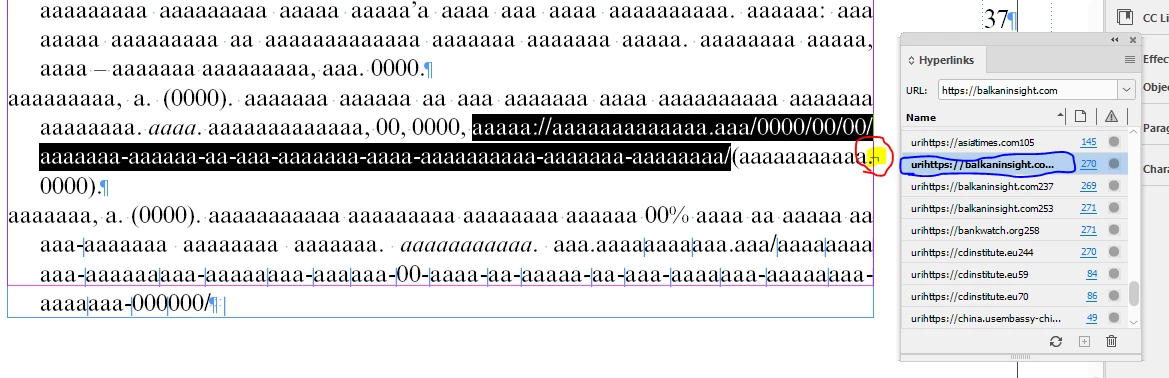
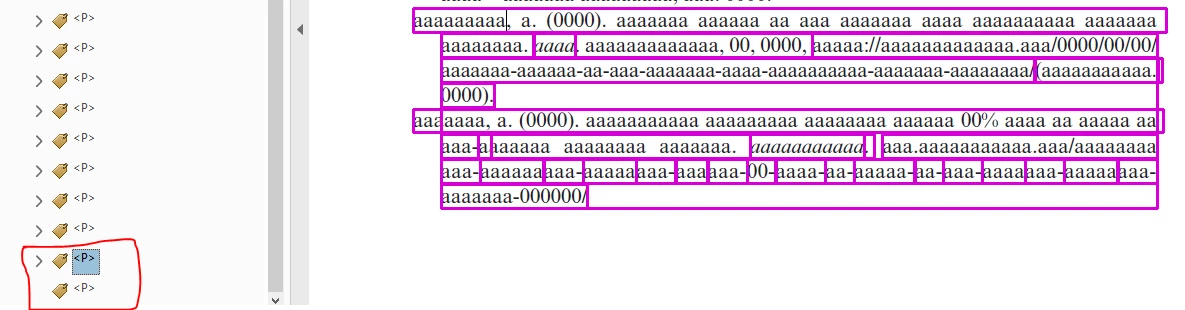
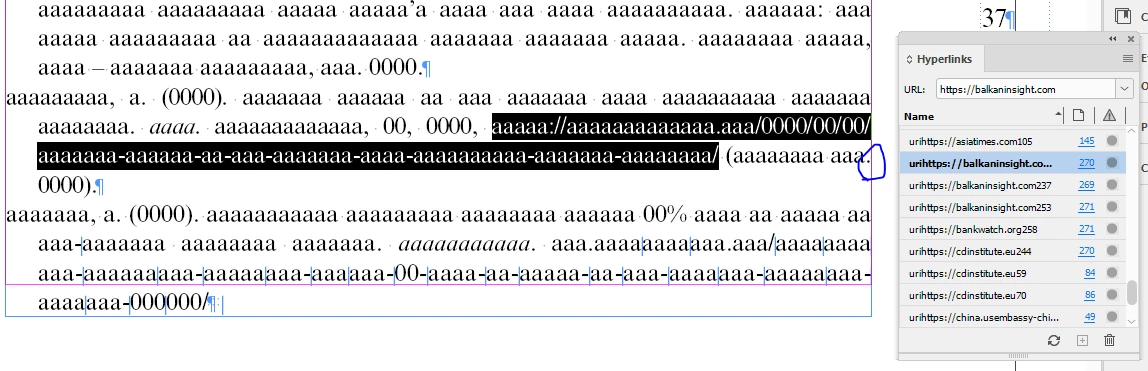
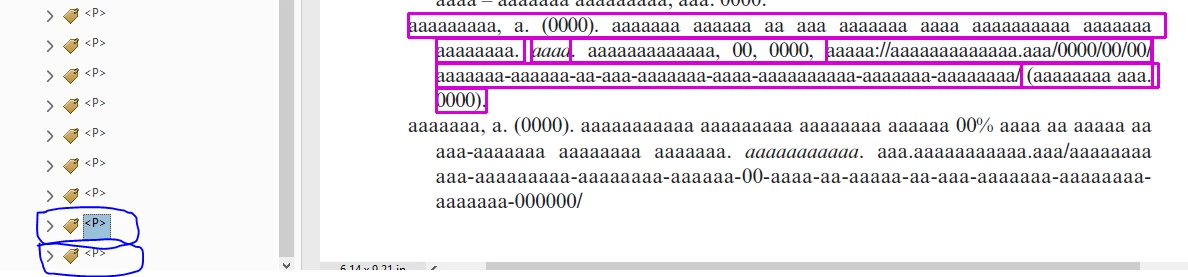
In tagged PDF, selecting a tag highlights multiple paragraph in a situation where a hyperlink exists in a line with Forced Line Break in Indesign. The same issue will not occur when we remove the forced line break and export the Tagged PDF. But, we cannot avoid using forced line break in pagination. I would really appreciate if I get a solution for this issue.


Please refer to the below screenshots (for copyright reason, I replaced all the text with 'a'):


In Indesign, a hyperlink exists in a line with forced line break:
 

Above Indesign document exported as tagged PDF:


In Indesign, a hyperlink exists in a line without forced line break:
 

Above Indesign document exported as tagged PDF:


This topic is closed to new replies. Start a new post to keep the conversation going.

8 replies

Frans v.d. Geest
Community Expert
Community Expert
July 16, 2022

Expand the <p> tag (open the triangle) in the tag-tree so we can see if the link/objr etc is inside that, it should be. But an unexpanded <p> tag just show the paragraph, which can be correct... So please post another screenshot with the p-tag extended so we can have a look.
Mind you: there is a bug in Acrobat with multi-line hyperlinks when there is a hyphen at the end!

We also see an empty p-tag in your screenshot at the end, I guess a return instead of space before/after, remove that.

Participant
July 18, 2022

Hi Mr. Frans,

Thanks for the reply.

I have attached the sample Indesign and PDF files for your convenience. Please check the last two paragraphs of the first page in both the Indesign and PDF files.


In Indesign document, suppose a hyperlink exists in a line with shift-enter at the end of that line. In tagged PDF, the p-tag of a paragraph that has hyperlink with shift-enter, highlights the content of the next para and leaving the tag of that next para empty.


Hope I conveyed the issue clearly. Please let me know if you need more information.

Thanks.

Frans v.d. Geest
Community Expert
Community Expert
July 18, 2022

You might take a look at this if you need to fix it yourself:

https://www.youtube.com/watch?v=48SrZUCQl_M

Mike Witherell
Community Expert
Community Expert
July 16, 2022

Have you considered using short URLs so that you can avoid the forced line break character? Something like TinyURL?

Mike Witherell
Participant
July 18, 2022

Hi Mr. Mike,

Thanks for the reply. 

We cannot modify the contents as they were written by some author. 

And this error occurs not only in URL but also when any kind of hyperlinks came in a line with the forced line break at the end of that line.

Thanks.