Inspiring
May 20, 2022
Answered

include contents as part of text flow

  • May 20, 2022
  • 2 replies
  • 576 views

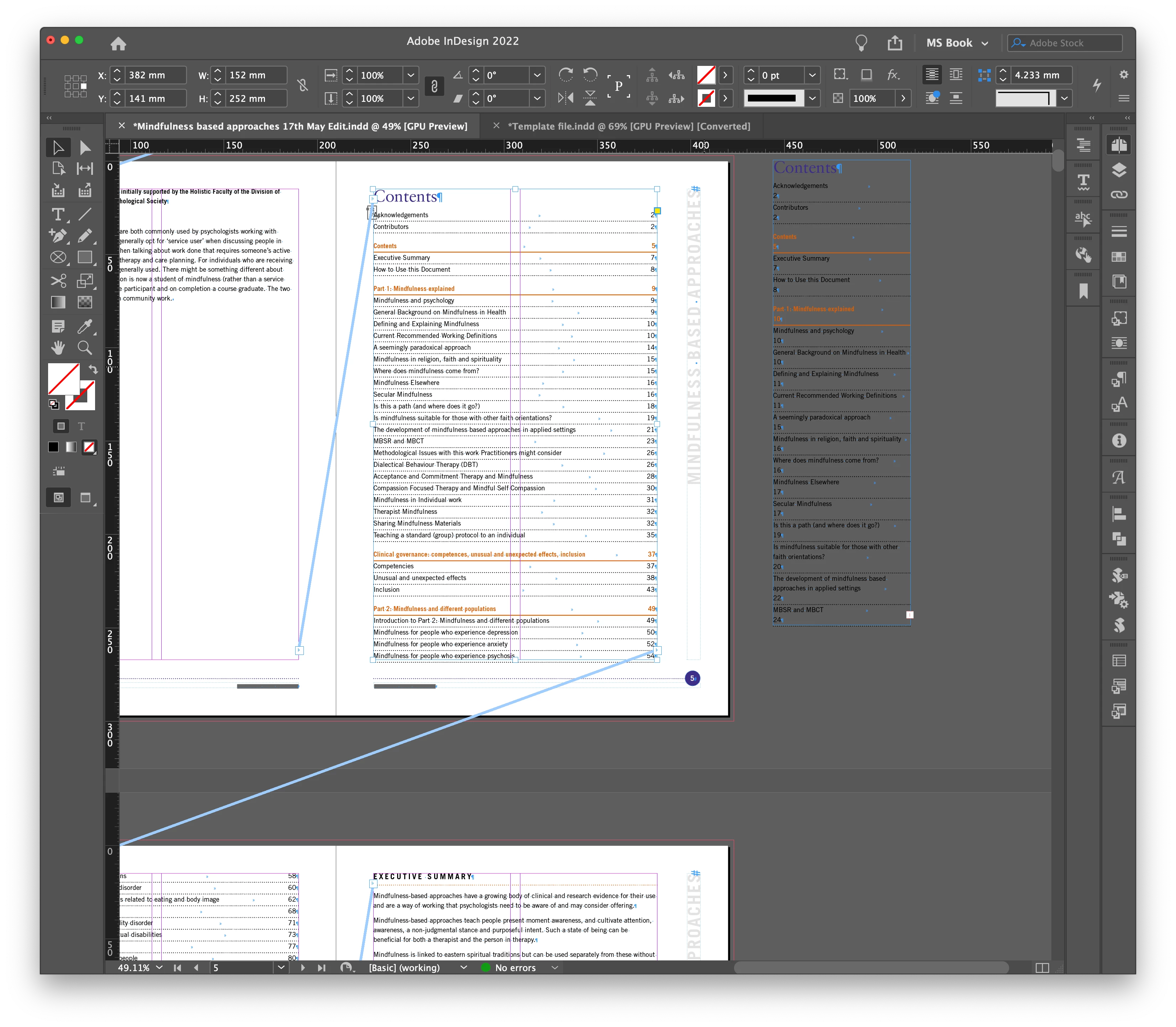
I have created a table of contents. but i have to create it as a seperate text box.

I then copy and paste the contents into the main text flow.

Is there any way i can include it in the main text flow?


Please see attached image


This topic has been closed for replies.
Correct answer Laubender

Hi Summayah5FC7,

there is a script written by Timothy Ariel Walden to break the text flow.

That script is pre-installed with your InDesign 2022.


Open the Scripts panel.

In the Scripts panel open the Community folder.


Select the frame you want to break.

Double click on BreakTextThread.jsx


This dialog will come up:
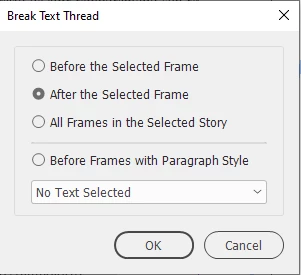
 

More details on this script:

Break Text Thread: A Free InDesign Script
by Ariel, January 28, 2020
https://www.id-extras.com/break-text-thread/


Important:

If you ever create a TOC with InDesign's TOC functions, never thread the TOC's text frame to the main thread of your text or to a different story.


Why? If you update the TOC InDesign will:

[1] Remove all text that is in the TOC's story

[2] Updates the TOC's contents


Result: An empty frame,

if all the TOC's contents is assembled from paragraphs of your main story that now is empty per step 1 in this 2-step process.


Regards,
Uwe Laubender
( Adobe Community Professional )

2 replies

LaubenderCommunity ExpertCorrect answer
Community Expert
May 25, 2022

Hi Summayah5FC7,

there is a script written by Timothy Ariel Walden to break the text flow.

That script is pre-installed with your InDesign 2022.


Open the Scripts panel.

In the Scripts panel open the Community folder.


Select the frame you want to break.

Double click on BreakTextThread.jsx


This dialog will come up:


More details on this script:

Break Text Thread: A Free InDesign Script
by Ariel, January 28, 2020
https://www.id-extras.com/break-text-thread/


Important:

If you ever create a TOC with InDesign's TOC functions, never thread the TOC's text frame to the main thread of your text or to a different story.


Why? If you update the TOC InDesign will:

[1] Remove all text that is in the TOC's story

[2] Updates the TOC's contents


Result: An empty frame,

if all the TOC's contents is assembled from paragraphs of your main story that now is empty per step 1 in this 2-step process.


Regards,
Uwe Laubender
( Adobe Community Professional )
Peter Spier
Community Expert
Community Expert
May 20, 2022

I'm curious why you feel you must put the TOC in the main flow. That has the potential to cause trouble down the line when you need to update it.

Inspiring
May 20, 2022

how do i unlink the current pages with have the TOC in them

Inspiring
May 20, 2022

If i break the frame, it seems to link with the next frame