
Inconsistency between TIF and Adobe PDF printing
Hey!
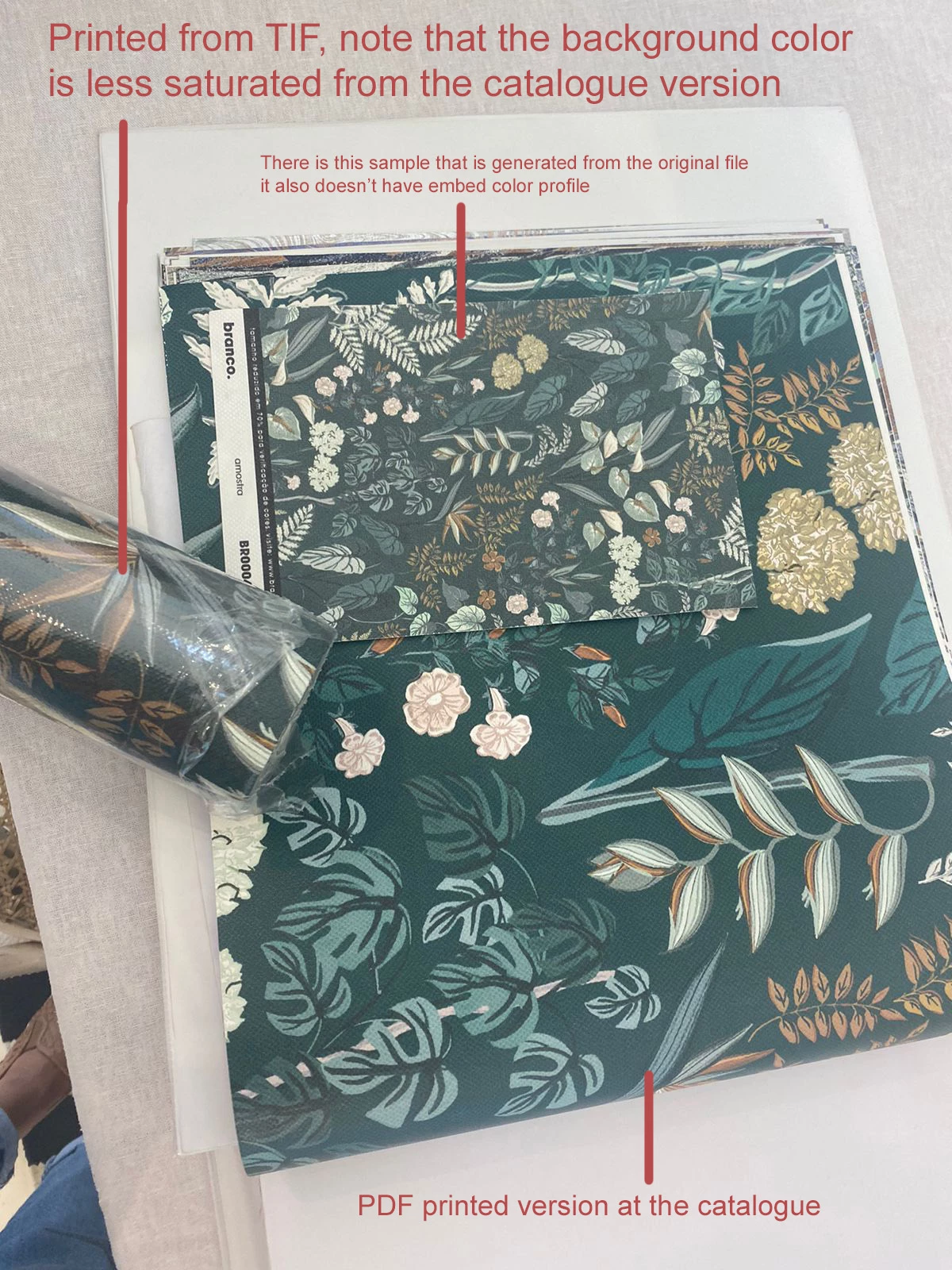
I work at a wallpaper company and I'm getting some trouble in printing consistency between files here... The situation goes like: here, we print our final product as TIF files with or without embed color profiles ( they come like to us this for many reasons... I know that sucks and probably it isn't the right way, but... ). To the matter: the TIF files, even without embed color profiles have a pretty good color consistency across printings even in diferent papers and etcetera; We also print the wallpapers catalogue, and we use InDesign to work the pages layout, bleeds e things like that - the problem goes here: exported pages from InDesign also have a pretty good consistency between prints at diferent times also - but these good consistencies are very different between each other...
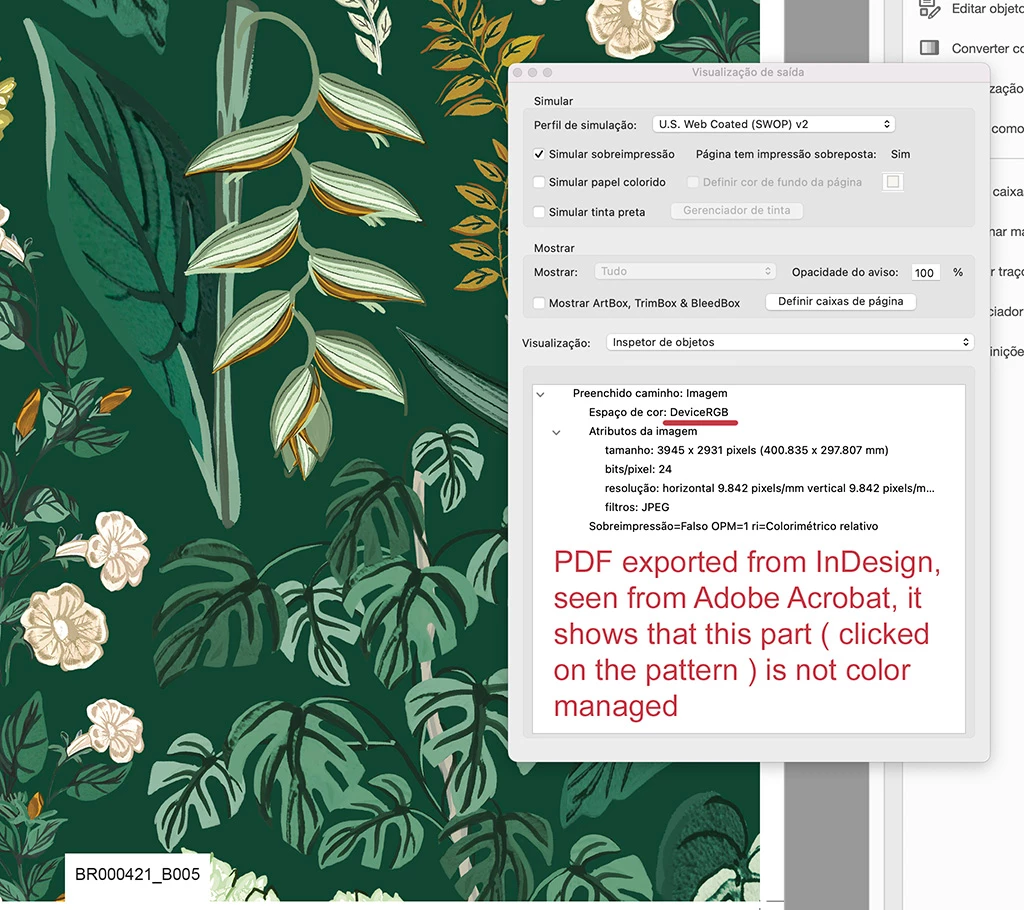
To be clear, when I export in InDesign to Adobe PDF, I choose to not make any color correction or color profile changing to make sure that colors will be printed the same way. I'm aware that PDFs can have all linked file's color profiles and all. But what is bending my mind is that even though files are getting diferent colors. Is there a way to make sure these files will be printed the same way? They are with the same profile and all, the only thing that changes is the file format, one is PDF and the other is PDF. My guess is in the RIP process, PDFs are read diferent from TIFs and this cause the diferenciation between them...
Can anyone point me some solution? Or even confirm that if we want to achive the perfect color match, these files have to be printed the same way to make sure?
For the record, we use Mac Pros from 2017, our printers are HP, and the softwares are the most recent, both Photoshop 23 and InDesign 17. I'll leave some images as an example.
Final product file:
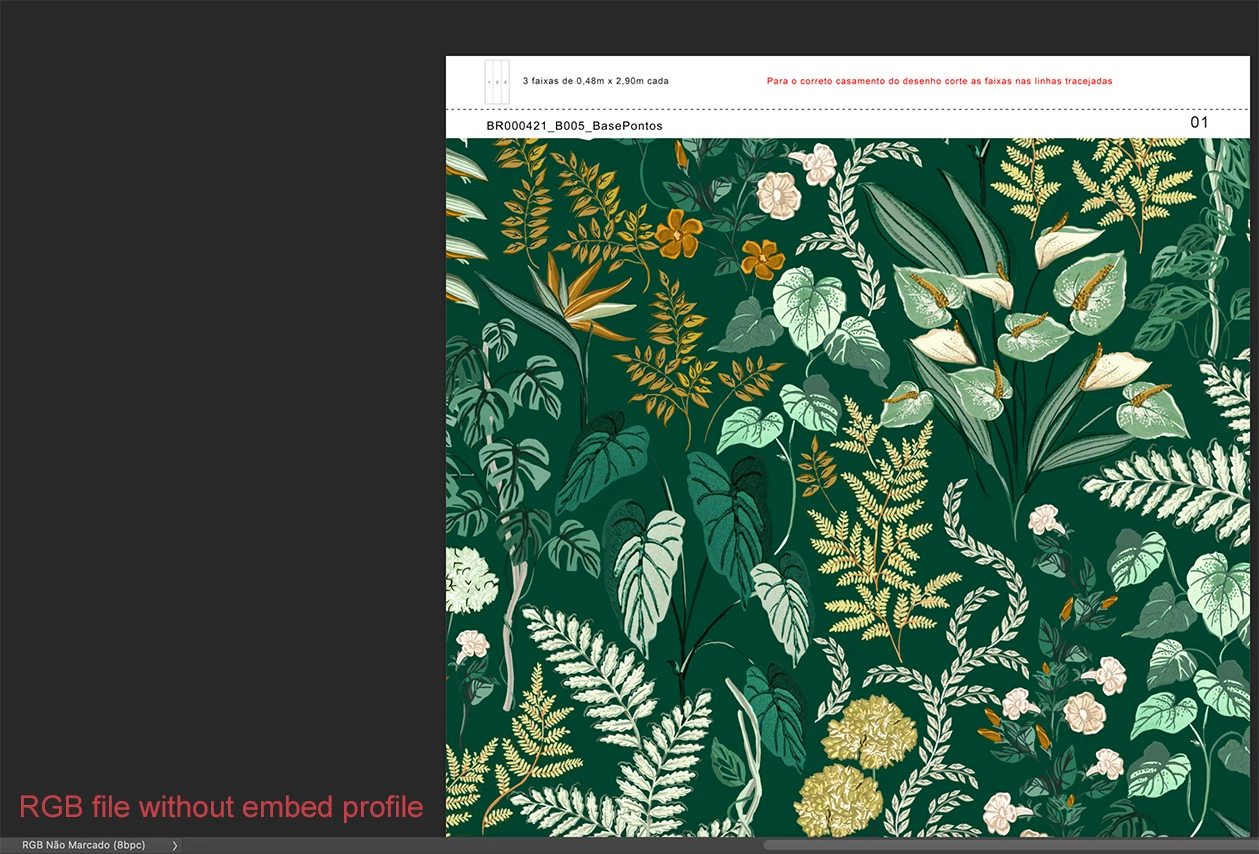
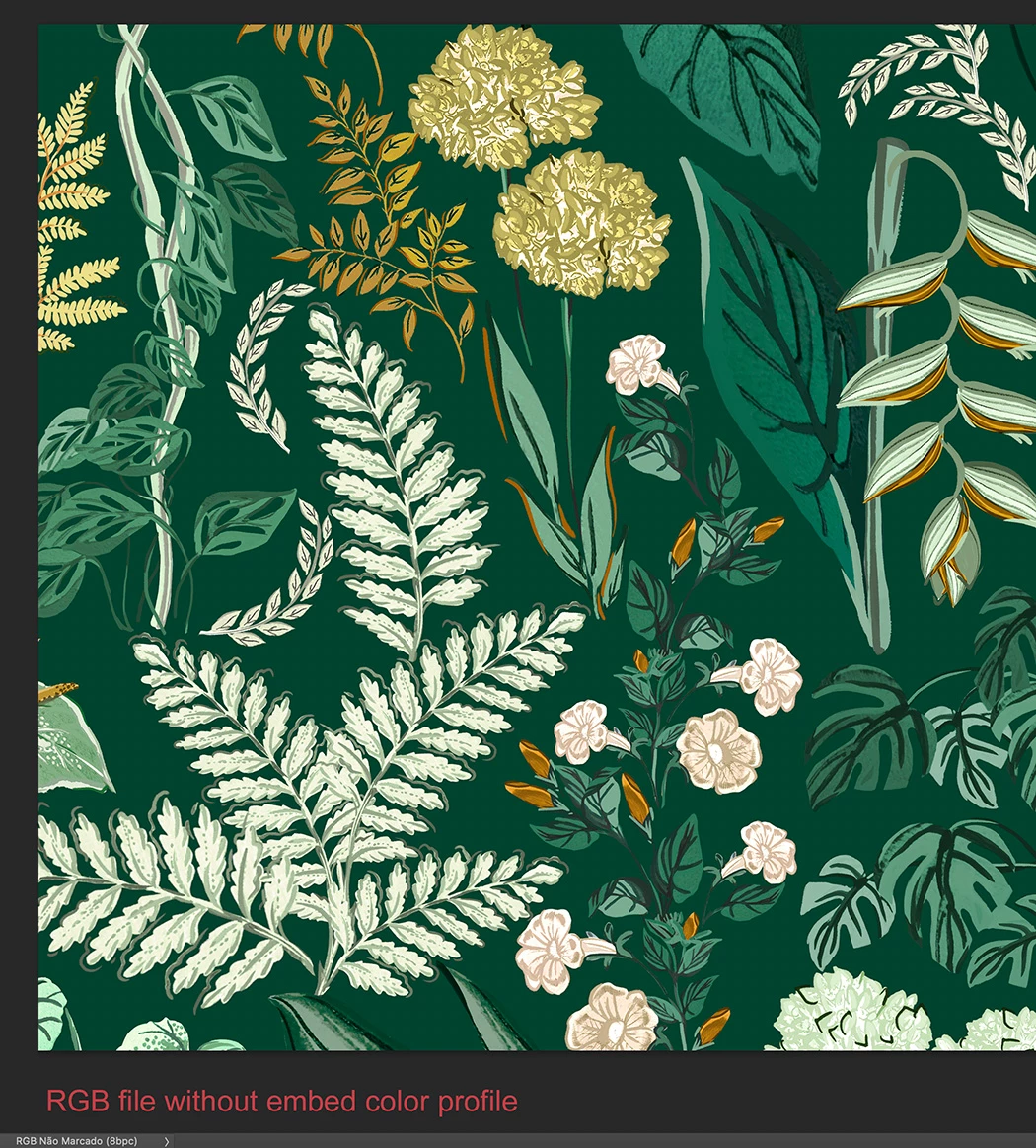
Linked file to InDesign:
Proofing information in Acrobat:
Color diference between files: ( The paper roll and the sample have the same colors )
Thanks for the time and answers!


 AdChoices