Participant
June 4, 2026
Question

Inconsistent line spacing in footnotes

  • June 4, 2026
  • 3 replies
  • 32 views

This happens to me quite often, where there will be inconsistent spacing in normal lines, but often in the footnotes section. 

When I highlight the lines, they all have the same settings, and yet the spacing is clearly different. I’ve tried going in manually to just change the line spacing on just the lines that are different and the number on the dial goes down but nothing budges on the actual document.


 

    3 replies

    Participant
    June 5, 2026

    Thank you! I will try this!

    Peter Kahrel
    Community Expert
    Community Expert
    June 4, 2026

    In your style panel you can see that the paragraph has overrides (indicated by the +-sign after the applied paragraph style’s name). You use [Basic Paragraph] for the footnotes, which is really a bad idea. It almost certainly means that all your footnotes were formatted manually, which in turn probably caused the spacing problem you see.

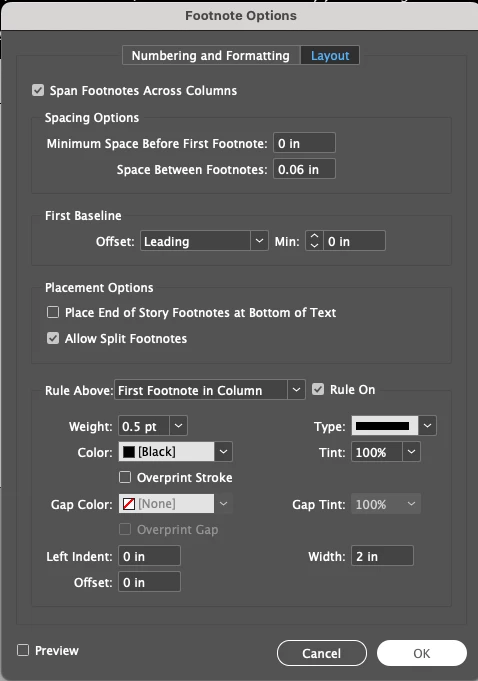
    You should create a paragraph style for the footnotes and set that in the Footnote Options window. You might then not need Barb’s suggestion.

    Participant
    June 5, 2026

    This fixed it! 

    Barb Binder
    Community Expert
    Community Expert
    June 4, 2026

    A quick fix is Preferences > Type > Apply Leading to Entire Paragraphs


    And/or, set up a paragraph style for your footnotes and assign it in Type > Footnote Options > Numbering and Formatting. If you still see irregular leading (and if you elected not to enable Apply Leading to Entire Paragraphs), select the note and remove overrides with the ¶* button at the bottom of the Paragraph Styles panel.


    ~Barb at Rocky Mountain Training