


Inconsistent spacing in imported file...
Hi,
I'm quite new to InDesign, and have recently been formatting my novel. I imported a word document into InDesign, and began manually changing anything that didn't come up the way I wanted to better match the appearance I want the document to have.
Now, having done most of what I wanted to do, there is one issue I still have that I can't seem to figure out (or find online help on). At the beginning of every paragraph (excluding one opening a chapter), I insert five spaces before beginning the text. However, in certain paragraphs, the spacing before the first letter is sometimes larger than others. I've even tried manually erasing these spaces and re-typing them, but they still come out at whatever size they were before, either too small or too large. Furthermore, the spacing settings in the upper toolbar seem to be consistent, despite differing results.
There are five spaces inserted at the beginning of every paragraph (except those opening a chapter). Here is an example:
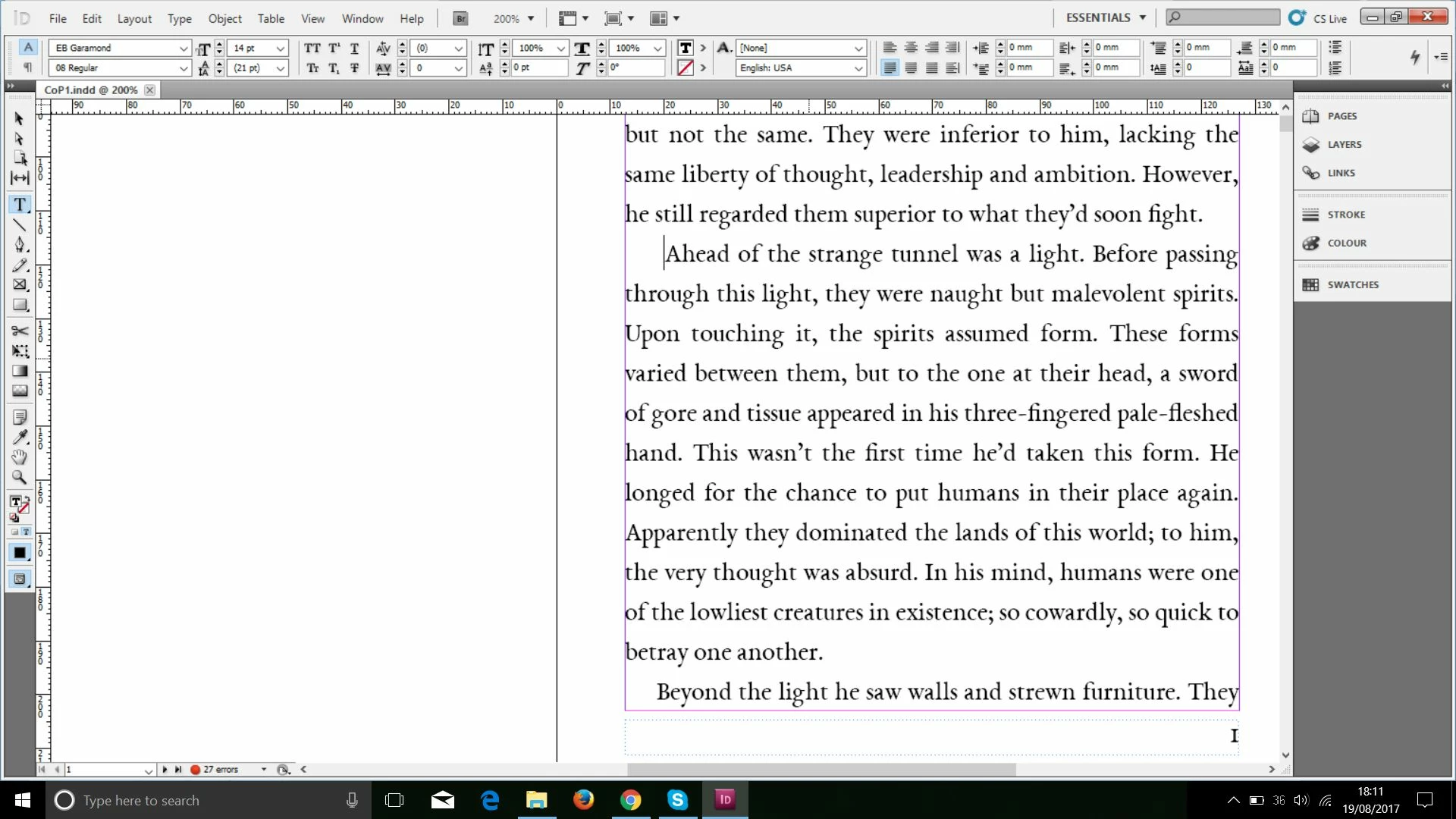
If you look at the amount of space before the word "Ahead" where the cursor is, and the amount of space before "Beyond" on the bottom line, you can see that the former has a much larger distance from the margin. However, both are distanced with five spaces, and the same settings, at least where I can see.
More examples of the same thing can be seen here:
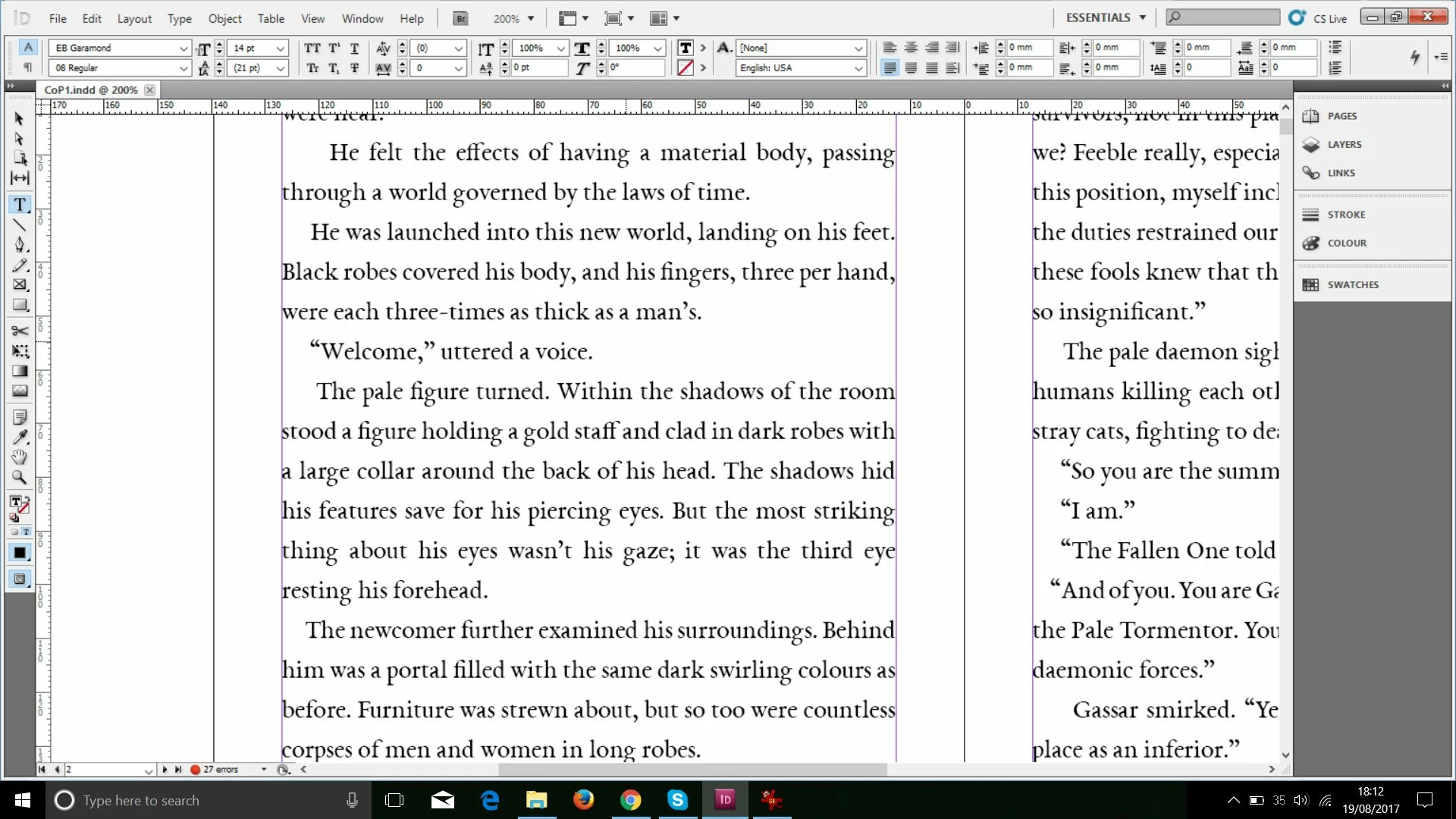
I hope someone can help me with this, because the formatting looks very unprofessional as is.
Thanks in advance.
Message was edited by: Mod (Discussion successfully moved from The Lounge to InDesign)
 AdChoices