m e r x
Participating Frequently
February 2, 2026
Answered

Inconsistent text formatting in indesign

  • February 2, 2026
  • 5 replies
  • 146 views

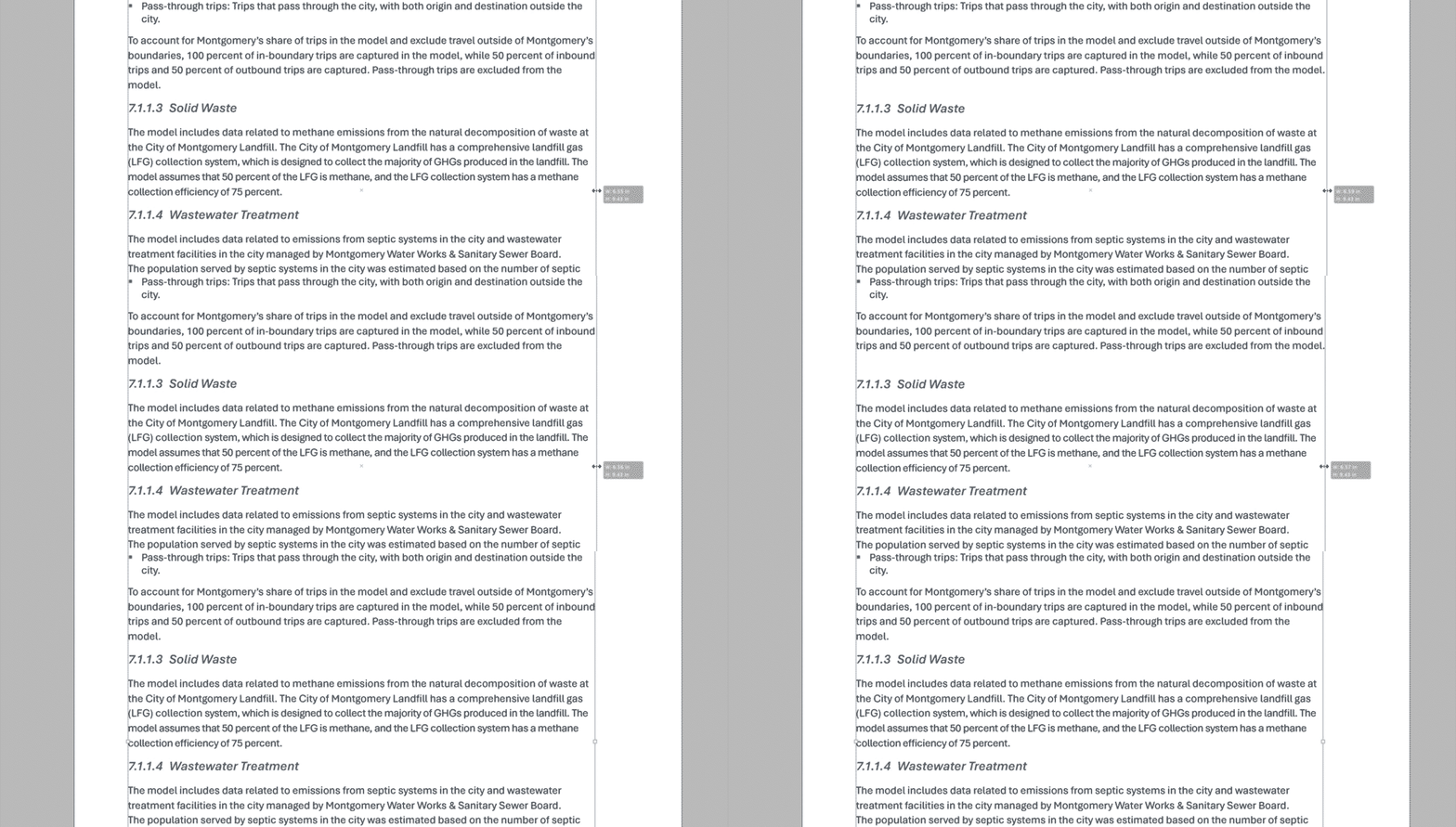
Leading between paragraph styles is not consistent. The larger (incorrect) space only happened around 5 times in 100+ page doc. No rogue formatting on styles. Seems to fix itself when i create a orphan.
 

    Correct answer rob day

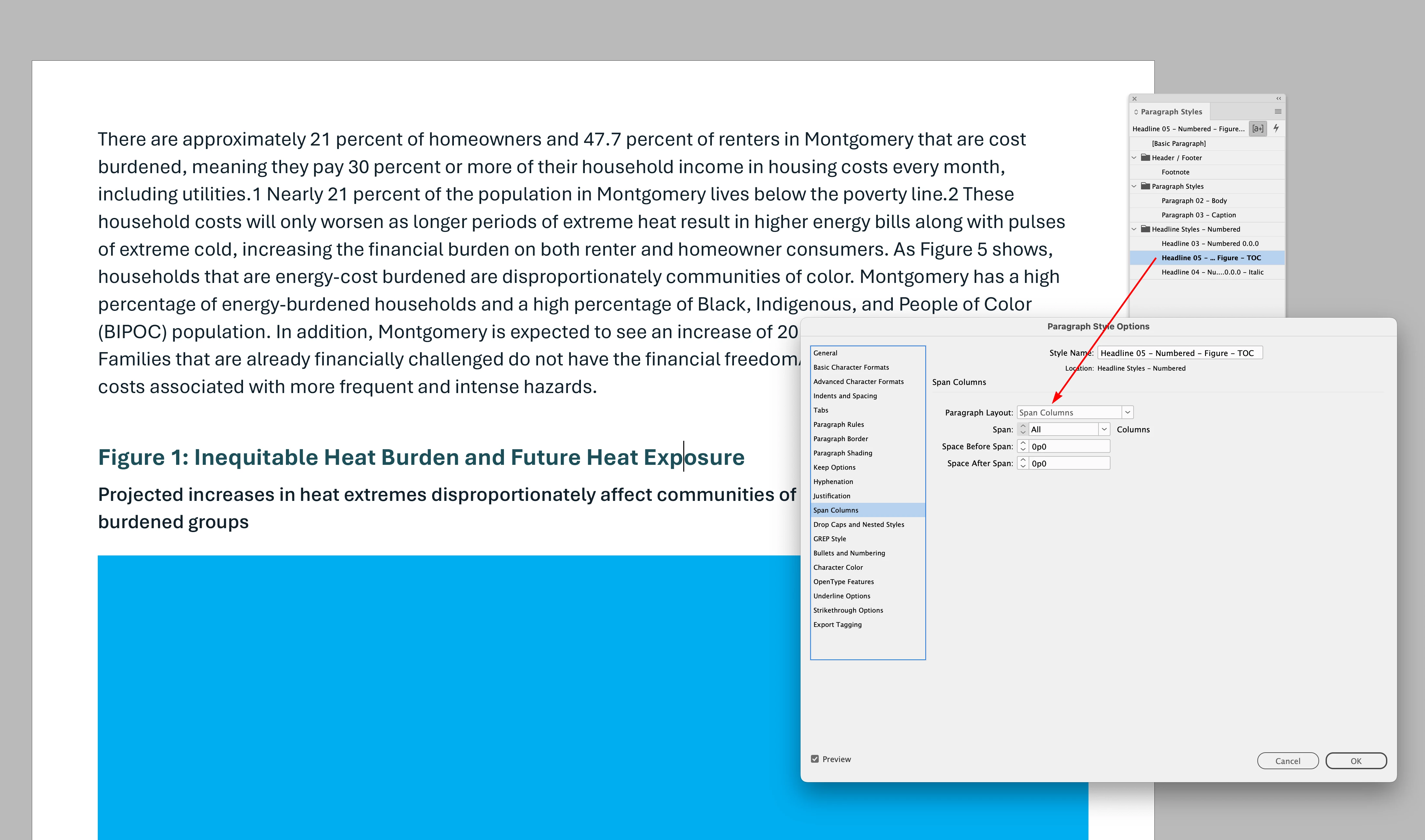
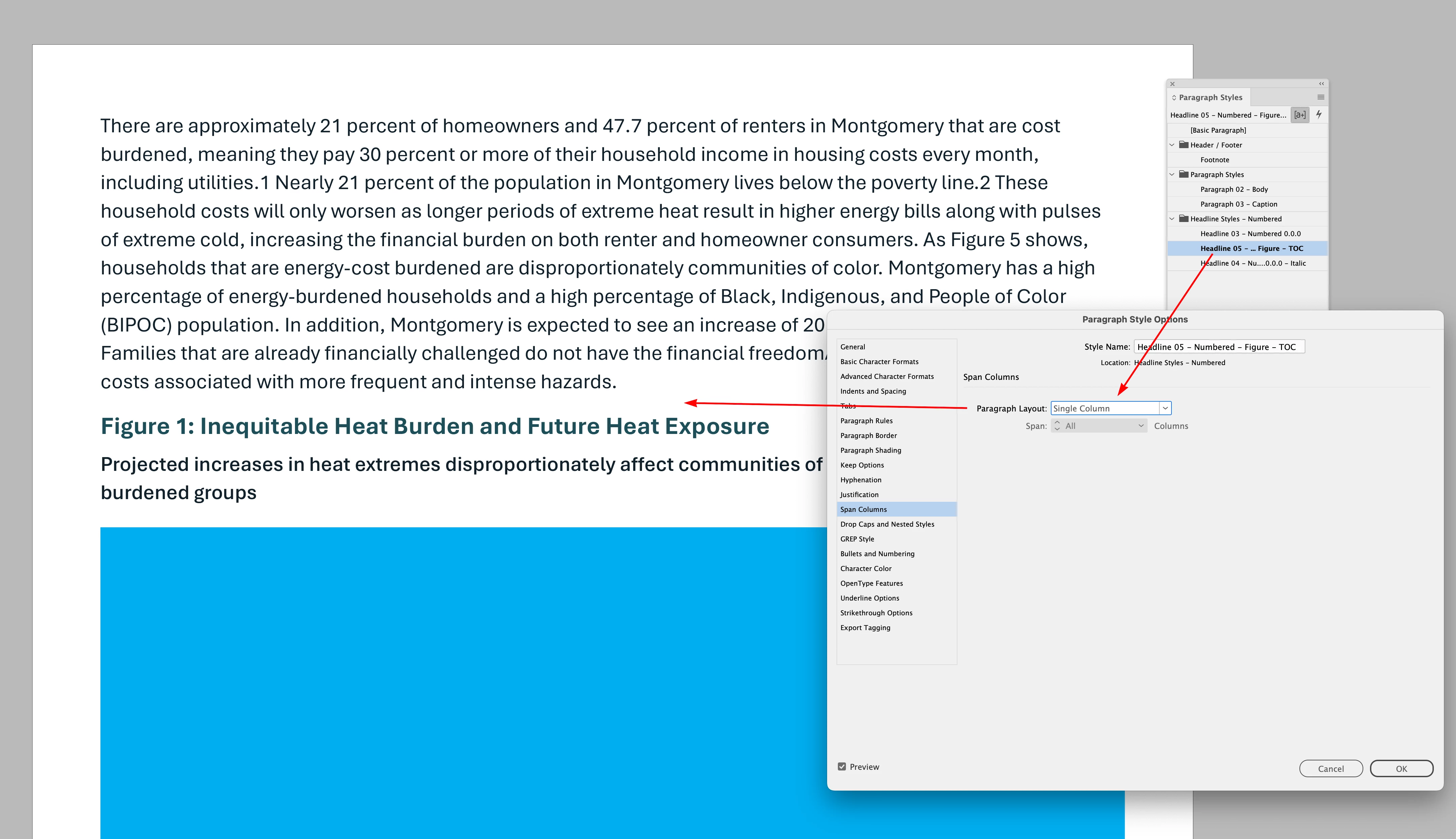
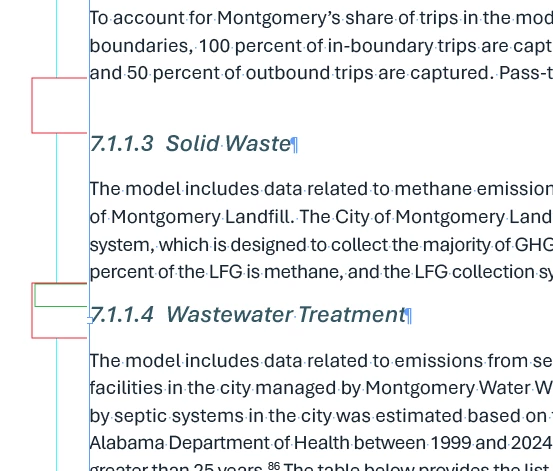
    Hi ​@m e r x , You have Span Columns turned on, but all the text is single column—it looks like that is affecting the space above:


    5 replies

    m e r x
    m e r xAuthor
    Participating Frequently
    February 4, 2026

    Hello, I’ve attached a sample page from this document with the odd formatting.

    rob day
    Community Expert
    rob dayCommunity ExpertCorrect answer
    Community Expert
    February 4, 2026

    Hi ​@m e r x , You have Span Columns turned on, but all the text is single column—it looks like that is affecting the space above:


    m e r x
    m e r xAuthor
    Participating Frequently
    February 5, 2026

    Wow, that’s it—thank you!

    Brad @ Roaring Mouse
    Community Expert
    Community Expert
    February 2, 2026

    Have you tried Turning on Style Override Highlighter?? That might point you in the direction as to what’s up.

    Also, turn on Hidden Characters… there might be an errant space (?) at the end of the paragraph that is still wrapping to the next line.

    m e r x
    m e r xAuthor
    Participating Frequently
    February 4, 2026

    Hm, I have hidden character on and just tried the Style Override Highlighter (which I’ve never used before) but there doesn’t seems to be any issues with this tool.

    Barb Binder
    Community Expert
    Community Expert
    February 4, 2026

    Hi ​@m e r x:

    This is likely something very straightforward, but it's not obvious from looking at your video. Can you please share your file, either privately or publicly? You can put it on a cloud server and share the link here (public) or via DM (private). 

    ~Barb at Rocky Mountain Training
    Mike Witherell
    Community Expert
    Community Expert
    February 2, 2026

    Hi MERX,

    Just for good measure, patch up to 21.2. Maybe also...

    Make sure a Character Style isn’t applied stuck on. Also wouldn’t hurt you to...

    Preferences > Type, turn on Apply Leading to Entire Paragraphs

    Mike Witherell
    Dave Creamer of IDEAS
    Community Expert
    Community Expert
    February 2, 2026

    Are you using a baseline grid?

    Are you using paragraph space instead of leading? Paragraph space would be preferred but you mentioned leading.


    David Creamer: Community Expert (ACI and ACE 1995-2023)
    m e r x
    m e r xAuthor
    Participating Frequently
    February 2, 2026

    No baseline grid, I am using paragraph spacing. I’ve tried spot removing the spacing but that doesn’t seem fix to be the problem (but it does make the space slightly smaller). I’ve also reformatting all the type serveral times. The issue seems to be with the paragraph with the “body” style not the sub heading style (7.1.1.3...).

    Dave Creamer of IDEAS
    Community Expert
    Community Expert
    February 2, 2026

    Can you upload a sample page(s)? If not, click on my name and send a message. 


    David Creamer: Community Expert (ACI and ACE 1995-2023)
    BobLevine
    Community Expert
    Community Expert
    February 2, 2026

    What version of InDesign and operating system (full build numbers)?

    m e r x
    m e r xAuthor
    Participating Frequently
    February 2, 2026

    Latest version of indesign 21.1
    On a Macbook pro running - macOS Tahoe v. 26.2 (25C56)

    BobLevine
    Community Expert
    Community Expert
    February 2, 2026

    That is NOT the latest version of InDesign. Please upgrade to 21.2.