Participant
August 23, 2022
Question

InCopy Text Linked to InDesign File Doesn't Display in Layout

  • August 23, 2022
  • 4 replies
  • 429 views

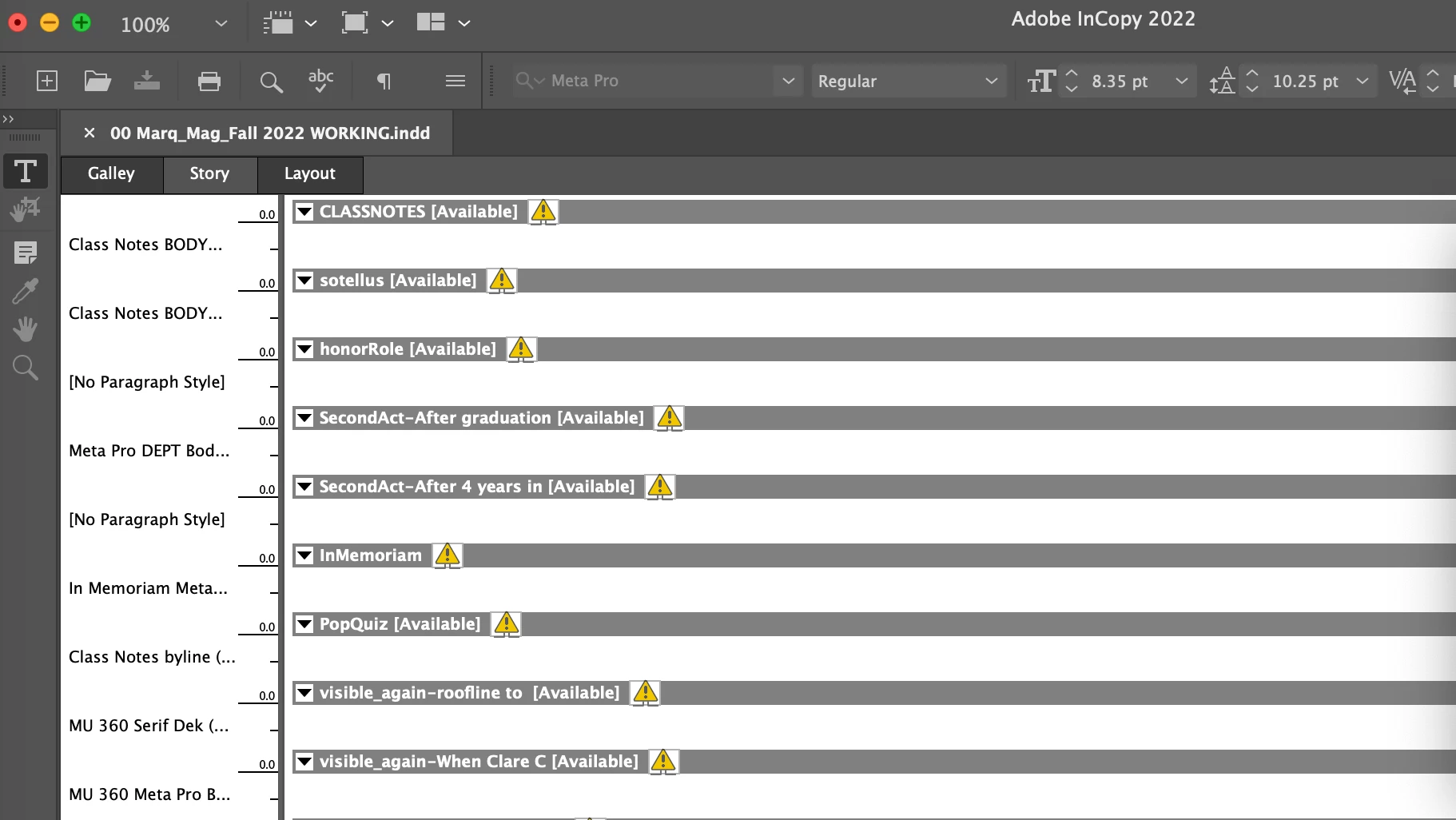
Our designer created a magazine layout, linked the design to the text to make it possible for me to "check out" and edit. When I open the file, I see all kinds of alert icons. Strangely, the layout shows me text in columns that have not been linked but is blank in stories that have been linked. I deleted all fonts and reinstalled them and relaunched Creative Cloud Suite. It didn't work. My editor colleague down the hall is able to open this file, see the text, check it out to edit and check it back in. I cannot. 
 

This topic has been closed for replies.

4 replies

Willi Adelberger
Community Expert
Community Expert
August 24, 2022

On what kind of server do you save shared files? Are they available offline?


BTW: You should ALWAYS work with paragraph style.

hammer0909
Community Expert
Community Expert
August 24, 2022

I'm thinking she has access to the location of the stories and you do not? Please follow Bob's advice and post a screen shot of the Assignments panel.

BobLevine
Community Expert
Community Expert
August 24, 2022

Also, a screenshot of the assignments panel, fully open, might be helpful.

BobLevine
Community Expert
Community Expert
August 24, 2022

Can you show us a screenshot of the layout without all of the frames hidden, please? Also, a screenshot of the assignments panel, fully open, might be helpful.