
Known Participant
November 20, 2017
Answered

INDD File Size HUGE with placed PSD files

  • November 20, 2017
  • 4 replies
  • 3440 views

Good afternoon,

Working in InDesign and noticed my INDD file size got HUGE (200+mb for 32 pgs).

  1. I tried the Save As and Save as IDML tricks and no noticable difference.
  2. I then re-saved all of the 72ppi screen grab/camera files that 300ppi so the thumbnails InDesign generates and stores would be smaller - no noticable difference here
  3. I then removed all the instances of a single, transparent PSD used 12 times and that cut my document down to 20mb!!! So somehow the PSD file thumbnail was huge.

-----------------------------

Seeing that the PSD files were taking a huge amount of space, I decided to do a test. I made a new, single page document, placed (as link) a single image (listed below)  in the center of the page and did a Save As. I did this 4 times with 3 different image types of the original image. Below you will see the image file info/size compared to the INDD file size generated when that single image is placed into it.
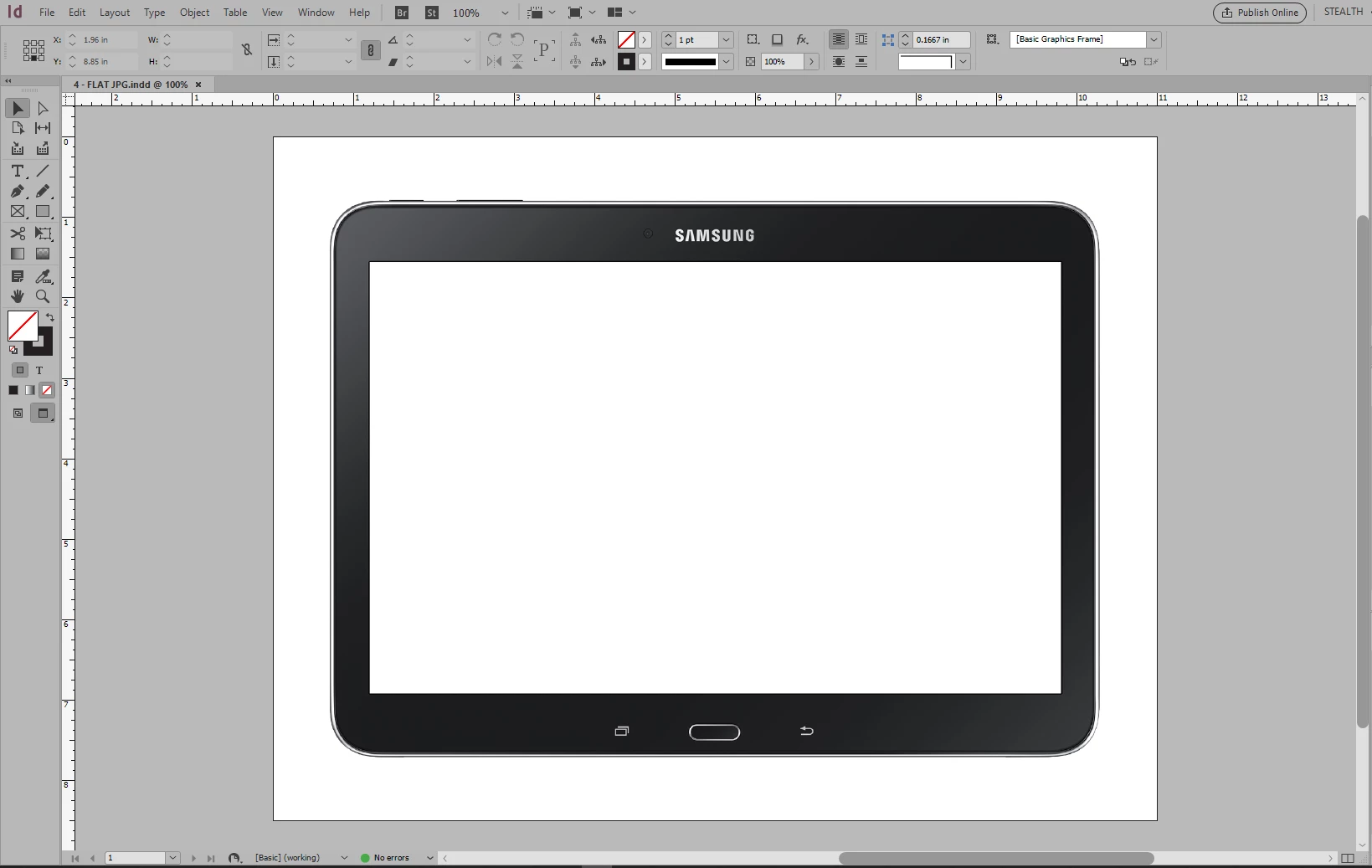
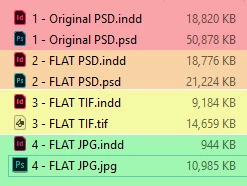
  1. Original PSD:  (3864 x 2799px, CMYK, placed at 100%, 403ppi (actual & effective), transparency via layer mask) - 50.8mb >>> INDD 18.8mb
  2. FLAT PSD:  (3864 x 2799px, CMYK, placed at 100%, 403ppi (actual & effective), no transparency) - 21.2mb >>> INDD 18.7mb
  3. FLAT TIF:  (3864 x 2799px, CMYK, placed at 100%, 403ppi (actual & effective), no transparency, LZW compression) - 14.6mb >>> INDD 9.1mb
  4. FLAT JPG:  (3864 x 2799px, CMYK, placed at 100%, 403ppi (actual & effective), no transparency, Compression Quality 12) - 10.9mb >>> INDD 0.9mb
----------------------------------

My assumption was that InDesign generates thumbnails from the placed images. I understand that CMYK vs RGB or opaque vs transparent would lead to some differences in internal thumbnail size, but these are huge differences. Does anyone know what causes these size differences or if there is a way to help reduce the PSD image thumbnail size.

It seems like this is a new phenomenon - only in the 2018 (and maybe 2017?) editions of INDD. I have 10 years of INDD files that didn't get this big!

Thanks for your thoughts on this.

-Ryan
    This topic has been closed for replies.
    Correct answer rob day
    It seems like this is a new phenomenon - only in the 2018 (and maybe 2017?) editions of INDD. I have 10 years of INDD files that didn't get this big!

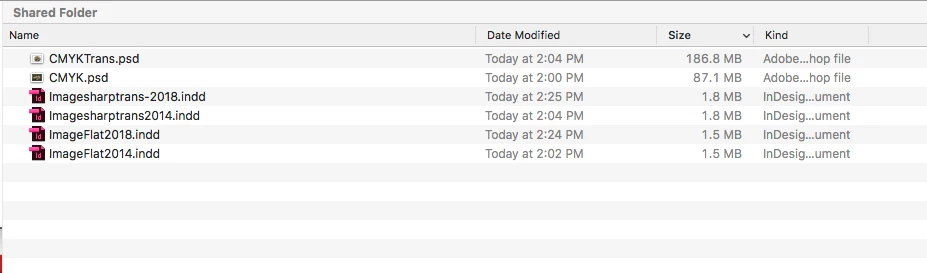
    I'm not seeing a difference between CC2014 and 2018. Here's what i get with placed PSD's flat and transparent matching your specs—3864 x 2799px, CMYK, placed at 100%, 403ppi

    Check your image's metadata—metadata comes with the image even when you place. Try copying the pixels into a new blank Photoshop canvas and see if that makes a difference.

    4 replies

    rob day
    Community Expert
    rob dayCommunity ExpertCorrect answer
    Community Expert
    November 21, 2017
    It seems like this is a new phenomenon - only in the 2018 (and maybe 2017?) editions of INDD. I have 10 years of INDD files that didn't get this big!

    I'm not seeing a difference between CC2014 and 2018. Here's what i get with placed PSD's flat and transparent matching your specs—3864 x 2799px, CMYK, placed at 100%, 403ppi

    Check your image's metadata—metadata comes with the image even when you place. Try copying the pixels into a new blank Photoshop canvas and see if that makes a difference.

    GGRG_42Author
    Known Participant
    November 21, 2017

    Thanks Rob! Appreciate you testing in an old version, I don't have an old version on this machine.

    Since my PSD was only one layer I just cloned it to a new document - that shaved 9mb off the PSD file. Then I made another single page INDD with the image and it saved at 1mb - Compared to almost 19mb. Somehow the 9mb of metadata counted as 18mb of junk in INDD!!!

    Next I'll have to look up if there is a way to strip metadata instead of having to clone to a new document. Is that a function Bridge might do?

    I updated the link into my original 32 PG layout file and it is now down to a manageable 18mb compared to 220+mb before.

    Thanks everyone!

    -Ryan

    rob day
    Community Expert
    Community Expert
    November 21, 2017

    Next I'll have to look up if there is a way to strip metadata instead of having to clone to a new document. Is that a function Bridge might do?

    You might search for a script. The Photoshop javascript info object is read only, but there are some scripts out there. Try searching for something like "photshop javascript strip metadata"

    https://www.google.com/search?source=hp&ei=U6EUWr2JAcj4jwSqxoiQAQ&q=photshop+javascript+strip+metadata&oq=Photshop+JavaS…

    Mike Witherell
    Community Expert
    Community Expert
    November 21, 2017

    As you already have seen, files placed at higher ppi instead of a default 72ppi, will make smaller internal versions. Make sure you do the rez work in PS before placing in ID; not editing after placing.

    Mike Witherell
    GGRG_42Author
    Known Participant
    November 21, 2017

    In this case I need to work in CMYK, but the question is more about how/why various input file types effect the thumbnail image so drastically. I can see that a PSD with transparency would be a bit larger but even TIFF vs JPG is a pretty big difference.

    My assumption is that INDD generates it's own thumbnail image (as some sort of internal JPG ??) and if the input images are the same dimensions/resolution/colorspace wouldn't their thumbnails be pretty similar.

    Also, it appears that if the same images is placed multiple times it stores a thumbnail for each instance.

    Mike Witherell
    Community Expert
    Community Expert
    November 21, 2017

    Have you considered placing RGB image files into an RGB InDesign document?

    You state it yourself: live transparency files will trigger much more technology baggage than a flat image.

    Mike Witherell