
Inspiring
March 20, 2025
Answered

INDD Page distortion -- What have I done?

  • March 20, 2025
  • 2 replies
  • 307 views

INDD 20.2 Windows 11/64

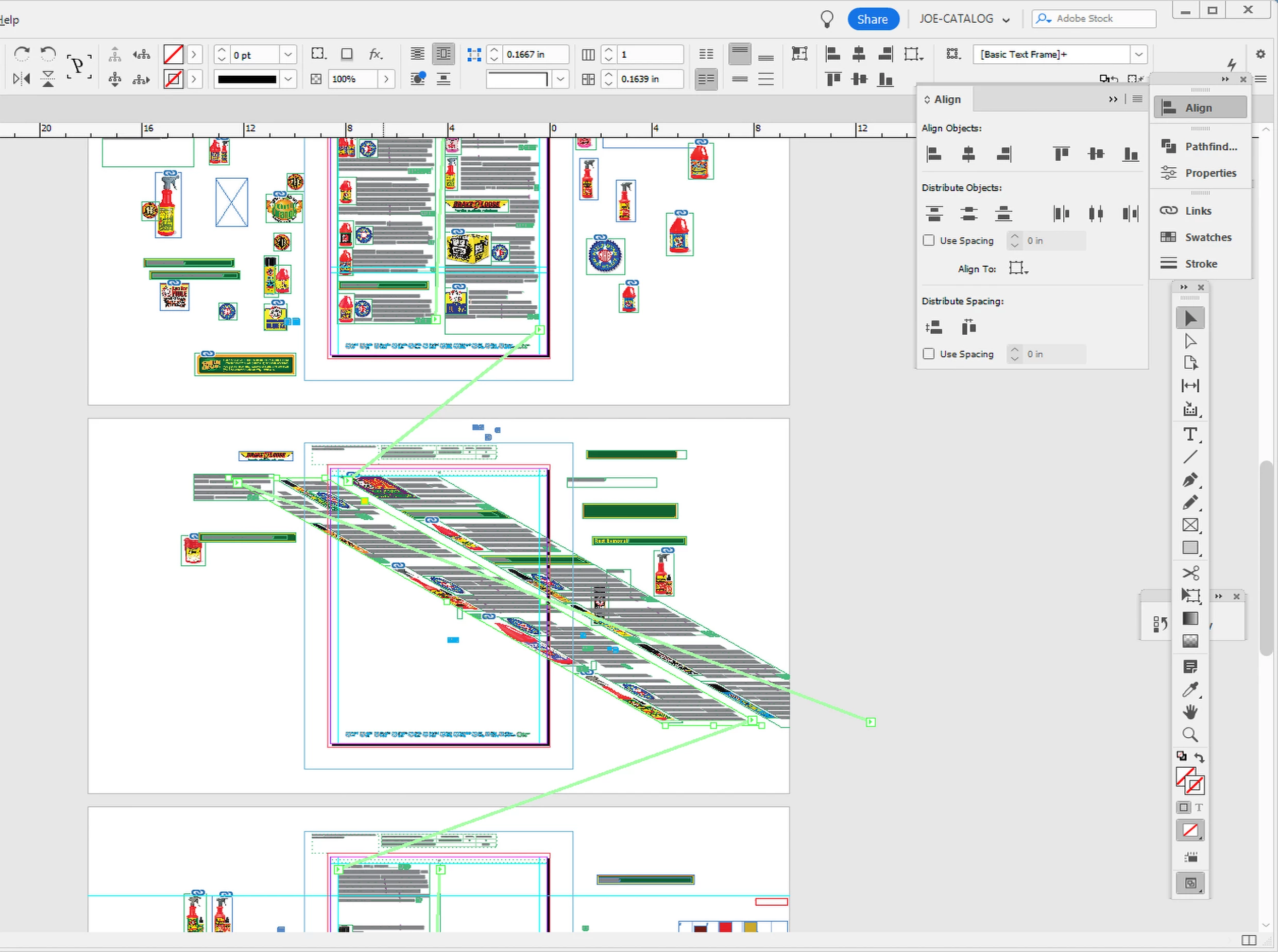
I shut this project down and went to eat supper. When I got back, this is how I found one of my pages. I suppose I caught and dragged something witha stylus or mouse and then saved it, having had no idea what I did.
My questions are: How do I undo it (if I can)? and what did I do, so I won't do it again.

Thanks to those who know more than me,
Joe
 

Correct answer Robert at ID-Tasker

If your file is still open - press Ctrl+Z / Undo a few times. 


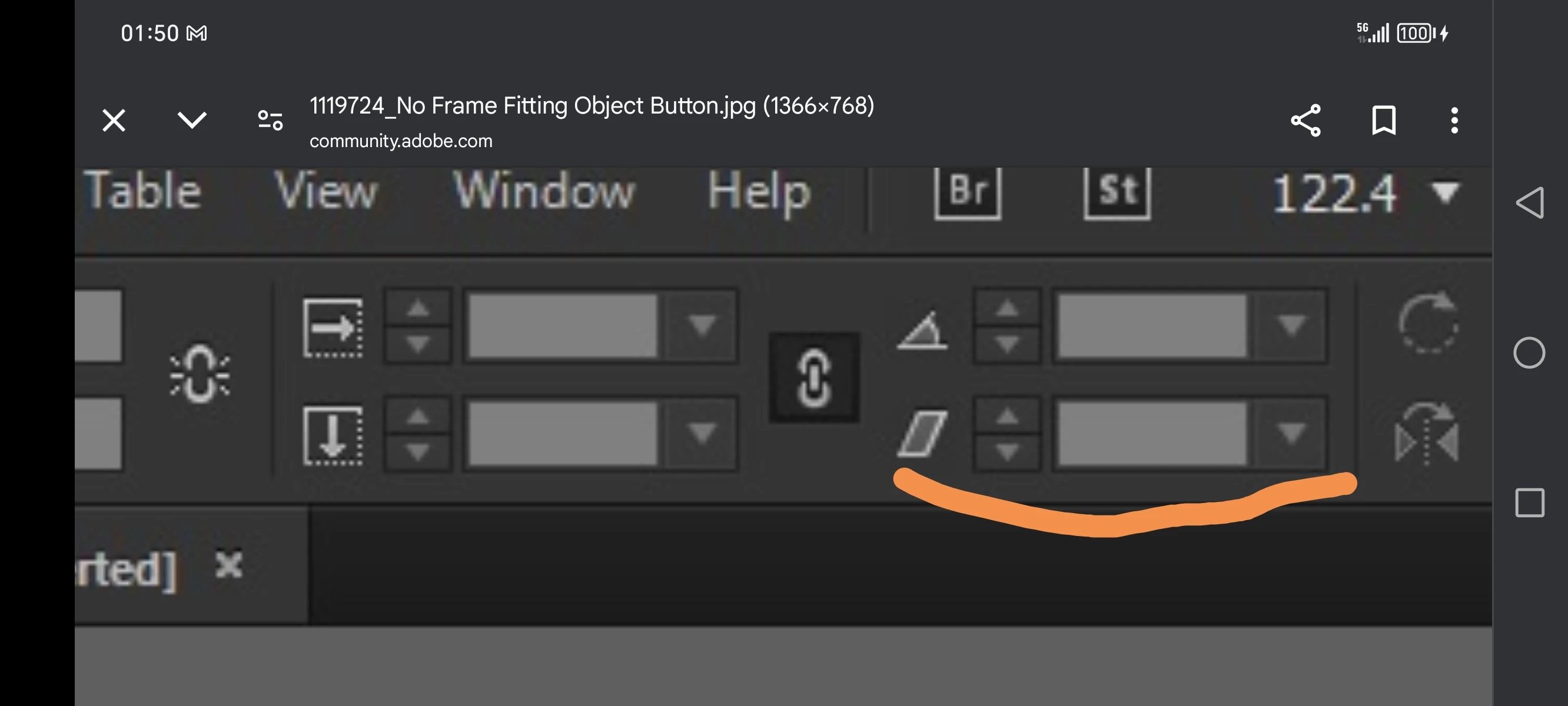
Otherwise - it's called SHEAR:


https://helpx.adobe.com/uk/indesign/using/transforming-objects.html 


After you select your TextFrame: 


2 replies

BobLevine
Community Expert
Community Expert
March 20, 2025

Just a note for the future. If you work in a Dropbox or OneDrive folder, you can always revert to an earlier version of your file, even if you delete it or over write it. Well worth the investment.

Robert at ID-Tasker
Robert at ID-TaskerCorrect answer
Legend
March 20, 2025

If your file is still open - press Ctrl+Z / Undo a few times. 


Otherwise - it's called SHEAR:


https://helpx.adobe.com/uk/indesign/using/transforming-objects.html 


After you select your TextFrame: 


Inspiring
March 20, 2025

Robert, it was far too late for the beloved, cntrl-z, but thanks to you, now know how to "de-shear ."

Thanks a million,

Joe

Robert at ID-Tasker
Legend
March 20, 2025

You're welcome.