Inspiring
June 16, 2022
Answered

InDeisgn is Forcing Widows Across Pages

  • June 16, 2022
  • 4 replies
  • 273 views

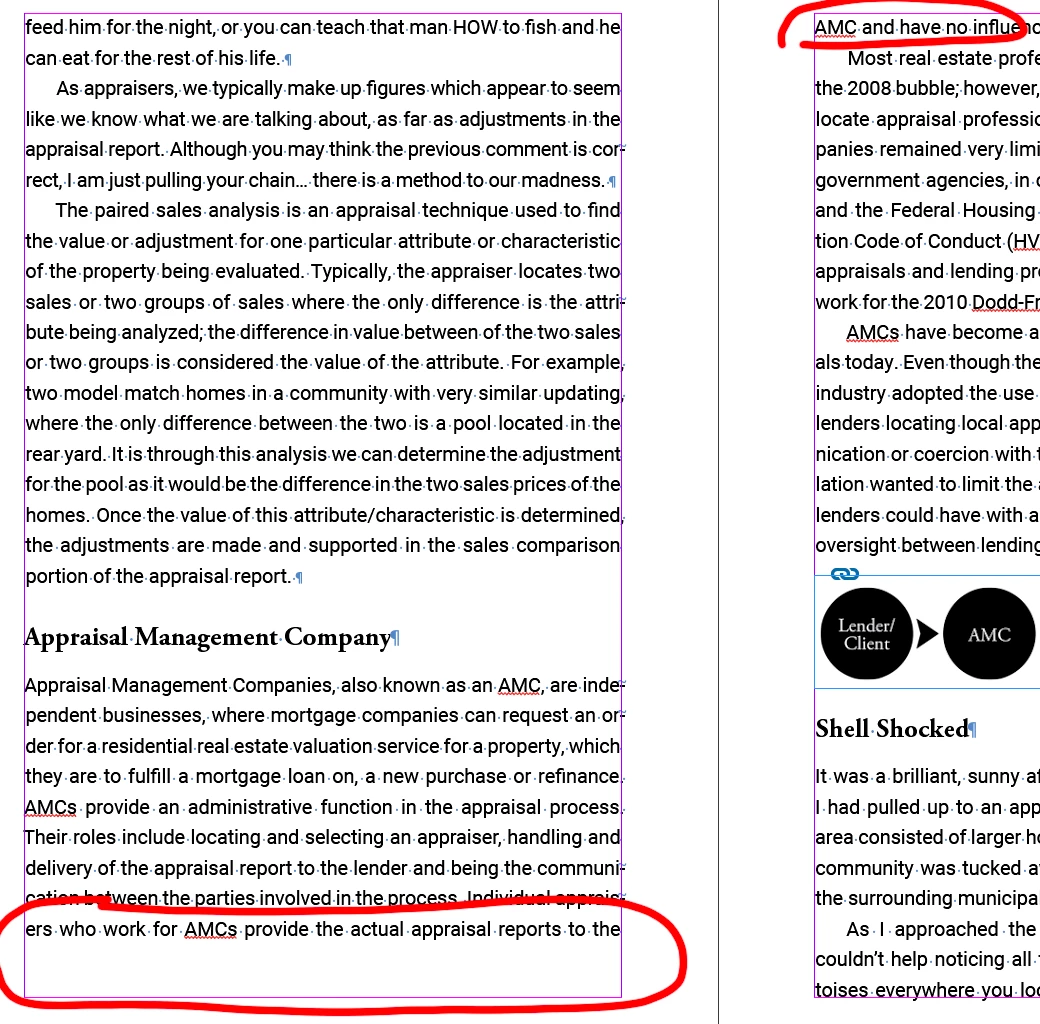
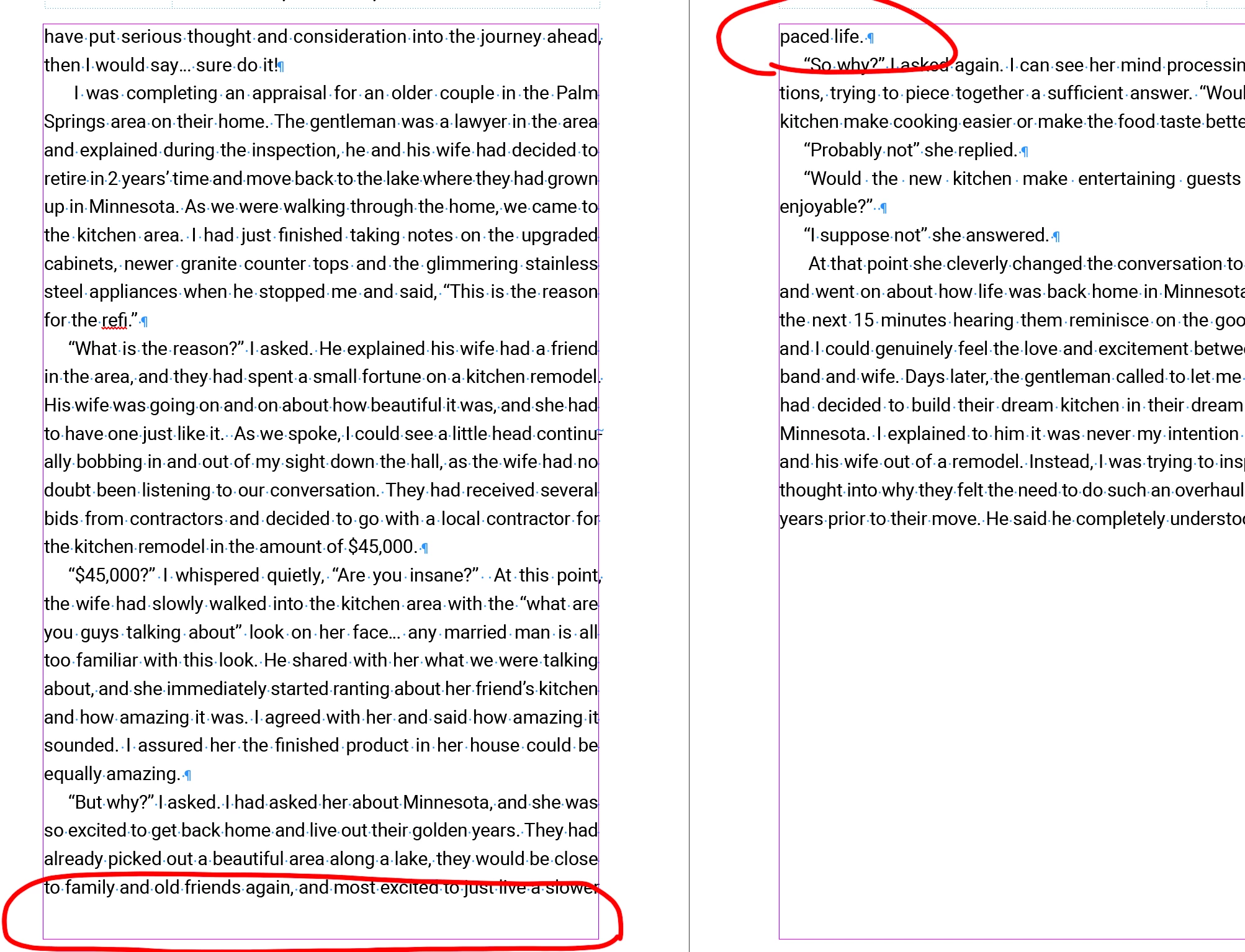
There's plenty of space for the sentance at the bottom of the page, but ID is sending it to the next page all alone.


I was using the Keep settings and turned that off in case that was the cause. I am losing my mind. I can't see any settings I am using out of the ordinary that would cause this. I was using GREP to prevent single-word widows but even with those settings turned off or deleted, the problem remains. 
This topic has been closed for replies.
Correct answer Carol5DF4

And nevermind. I am an idiot. For some reason, my brain saw the Keep With Previous checkbox and assumed the Keep with Next went with it. It does not. If I take the Keep With NExt down to zero, my problems go away. 

4 replies

Mike Witherell
Community Expert
Community Expert
June 17, 2022

I have made that same mistake. I think that "Keep with Previous" should be set at the bottom of the dialog box; not the top; because its use is rarer.

Mike Witherell
James Gifford—NitroPress
Legend
June 16, 2022

It's something of a hack, but adding a few points to the text frame height often solves such problems for me. There seem to be some circumstances where a "perfect fit" isn't good enough for ID, and it will bump a line to the next page/frame.


Carol5DF4Author
Inspiring
June 16, 2022

There's more than ample space for another line. That's not the problem. It's even doing it where it leaves a huge gap at the bottom ocassionally. 

James Gifford—NitroPress
Legend
June 16, 2022

I've seen this bug myself, and the extra space hack doesn't always work. My assessment is that the entire set of text spacing and keep algorithms sometimes gets... overwhelmed by trying to juggle too many factors. You might go through all the adjacent text and force-apply the styles to remove all overrides; I have sometimes found remnants of phantom styles causing weird behavior as well.


Just saw above post. Yes, ID's keep menu could be... clearer.


Willi Adelberger
Community Expert
Community Expert
June 16, 2022

Can you show us the keep options of the paragraph styles?

I think it could be some keep with next or keep with previous.

Carol5DF4Author
Inspiring
June 16, 2022

Like I said in the post, turned off Keep Options completely. This is why I feel like I am losing my mind. 🙂


It's the body copy style and it is not "based on" any other style. 


Carol5DF4AuthorCorrect answer
Inspiring
June 16, 2022

And nevermind. I am an idiot. For some reason, my brain saw the Keep With Previous checkbox and assumed the Keep with Next went with it. It does not. If I take the Keep With NExt down to zero, my problems go away. 

Mike Witherell
Community Expert
Community Expert
June 16, 2022

Are you using Paragraph Styles for this? If so, set in Keep Options >  Keep Lines Together: Start 2 and End 2.

GREP might well be .{20}$ in order to passively apply a NoBreak character style in order to forbid last lines shorter than 20 characters (or whatever you deem a good number).

Mike Witherell
Carol5DF4Author
Inspiring
June 16, 2022

As I mentioned, I have turned off the Keep settings. I was using the Keep 2 Lines Together option, but it was even worse, leaving gaps at the bottoms of pages. I'd rather control it myself. I have no Keep Options and have deleted the GREP I was using which was 12 characters.