
Inspiring
November 4, 2025
Question

"Indent to Here" causes text to extend beyond frame at certain point sizes?

  • November 4, 2025
  • 1 reply
  • 49 views

Never seen this before! (Didn't know it could)
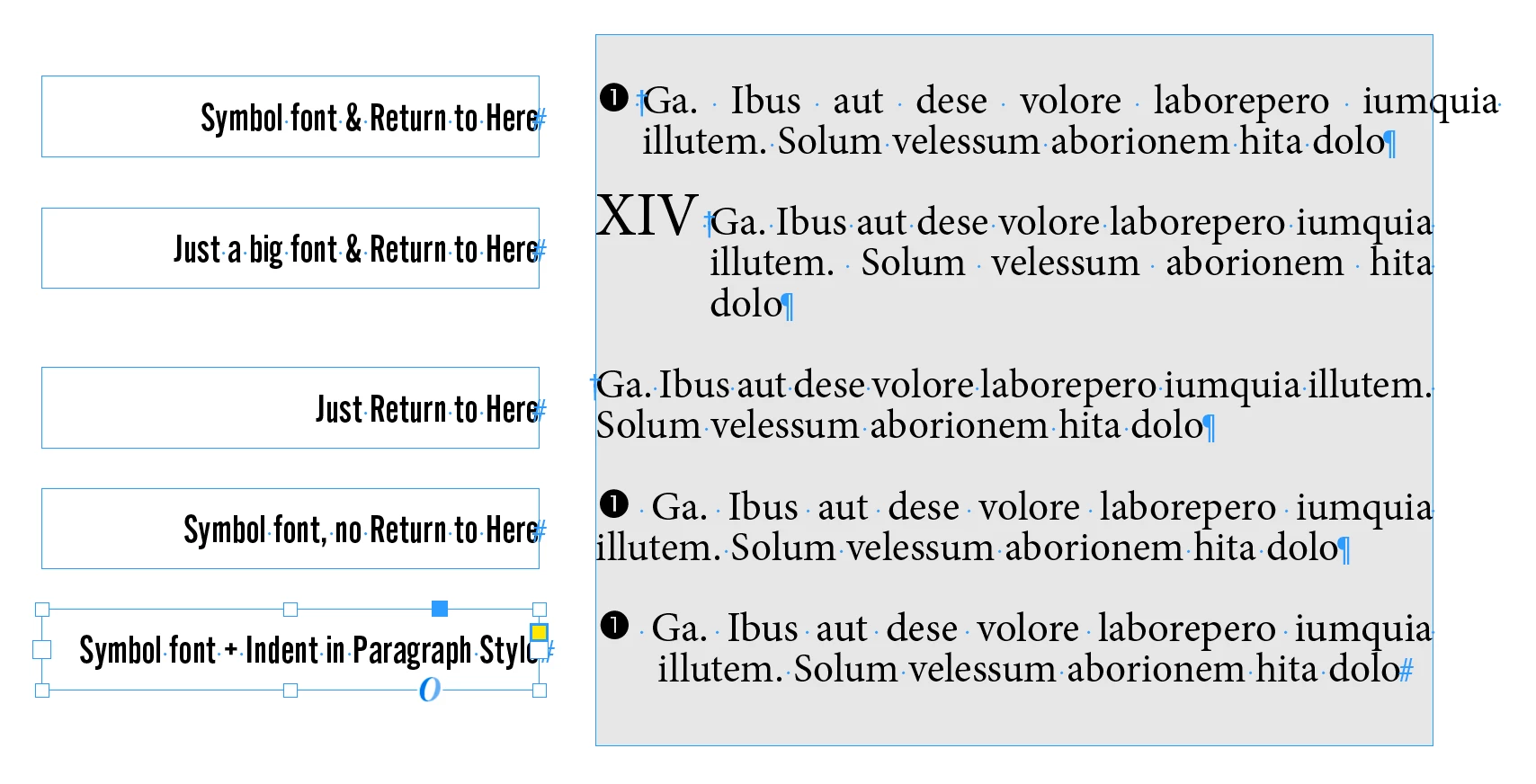
This is happening with a symbol font I made. As shown here, the symbol font seems to be pushing content outside of the text box.
FUN FACT: The point size of the Indent to Here is 12.12pt. When changed to 12pt, the text outside the box (not sure what that's called... not overflow) goes away in this test document. However, there's no effect in the original doc, because it's already 12pt. However, if I make just the Indent to Here smaller, it seems to fix the issue.

I guess I can just use Paragraph Styles, but... anyone know what causes this?
thanks!
 

1 reply

Abhishek Rao
Community Manager
Community Manager
November 4, 2025

Hi @turner111,


Thanks for sharing the details. I tested the described behavior on InDesign 21.0 on Windows 11 but couldn't reproduce the issue. In my testing, I could see the red plus icon indicating overset text, but not the text extending outside the frame as shown in your screenshot.

Could you please confirm which version of InDesign you're using and share the details of your operating system as well? It would also help to manually reset the InDesign preferences and test again to rule out any corruption. Ref: https://adobe.ly/49yTPgD.

Additionally, please check if this happens only with that particular file or with all files. If it's limited to one file, could you share that file for testing? If it’s confidential, you can send it privately via DM on the community using any cloud-sharing service like Google Drive or Dropbox.


Looking forward to your update.

Abhishek