Participant
July 8, 2021
Answered

Indent to here with right align tab

  • July 8, 2021
  • 2 replies
  • 1725 views

 I'm typesetting a volume of correspondence. I would like to have the address set flush right with the text frame and the date immediately under it but aligned flush left with the beginning of the address:
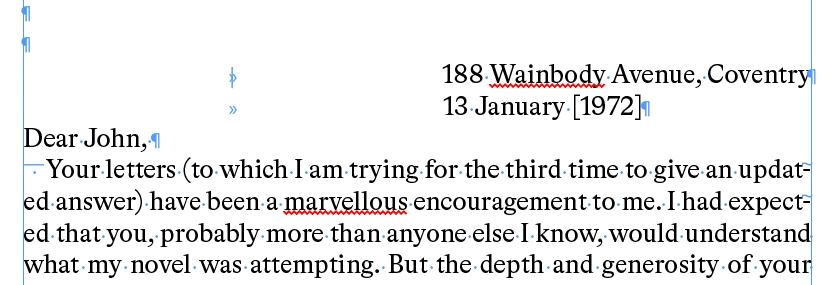


In this instance, I've set the address with a right-align tab and the date with a manually adjusted tab to align beneath it. But I would like to somewhat automate this, as I can't manually adjust every instance.


What I had planned to do was to insert an "indent to here" marker at the beginning of the address line, but this doesn't work: for some reason, it forces the following text out of the bounds of the text frame:
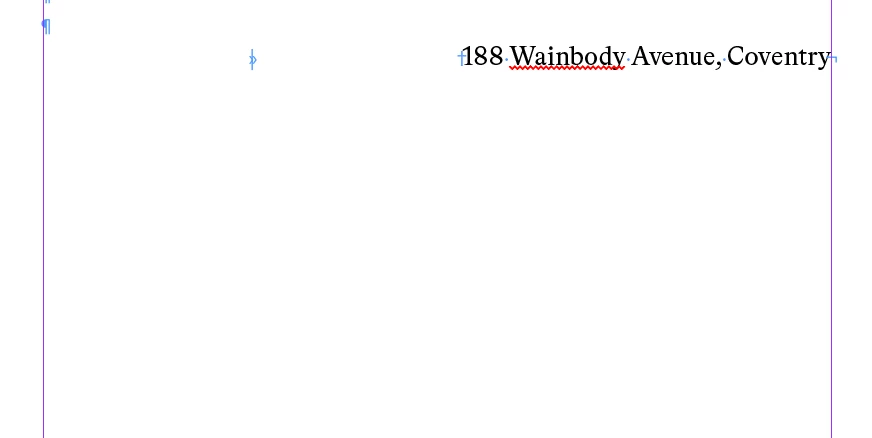
 

This may be a bug or it may be a feature; either way, it doesn't work for what I need to do here. I feel like this should be fairly straightforward, but nothing I have tried works. Any tips or workarounds would be appreciated. I'm using the latest InDesign on a MacBook Pro.


All best,


Sudhaus
This topic has been closed for replies.
Correct answer rob day

The indent to here marker can produce unexpected results—I’m not sure why it’s not working with the right indent tab.


The indent for the 2nd line could be scripted so that it matches the horizontal position of the address line. Something like this where you put your cursor anywhere in the address line and run the script, which could be assigned a key command:


var sel = app.documents.item(0).selection[0];
var ho = sel.parent.paragraphs[sel.paragraphs[0].index].insertionPoints[1].horizontalOffset;
var np = sel.parent.paragraphs[sel.paragraphs[0].index+1];
var npi = np.insertionPoints[0].horizontalOffset;
np.rightIndent = npi-ho;


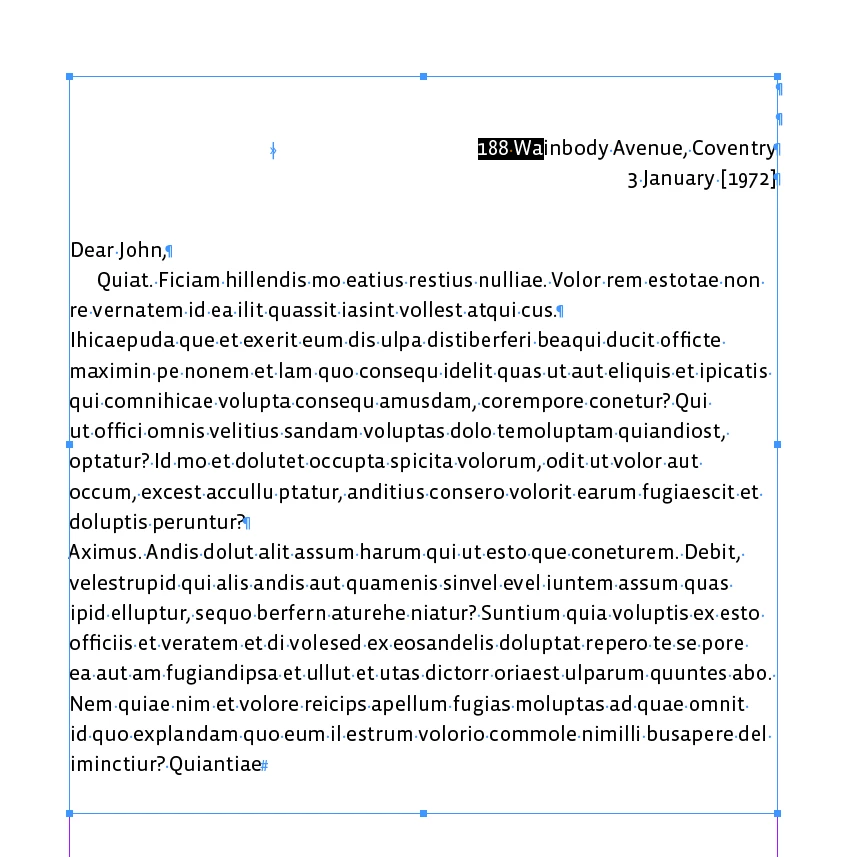
Note there needs to be a right indent tab before the address and a full return between the two lines:


2 replies

rob day
Community Expert
rob dayCommunity ExpertCorrect answer
Community Expert
July 8, 2021

The indent to here marker can produce unexpected results—I’m not sure why it’s not working with the right indent tab.


The indent for the 2nd line could be scripted so that it matches the horizontal position of the address line. Something like this where you put your cursor anywhere in the address line and run the script, which could be assigned a key command:


var sel = app.documents.item(0).selection[0];
var ho = sel.parent.paragraphs[sel.paragraphs[0].index].insertionPoints[1].horizontalOffset;
var np = sel.parent.paragraphs[sel.paragraphs[0].index+1];
var npi = np.insertionPoints[0].horizontalOffset;
np.rightIndent = npi-ho;


Note there needs to be a right indent tab before the address and a full return between the two lines:


J E L
Community Expert
Community Expert
July 8, 2021

@rob day That script worked perfectly for me, terrific, thanks! Great to have for future applications. I also created a paragraph style specifically for the location and date text, which might be helpful should just that portion of text ever need to be changed and as a find tag.


rob day
Community Expert
Community Expert
July 8, 2021

I also created a paragraph style specifically for the location and date text,


Hi @J E L , I don’t think a paragraph style will work for @Sudhaus44 because the amount of right indent depends on the length of the address line—every date line would need a different right indent applied to the line below, which is what the script is doing. There might be a way to do this without a script, but the obvious Intent to Here character isn’t working.

Community Expert
July 8, 2021

Set it in a separate text frame

and set the auto width from the right as per below


Anchor your text frame in your overall text frame.

Cut the frame. 

Place the text cursor into the letter text frame

Paste

It's now anchored. 


you can right align it and add more text and the text frame will grow


Community Expert
July 8, 2021
Sudhaus44Author
Participant
July 8, 2021

Thanks so much, Eugene. This is quite neat but is there not a way to keep it within a single text frame? There will be several hundred of these address/date letter headings and I'm afraid this method might be rather laborious. 


In any case, thanks again. I appreciate the help.


Sudhaus