

kan0
Participant
September 19, 2023
Question

InDesign 18.0 holding shift with line tool doesn't create a straight line.

  • September 19, 2023
  • 3 replies
  • 1158 views

Hello,

I've been having this issue for a while now and it doesn't look like anyone has had a similar issue like mine. I've searched over the Adobe Support Community, the InDesign subreddit and the Adobe subreddit but the only similar issues were all fixed by a conflicting program. I don't think I have any startup programs that could conflict with InDesign, and I already tried starting InDesign before any other application on startup.
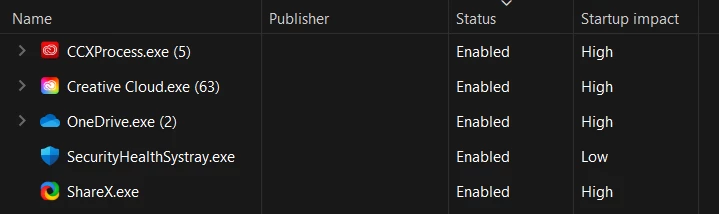
I am using a new laptop and have another issue with Windows, but I'm pretty sure it's unrelated.

Here's a small list of things I tried:

  • Restarting InDesign
  • Restarting the laptop
  • Resetting InDesign preferences
  • Starting InDesign before any other program

None of these helped.

3 replies

kan0
kan0Author
Participant
September 19, 2023

Hello @Mike Witherell @Rene Andritsch Sorry for wasting your time, it turned out to be a Sticky Keys issue.


It was turned on, but I disabled the option to toggle it on or off in Settings. I had to enable Show the Sticky Keys icon on the taskbar and click on that to open Control Panel and turn it off in there. I'm very upset Windows 11 doesn't make it obvious that this feature is on, even in the Sticky keys section of Settings.


Thanks for your contributions, I really appreciate it!

Mike Witherell
Community Expert
Community Expert
September 19, 2023

Dragging the Line tool in InDesign will make a straight line. Adding Shift will constrain that straight line to 0, 45, or 90 degrees.

If your Line tool in InDesign is not doing that, maybe you could post a video showing what it does do.

The Pen tool, given two separate mouse clicks, will always make a straight line segment. Adding Shift on the second click will constrain that segment to 0, 45, or 90 degrees. I wish the Shift key constrained to 15 degrees, or was Preferences-settable!

Explore how to reset InDesign thoroughly.

Mike Witherell
Participant
June 10, 2025

I am having this same issue from a Mac Mini to a Mac Mini using InDesign 20.0.1. Also lost the ability to Option-drag something to duplicate it. I believe it has something to do with Splashtop as I had just updated when the issues started. Could there be a keyboard setting that I'm missing?

Mike Witherell
Community Expert
Community Expert
June 10, 2025

Hi Nick,

Try going into Splashtop options (3 dots icon) and turning off "Enable Splashtop Shortcuts"

Mike Witherell
Rene Andritsch
Community Expert
Community Expert
September 19, 2023

Hi, if you use the Pencil Tool (N) the SHIFT key will have no effect. You can not draw a straight line with this tool. Using the Pen Tool (P) you have to click once then go to the new location of your second anchor point and before clickeing again hold down the SHIFT key. this should draw a perfectly straight line. And then there is the Line Tool (\), which always draws a straight line but but holding the SHIFT key will consrain the angle. Give it a try.