
jfushtey
Known Participant
November 8, 2023
Question

InDesign 18.5 - PDF Hyperlink not working on same page with Show/Hide buttons

  • November 8, 2023
  • 3 replies
  • 401 views

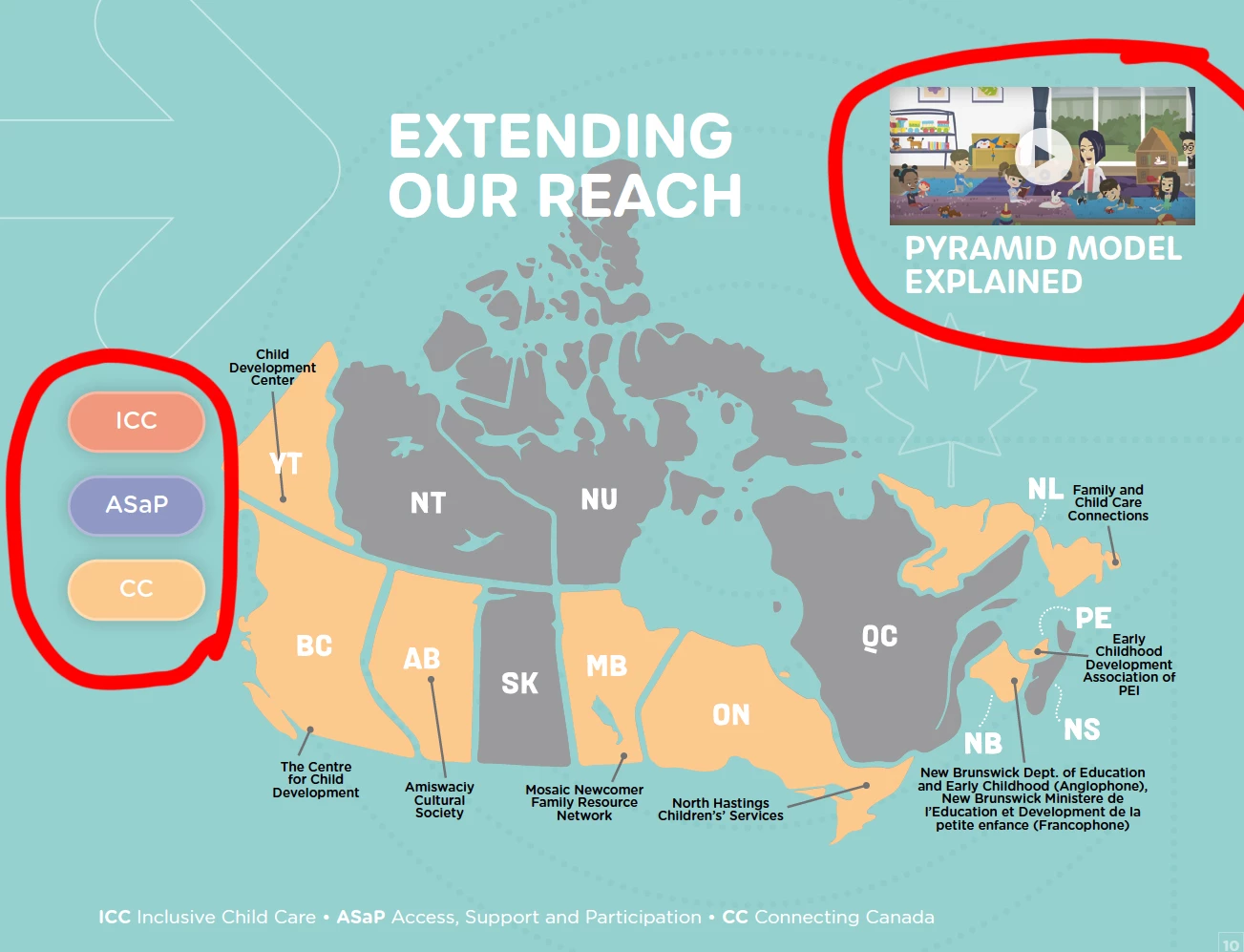
On one page of my Interactive PDF, I have a Video on the top right that is assigned a Hyperlink to open a YouTube video.


Below is an interacive Map with show/hide buttons for each area.  


The Hyperlink works great if I click it first, but after using the Map Buttons, it's no longer active. 


I've tried having a duplicate of this Hyperlink in a new top layer (pasting order), I've tried making it a "Button" to go directly to the URL and moved it to the top layer (Interative Tab Order), but none of these tricks seem to work.  Any suggestions?
 

This topic has been closed for replies.

3 replies

jfushtey
jfushteyAuthor
Known Participant
November 8, 2023

I think I found a work-around.  If I manually create a Hyperlink in the PDF file (not InDesign) it fixes this glitch....Yay! 


Derek Cross
Community Expert
Community Expert
November 8, 2023

Regarding buttons in Interactive PDFs, you can have a word or words or an image (such as a button shape) as a document hyperlink to say another page in the document, or to an external website.
Some devices, for example, iPads, don't have rollover capability – only click – you should avoid multi-action buttons like On Click, On Roll Over, etc.  Multi-state objects (MSO) don’t work at all in Interactive PDFs.

jfushtey
jfushteyAuthor
Known Participant
November 8, 2023

Thank you for that. These are all "click" only.


Derek Cross
Community Expert
Community Expert
November 8, 2023

Try InDesign's Publish Online facility (instead of PDF).

jfushtey
jfushteyAuthor
Known Participant
November 8, 2023

It does work corectly when I publish it online, however the client needs a PDF for distribution.


BobLevine
Community Expert
Community Expert
November 8, 2023

Video in a PDF is not going to work under the best of conditions and the rest of the interactivity is nothing but a crapshoot even in Acrobat. How are you actually viewing it? Most third-party PDF viewers are garbage.

jfushtey
jfushteyAuthor
Known Participant
November 8, 2023

It's just a Hyperlink to YouTube, so I'm not trying to play it within the PDF. But you gave me a good idea so I tried just a standard text "hyperlink" and that also doesn't work after you use the show/hide Map buttons :(.