Participating Frequently
March 6, 2025
Question

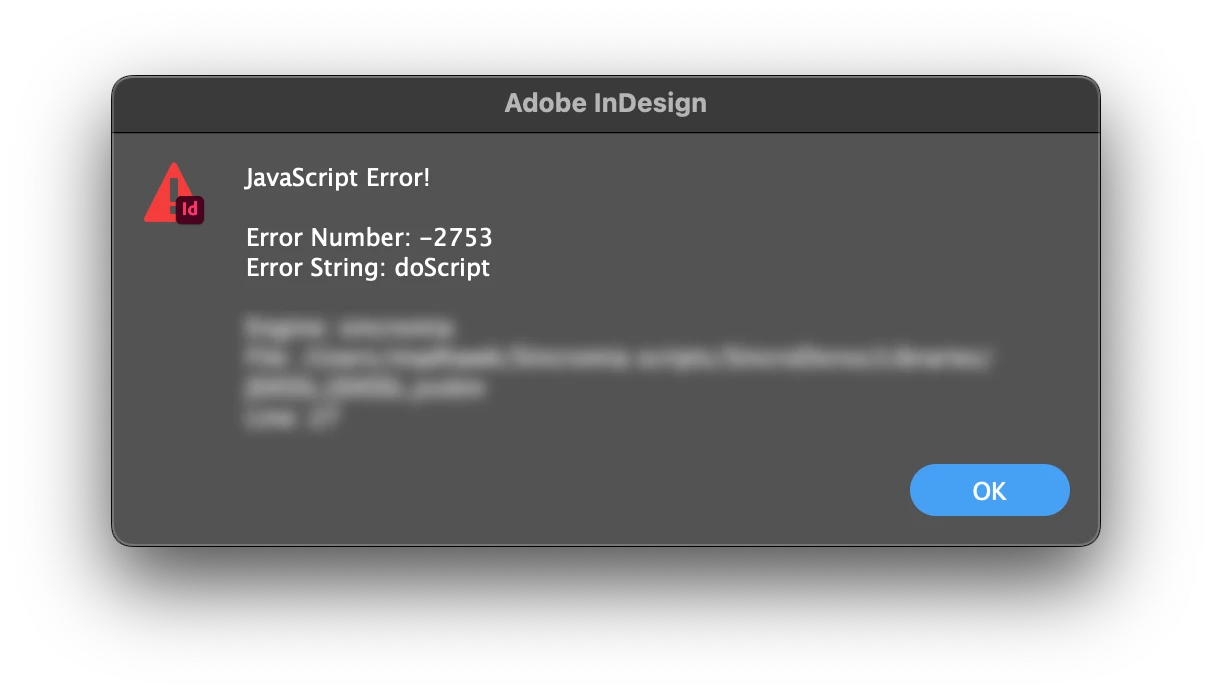
Indesign 20.2 app.doscript error

  • March 6, 2025
  • 2 replies
  • 1485 views

Updated to 20.2 from 20.1

Jsx scripts (good old extendscript) that call Applescripts via app.doScript crash with error -2753.

Anyone experiencing the same issue?
 

2 replies

m1b
Community Expert
Community Expert
March 10, 2025

Hi @Madhawk65, did you solve this one? I just wanted to confirm that the problem isn't general for Applescripts run via app.doScript. I can run old script's that call Applescript and they still work normally.


Robert asked you, but you didn't answer I wasn't sure you were answering this specific question: Can you run the Applescript code—the exact Applescript generated by your script—from Script Editor? That would be the place to do the debugging first.

- Mark

Madhawk65Author
Participating Frequently
March 10, 2025

Hi m1b,

the same jsx runs with ID 20.1, but crashes with ID 20.2.

It is quite obvious that my Applescript code is correct.

It seems like something changed in the way arguments are passed to the Applescript.

Error 2753 is an Applescript error and refers to the fact that no argument is defined.

I solved this one by simply not using the third argument of doScript.


if (typeof JSXSSL !== "object") {
JSXSSL = {}
};

(function() {
if (typeof JSXSSL.crc32 !== "function") {
JSXSSL.crc32 = function(inputFile) {
var argv = inputFile.fullName.replace(/ /g, "\\\\ ");
var aplScript = "do shell script \"crc32 " + argv + "\"";
return app.doScript(aplScript, ScriptLanguage.applescriptLanguage);
}
}
}());

alert(JSXSSL.crc32(File.openDialog("Choose file", null, false)));
m1b
Community Expert
Community Expert
March 10, 2025

Thanks @Madhawk65 that is interesting.


Actually I've always found the arguments parameter of app.doScript a bit flaky and I never use it—I just wrap it all up in a function like you did. From memory I thought the arguments parameter for doScript required an Array though but your code gives a String, so I might not be right there.


If you had time and inclination, you could pare that example down to remove any unnecessary parts—or have you already done so? For example does the problem only occur with "do shell script" AppleScript or with any Applescript if called with a certain nesting/scope structure? I think only then would we have a chance to write a bug report.


Otherwise I would follow your approach of just avoiding the "arguments" parameter of app.doScript altogether.

- Mark

Robert at ID-Tasker
Legend
March 6, 2025

Can you run script called by doScript() alone / directly? 


Madhawk65Author
Participating Frequently
March 6, 2025

Yes. Applescript code just executes simple MacOS terminal commands.

The same jsx code runs smoothly downgrading to ID 20.1

Robert at ID-Tasker
Legend
March 6, 2025

But what exactly is executed?
