Answered
InDesign 2017 CC - New Document - Preview checkbox disappear
Please help to determine where is the preview checkbox when you opening "new document" dialog box? and how to set it up?.
InDesign 2017CC (april 2017)

Please help to determine where is the preview checkbox when you opening "new document" dialog box? and how to set it up?.
InDesign 2017CC (april 2017)
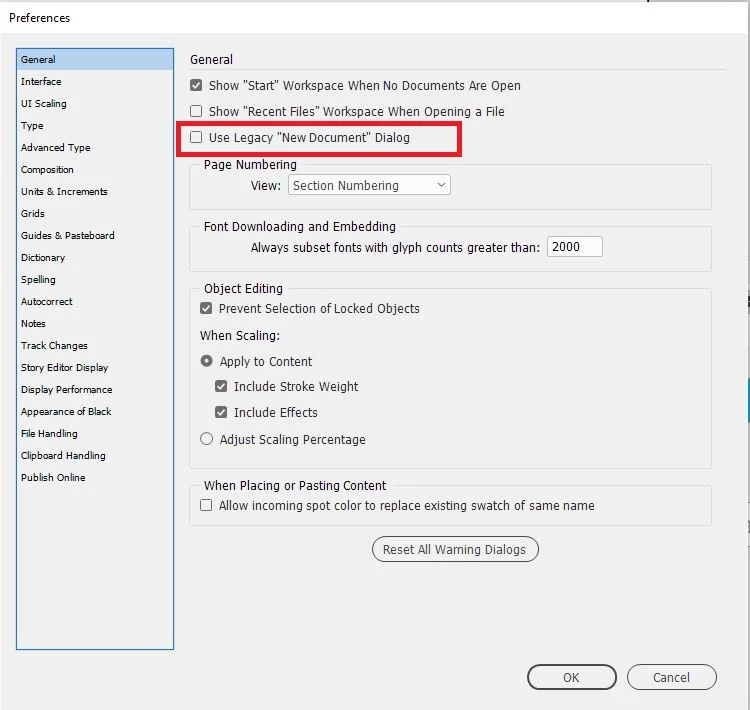
You can switch to the legacy 'new document' dialog box from edit -> preferences -> general. Just check the Use legacy "new document" dialog. The new document dialog will now be the same as previous version and you can then see the preview checkbox.
Already have an account? Login
Enter your E-mail address. We'll send you an e-mail with instructions to reset your password.
 AdChoices