
Participant
October 20, 2018
Question

Indesign 2019 placing my pictures reversed/ inverted.. Please help!

  • October 20, 2018
  • 5 replies
  • 7859 views

I just updated to InDesign 2019 and now when I try to place an image (file>place) or even drag a picture or pdf graphic from my downloads to my indesign spread it is inverting & reversing the image!  Anyone know how to fix this??  I would be forever grateful!  -Madeline

Looks like this when placed...
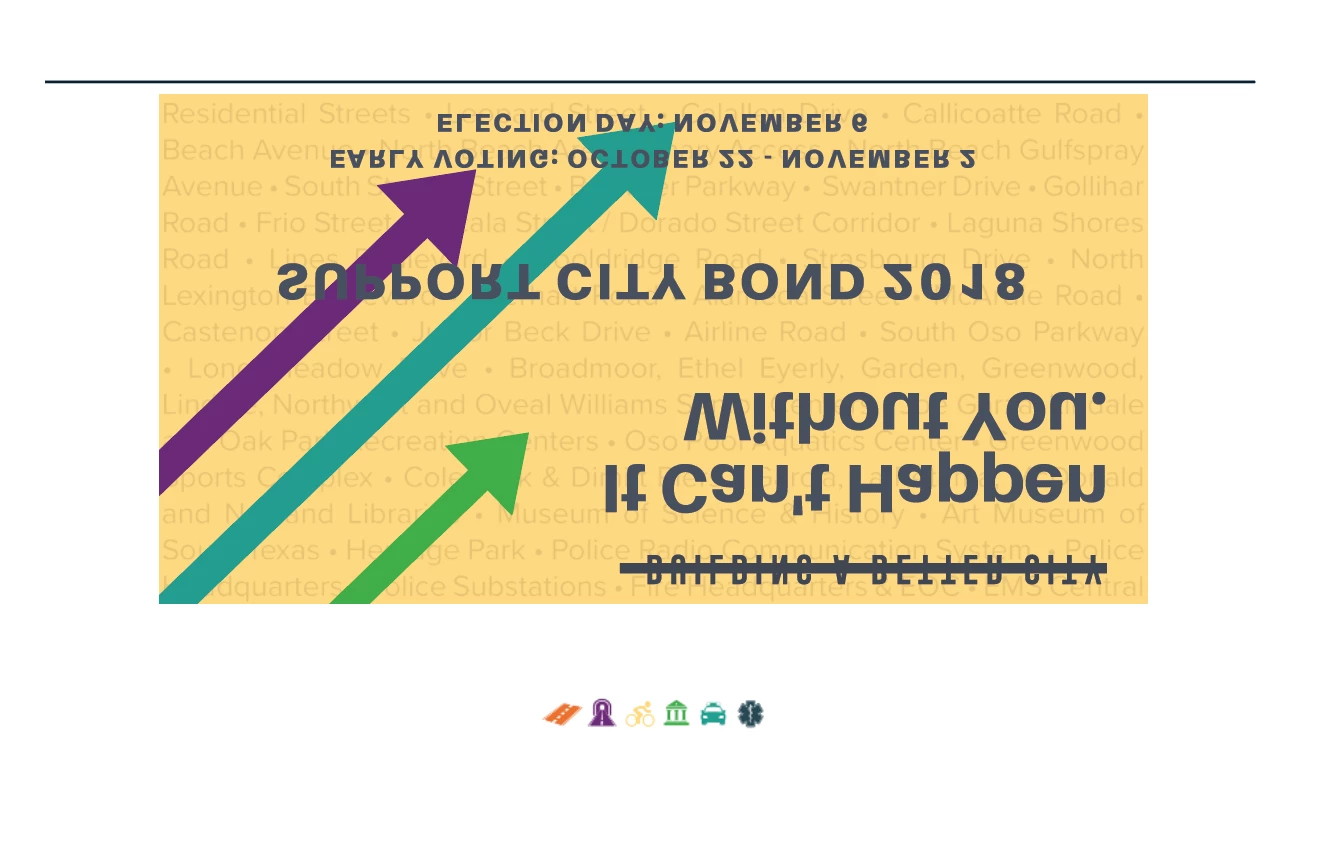
Should look like this...

This topic has been closed for replies.

5 replies

Emperor1212
Participating Frequently
May 8, 2023

mine does this too when placing photos.....either flipped horizonialy or vertically.....and has done this for YEARS........no fixes ever.

RaviKiran
Adobe Employee
Adobe Employee
March 12, 2019

The fix for this issue is available in the latest Beta build of InDesign CC2019. To try out the fix, please do the following:

1. Go to the InDesign Prerelease page - https://www.adobeprerelease.com
2. Login with your Adobe ID.
3. Search for “InDesign CC Prerelease” program in the list.
4. Click on the program to join.
5. Download the Beta build (14.0.2.321) from “Builds and Plugins” section.

The steps for installing the build are mentioned in the Release Notes.

Hope this helps.

Adobe InDesign team

Participant
September 13, 2019
this fixed the issue with the text flipping - thank you.
Community Expert
October 21, 2018

I have to say I find it takes an awfully long time fitting 15 pictures...

I don't find it useful - it gets it wrong most times - and I have to go back and manually fit them all anyway.

hammer0909
Community Expert
Community Expert
October 21, 2018

It would help to see the actual frame for the graphic highlighted. Another possibility could be that they clicked the flip vertical button on the frame at some point?

Steve Werner
Community Expert
Community Expert
October 20, 2018

Please check this setting and make sure it's NOT checked:

Preferences > General > Content-Aware Fit > Make Content-Aware Fit the default frame fitting option.

Jongware
Community Expert
Community Expert
October 20, 2018

... Because the AI algorithm may have decided this looks better upside down? Interesting. I've seen lots of examples from Adobe but none of their pictures were flipped.

Steve Werner
Community Expert
Community Expert
October 20, 2018

Many of the beta testers thought the Content-aware Fit algorithm was more reliable with raster images than vector but I never had the time to do extensive testing. I just wanted to see if the user had purposefully or accidentally turned that setting on.