


Participant
February 13, 2020
Answered

InDesign 2019 Turn off default "Facing Pages"

  • February 13, 2020
  • 2 replies
  • 8755 views

Hi - 


I'm trying to turn off "Facing Pages" for new documents. I have gone through the ritual of:


File > Document Presets > Define. When the Document Presets dialog box appears, select [Default] from the Presets list and click Edit. Then Edit Document Preset dialog box. Proceed to turn Facing Pages off and click OK.
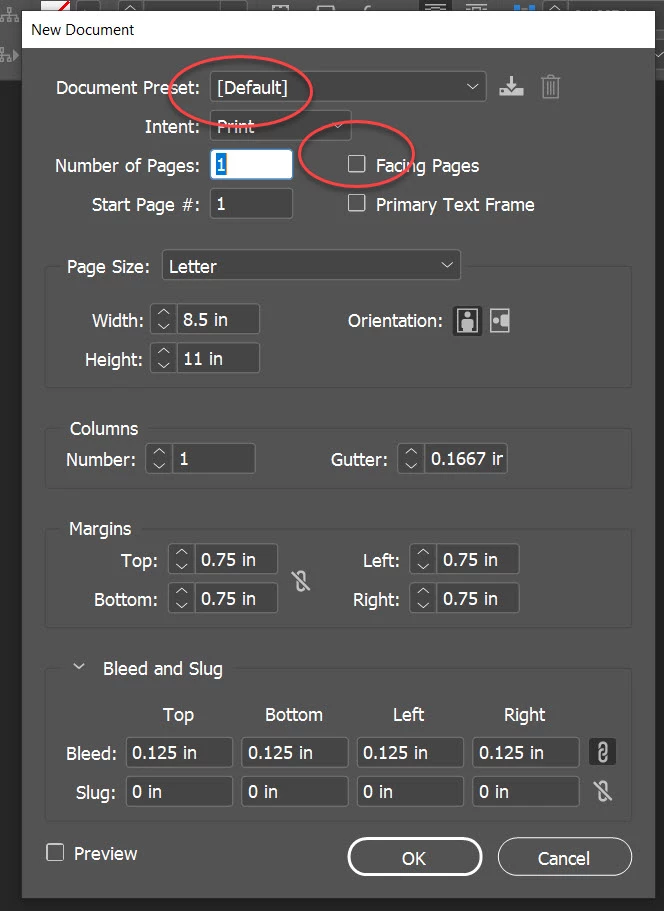


Except when I create a New Document, in the New Document dialog window it STILL shows Facing Pages checked. 
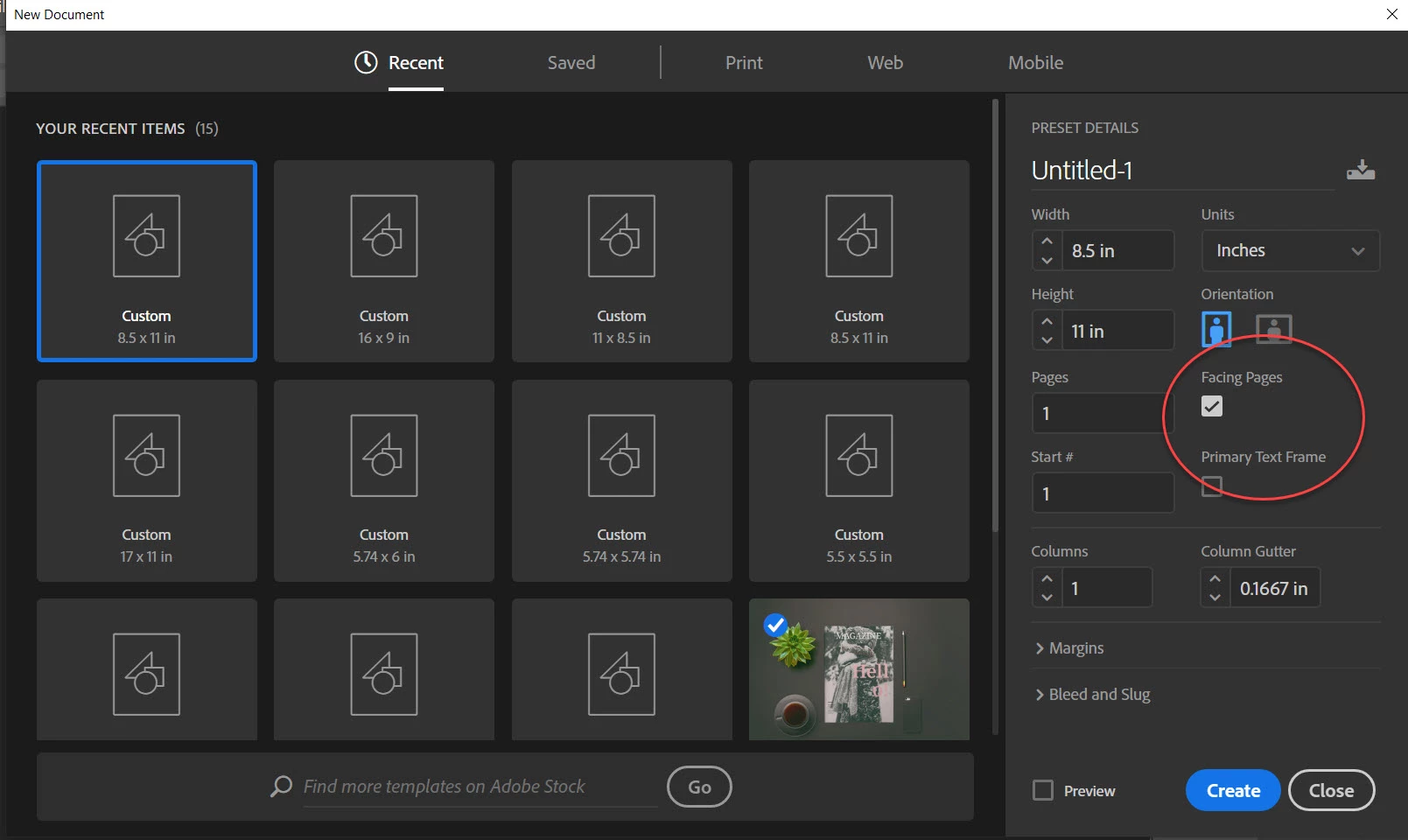
Any direction or advice would be greatly appreciated!!

Thx!

This topic has been closed for replies.
Correct answer Steve Werner

There is no way I can find to turn off Facing Pages for ALL new documents, unless you open that [Default] preset which you could then edit to be a different size, etc.

2 replies

thebobwolf
Inspiring
October 15, 2024

I know this was a while ago however you can change it as stated here: https://www.reddit.com/r/indesign/comments/dsknzk/how_do_i_turn_off_facing_pages_permanently/

'with no file open... File > Document Presets > Define... then edit the Default option. Unclick Facing Pages. Save.

Other adjustments to settings can be done this way too (with no file open) such as a default font/size/leading, color swatches, etc.'

Steve Werner
Community Expert
Community Expert
February 14, 2020

When you opened the New Document dialog, you DIDN'T select the Default preset you created.


You went to the section called "Recent". Recent is for file sizes you have used when completing making a new document. You hadn't actually used the [Default] preset. Default doesn't change ALL new documents to Facing Pages.


Instead go to the "Saved" category. You should find the [Default] Preset you created, and it has Facing Pages turned off. It will also remember the page size and units you used when you created [Default].


Instead, go to the category called "Saved." There you will find the [Default] preset. It will have Facimg Pages turned OFF, as well as the default page size and units you set:


Steve Werner
Community Expert
Steve WernerCommunity ExpertCorrect answer
Community Expert
February 14, 2020

There is no way I can find to turn off Facing Pages for ALL new documents, unless you open that [Default] preset which you could then edit to be a different size, etc.

Participant
February 17, 2020

Thanks, Steve!! Got it now. I appreciate your feedback.