

Marine D
Known Participant
December 19, 2019
Answered

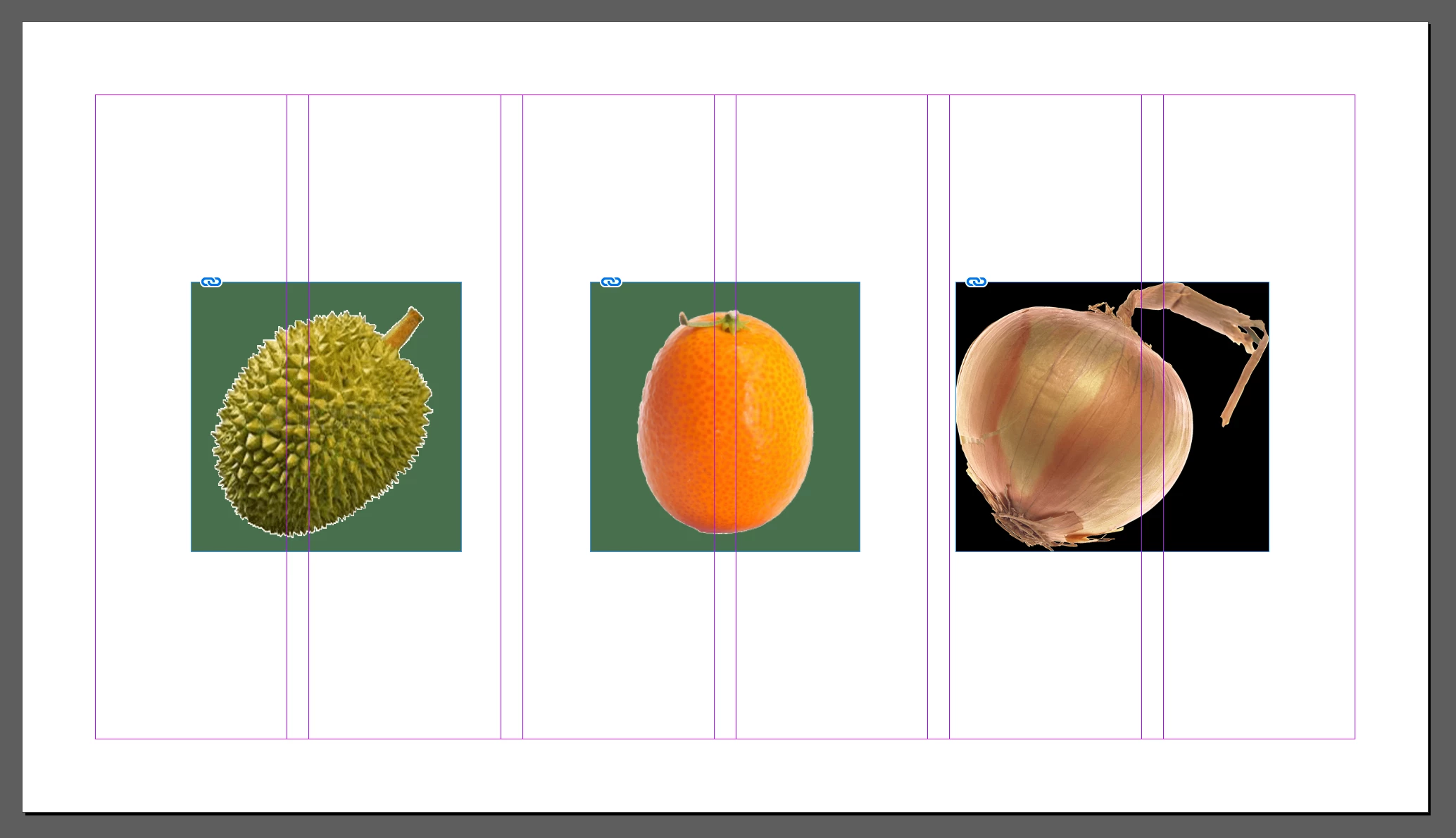
Indesign 2020 doesn't support transparent PNG and adds a colored background

  • December 19, 2019
  • 11 replies
  • 114247 views

The new version of Indesign doesn't seem to be willing to import transparent PNG files. I tried with a bunch of different images with no background and Indesign automatically adds a green or black background to it (see screenshot below). Any ideas as to how this can be fixed?


Somehow, the same problem occurs with the previous version of Indesign (2019) that is still installed on my computer.

I never had this issue before.


Many thanks for the help
 

This topic has been closed for replies.
Correct answer creadec studio

Hello ,
To resolve this background issue that appears on transparent PNG-type images, I saved the png image as PDF.

It worked for me keeping the background transparent when I imported the corresponding PDF into InDesign cc.
Hope this helps more than one.

11 replies

Community Expert
December 19, 2019

Is it just this file or all files. Have you tried a new file?

If it's just one file - then export that file to IDML and open the IDML in InDesign and save it as an indesign file.


If it's all files then try resetting your preferences. https://www.google.com/search?q=indesign+reset+preferences&oq=indesign+reset+preferences&aqs=chrome.0.35i39j0l7.3824j0j4&sourceid=chrome&ie=UTF-8


And finally - are you 100% sure your Fill colour for frame is set to none?