
Johnny Sokko
Inspiring
January 16, 2020
Question

InDesign 2020 Margins not setting correctly on macOS Catalina

  • January 16, 2020
  • 3 replies
  • 369 views

(Mac Catalina, InDesign 2020)


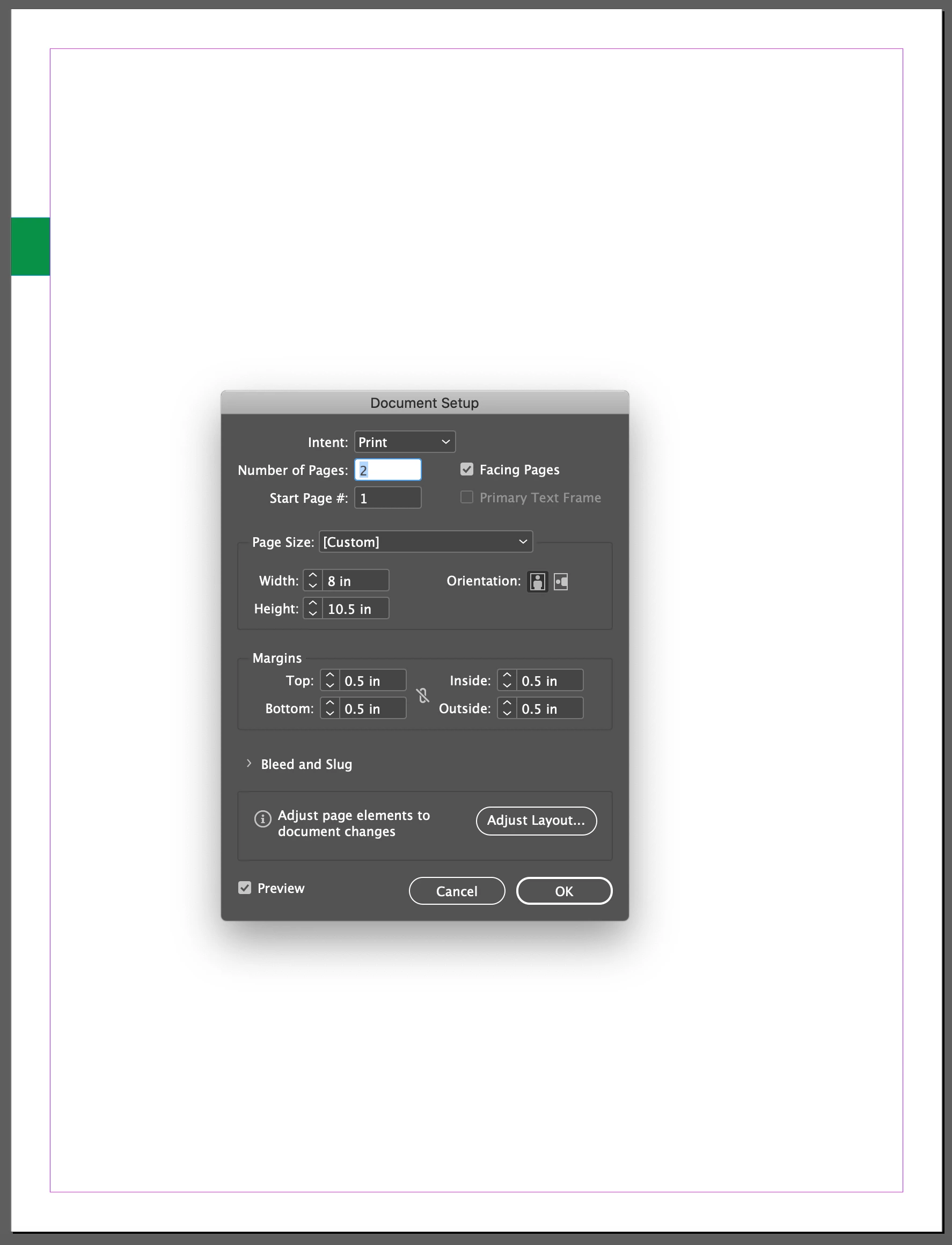
I have a new document, and I set the margins to .5" all around. However, in reality the margins are at .34". I know this because the green box has a width of .34" (see screen capture).


What on earth is going on here?


{Renamed by MOD}

This topic has been closed for replies.

3 replies

rob day
Community Expert
Community Expert
January 17, 2020

It could happen if the Page was scaled with the Page Tool. Here the page is selected and the Transform panel shows its scale as 68%:


Derek Cross
Community Expert
Community Expert
January 16, 2020

I just doublr checked and the width on my is correct.

Ashutosh_Mishra
Inspiring
January 16, 2020

Hi there,


Thanks for reaching out. This is really an unusual thing to happen. Would you mind sharing the screenshot with Ruler enabled?

Also, try resetting the preferences and see if it helps you out. You may follow instructions on https://helpx.adobe.com/indesign/using/setting-preferences.html 

 **Please note that resetting preferences will remove all the custom settings and InDesign will launch with default settings. You can also take a backup of the folders in case you want to. Location is mentioned in the article. 


Let us know how it goes.


Regards,

Ashutosh