
Participant
October 29, 2020
Answered

InDesign 2021 update - presets are strange sizes?

  • October 29, 2020
  • 2 replies
  • 455 views

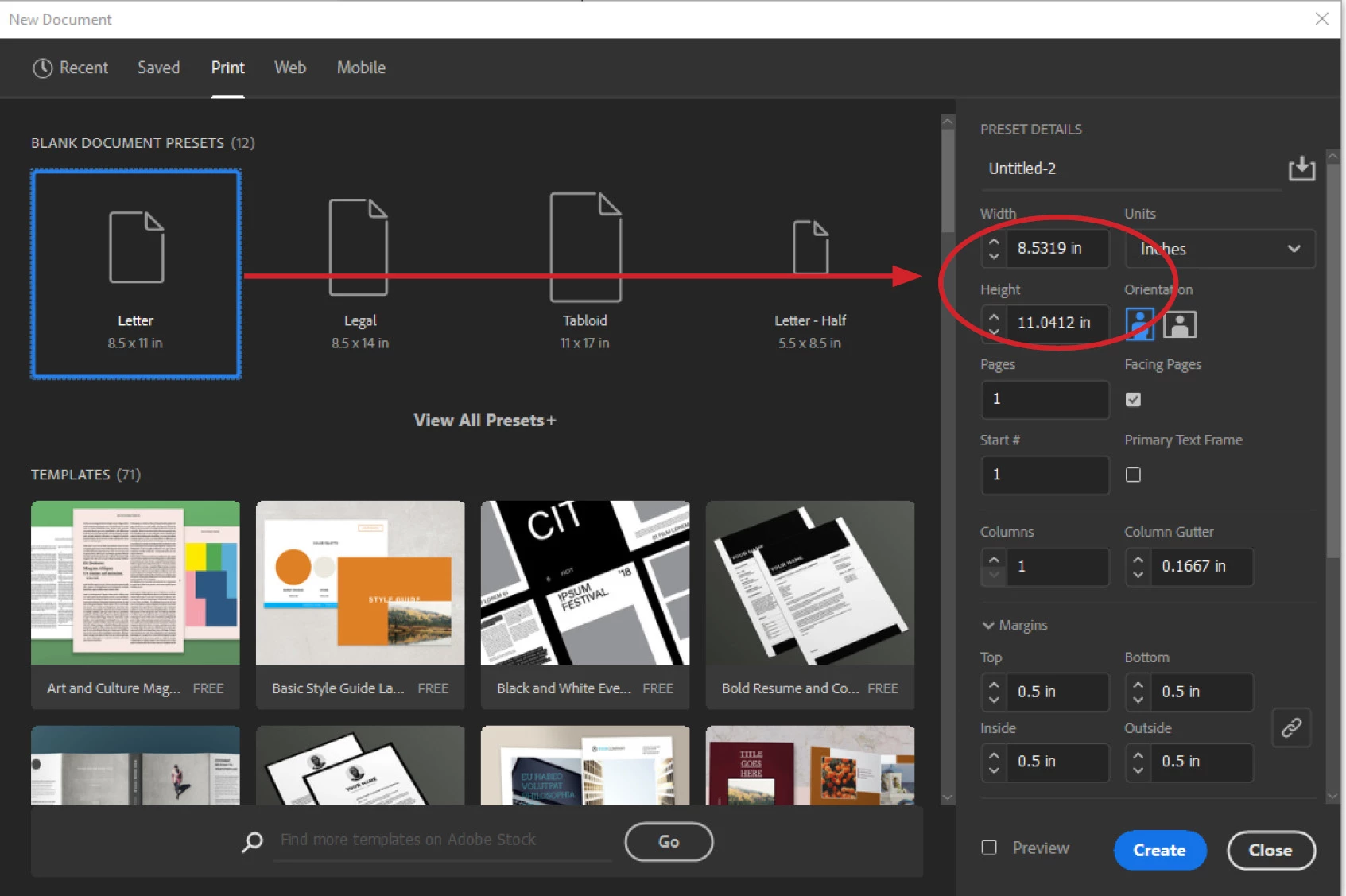
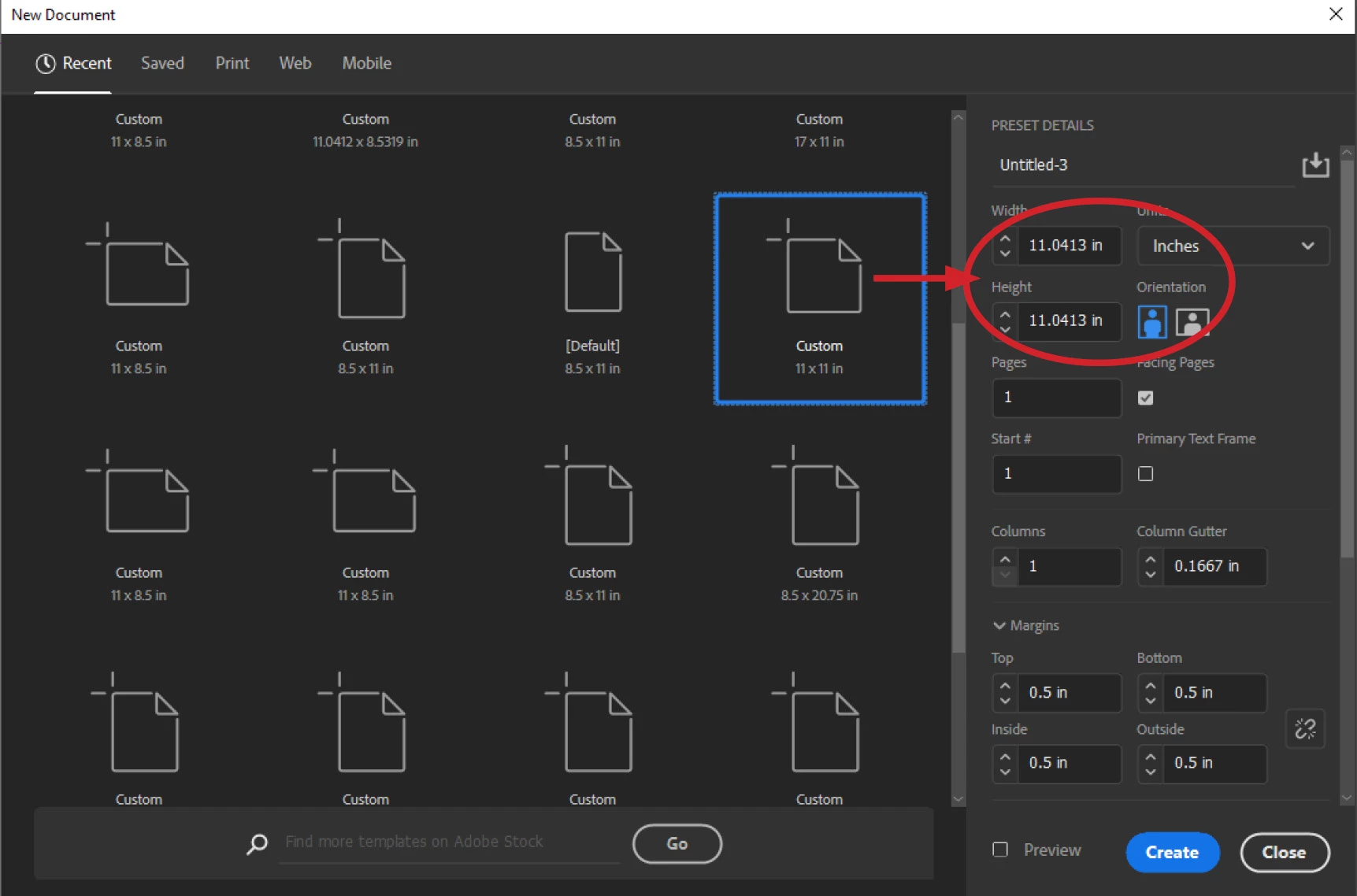
My InDesign software updated a few days ago and all of my system presets for new documents are slightly off sizes. Under the "Print" menu of presets, the normal ones are there: Letter, Legal, Tabloid and Letter-Half. However each one has a funky size that is just a bit off. While I can probably manually fix these, I wonder if it's a setting or another reason they would all change with the update? Even my recent custom document sizes all have a little extra added to their dimensions.


This topic has been closed for replies.
Correct answer Barb Binder

Did you migrate your old preferences when you installed 2021? You might want to rebuild them. 

https://www.rockymountaintraining.com/adobe-indesign-rebuilding-preferences-cache/ 


~Barb 

2 replies

Barb Binder
Community Expert
Barb BinderCommunity ExpertCorrect answer
Community Expert
October 29, 2020

Did you migrate your old preferences when you installed 2021? You might want to rebuild them. 

https://www.rockymountaintraining.com/adobe-indesign-rebuilding-preferences-cache/ 


~Barb 

~Barb at Rocky Mountain Training
Jeff Witchel, ACI
Community Expert
Community Expert
October 29, 2020

Interesting!

Do your Preferences for Units & Increments look like the following screenshot? Pay close attention to the Postscript measurement. 


Participant
October 29, 2020

No, and that's another strange thing. I've never monkeyed with the Point/Pica size setting. Recent updates to InDesign have assigned this as Traditional or Postscript. My documents seem to all be "Traditional" and if I try to change to Postscript, I get error messages when I attempt to export files to PDF.