Participant
December 22, 2022
Answered

InDesign 2023 crush after open

  • December 22, 2022
  • 2 replies
  • 909 views

I have Adobe InDesign 2023, version 18.1, installed on Windows 11 system computer. Today when I start InDesign, it goes to loading screen and then disappears.

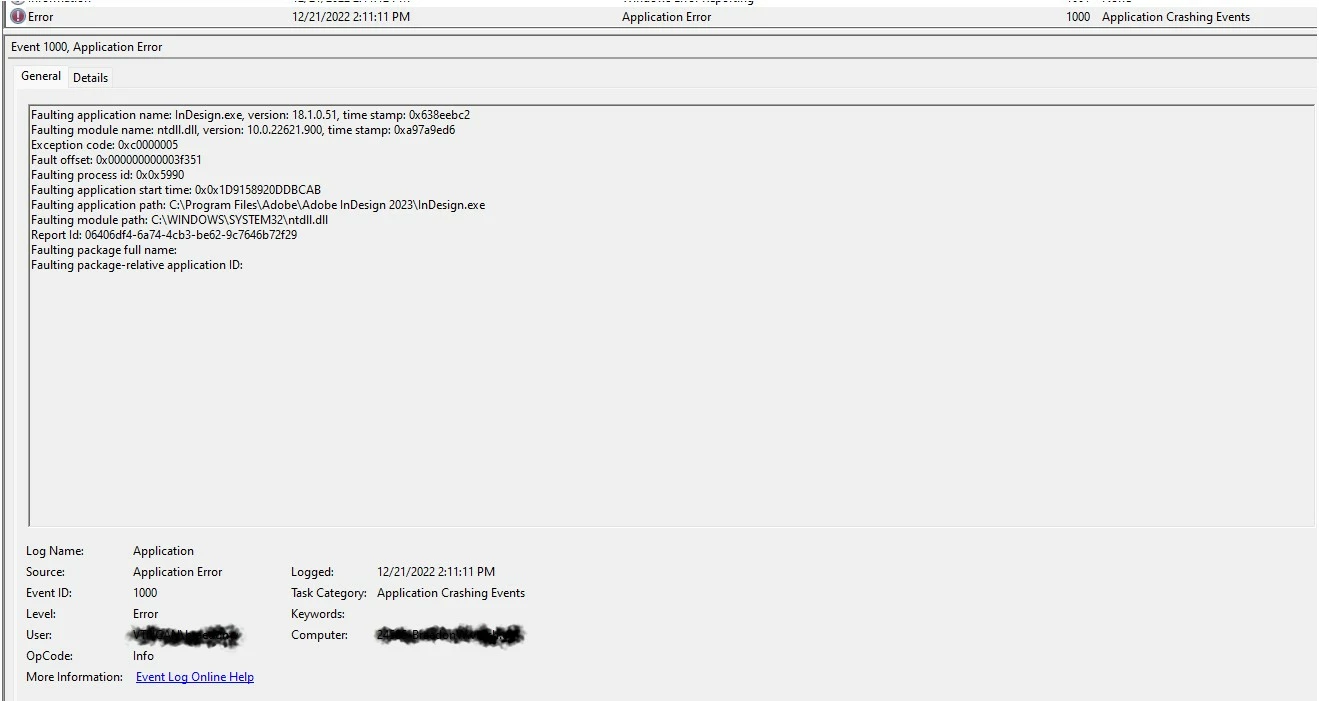
After check Windows Event Viewer, I find below error message.

How can I fix the issue?


Faulting module name: ntdll.dll, version: 10.0.22621.900, time stamp: 0xa97a9ed6
Exception code: 0xc0000005
Fault offset: 0x000000000003f351
Faulting process id: 0x0x5990
Faulting application start time: 0x0x1D9158920DDBCAB
Faulting application path: C:\Program Files\Adobe\Adobe InDesign 2023\InDesign.exe
Faulting module path: C:\WINDOWS\SYSTEM32\ntdll.dll
Report Id: 06406df4-6a74-4cb3-be62-9c7646b72f29
Faulting package full name:
Faulting package-relative application ID:


This topic has been closed for replies.
Correct answer Minami Ishimatsu

Somehow it is fixed by itself. Nothing changed. Weird.


2 replies

Minami IshimatsuAuthorCorrect answer
Participant
December 22, 2022

Somehow it is fixed by itself. Nothing changed. Weird.


Community Manager
December 22, 2022

Hello @SnowyCanada,


Glad to hear that the problem was resolved. If the problem reoccurs, kindly refer to the suggestions shared by Manan and this help article (https://helpx.adobe.com/indesign/kb/crash-on-launch.html). Also, kindly share the crash report by following the steps shared in this help article (https://helpx.adobe.com/indesign/kb/submit-crash-reports.html). While submitting the report, kindly use the same email account used here in the community so we can locate it quickly.


Thanks,

Anubhav


Participant
December 22, 2022

Thank you!

Community Expert
December 22, 2022