
Participant
January 9, 2024
Answered

InDesign 2024 for Mac exporting blank files

  • January 9, 2024
  • 1 reply
  • 530 views

I am trying to send three different files out to print at an online printer. I exported them as PDFs and all turned out blank. Then I tried to export them as PNG, and same thing.


I have been trying to find references to this problem, and some say that doing the artwork on the master pages might be the issue, but that is not true in this case. Further, one of these files has been exported and printed before with no problem (although I did modify it since then).


Further, there are no linked files; they are all type.


At first I thought it was just a display issue on my end, but the printer confirmed both the PDFs and PNGs were blank.


Any thoughts? Thank you!
This topic has been closed for replies.
Correct answer Luke Jennings3

A safe export option is PDF/X-4. 

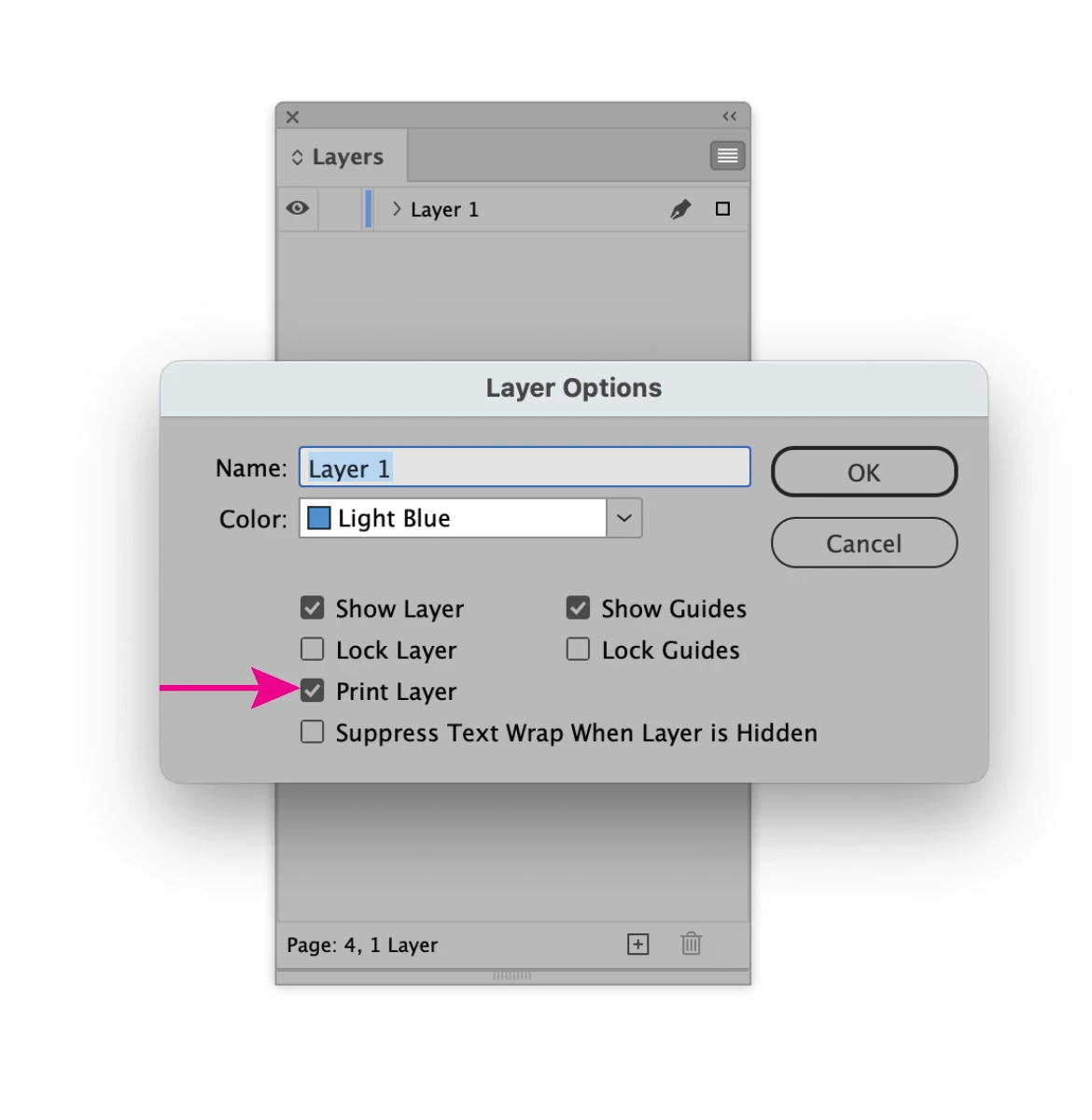
This is my guess: If the layer is set to not print, it will also not export to pdf (blank).

1 reply

Steve Werner
Community Expert
Community Expert
January 10, 2024

Tell us more about your system: Please tell us what operating system (exactly) you're running. Please tell us (exactly) what InDesign version you're using. Did you choose File > Export > Adobe PDF (Print)? What Adobe PDF Preset did you choose (e.g., High Quality Print)?


Does the problem happen with only one file (the one going to the printer) or with other files too?


If it happens with other files, you should try restoring your InDesign preferences and caches. Here's how:


https://www.rockymountaintraining.com/adobe-indesign-rebuilding-preferences-cache/


Luke Jennings3
Community Expert
Luke Jennings3Community ExpertCorrect answer
Community Expert
January 10, 2024

A safe export option is PDF/X-4. 

This is my guess: If the layer is set to not print, it will also not export to pdf (blank).

Participant
January 10, 2024

Oh my gosh, this was it! Thank you, Luke! I thought all of the layers were set to print because I had printed it before, but somehow it got turned off. How bizarre and frustrating. But I much appreciate this!


Thanks to you and all who helped!