Known Participant
Nov 12, 2026 11:08 AM UTC
Answered

InDesign 2026 – Text in table cell is overlapping/collapsing vertically

Hi everyone,

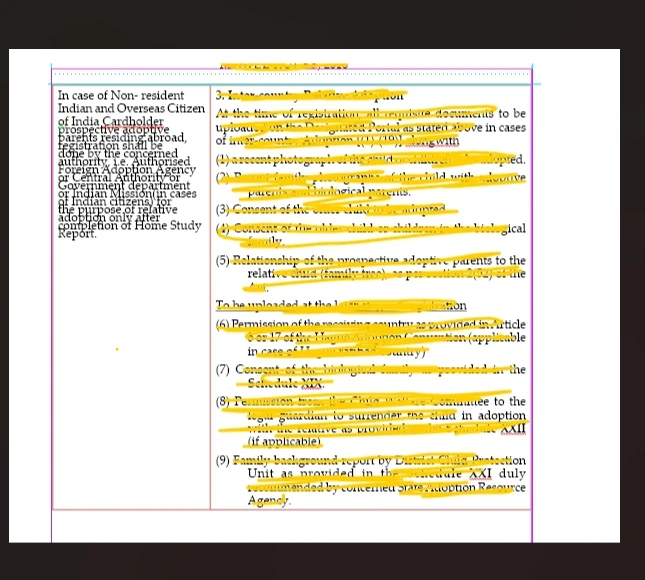
I’m recreating a table from a PDF in InDesign 2026. I have one cell on the left containing a fairly long paragraph. The table structure and column widths are correct, but the text inside this particular cell is behaving strangely: the lines are appearing very close together and overlapping vertically, as shown in the screenshot.

I have already checked the paragraph settings:

  • Left Indent: 0p0

  • First Line Indent: 0p0

  • Right Indent: 0p0

  • Space After: 0p0

  • What could be causing the lines in this cell to overlap like this?

    Is there a specific leading, row-height, cell inset, or other InDesign setting I should check?

    I’d appreciate any advice on how to get the text to flow normally within the cell without affecting the rest of the table.

    Thanks!
 

    nik.m
    nik.mCorrect answer
    Community Manager
    Nov 12, 2026 11:35 AM UTC

    Hi, thanks for reaching out and for sharing the information.

    Try these steps:

    1. Click into the left cell and press Cmd+A to select all its text.

    2. In the Character panel, set Leading to Auto.


    Let us know how it goes!
    Thanks,

    Nikunj

    5 replies

    Monika Gause
    Community Expert
    Community Expert
    Nov 12, 2026 11:17 AM UTC

    How is the leading resp line height set up in the Characters panel?

    Translate
    s_009Author
    Known Participant
    Nov 12, 2026 11:22 AM UTC

    The Character panel shows the leading set to 6 pt.

    Translate
    Monika Gause
    Community Expert
    Community Expert
    Nov 12, 2026 11:30 AM UTC

    If the text has the same size or even larger, then this is the culprit. What happens when you increase it?

    Translate