

InDesign 2026 typing text in text box makes some text disappear
In a somewhat-related thread (https://community.adobe.com/t5/indesign-discussions/text-disappears-when-typing-in-text-box/m-p/15598533#M642384), respected InDesign guru Eugene Tyson wrote:
If you're experiencing a current issue, please start a new post with:
- A clear description of the problem: For many months/maybe a year or two, I will be typing into a text box; not the main text box on a page, but a subsidiary sidebar text box, and some of the text will disappear and at least part of the text box looks like it is blank. The example below is on a big file, currently 18.2 MB. It is publically available for anyone to download from http://www.conovers.org/ftp/AppSAR-Source-Files/, it is Chapter 9. Before I start typing I see:
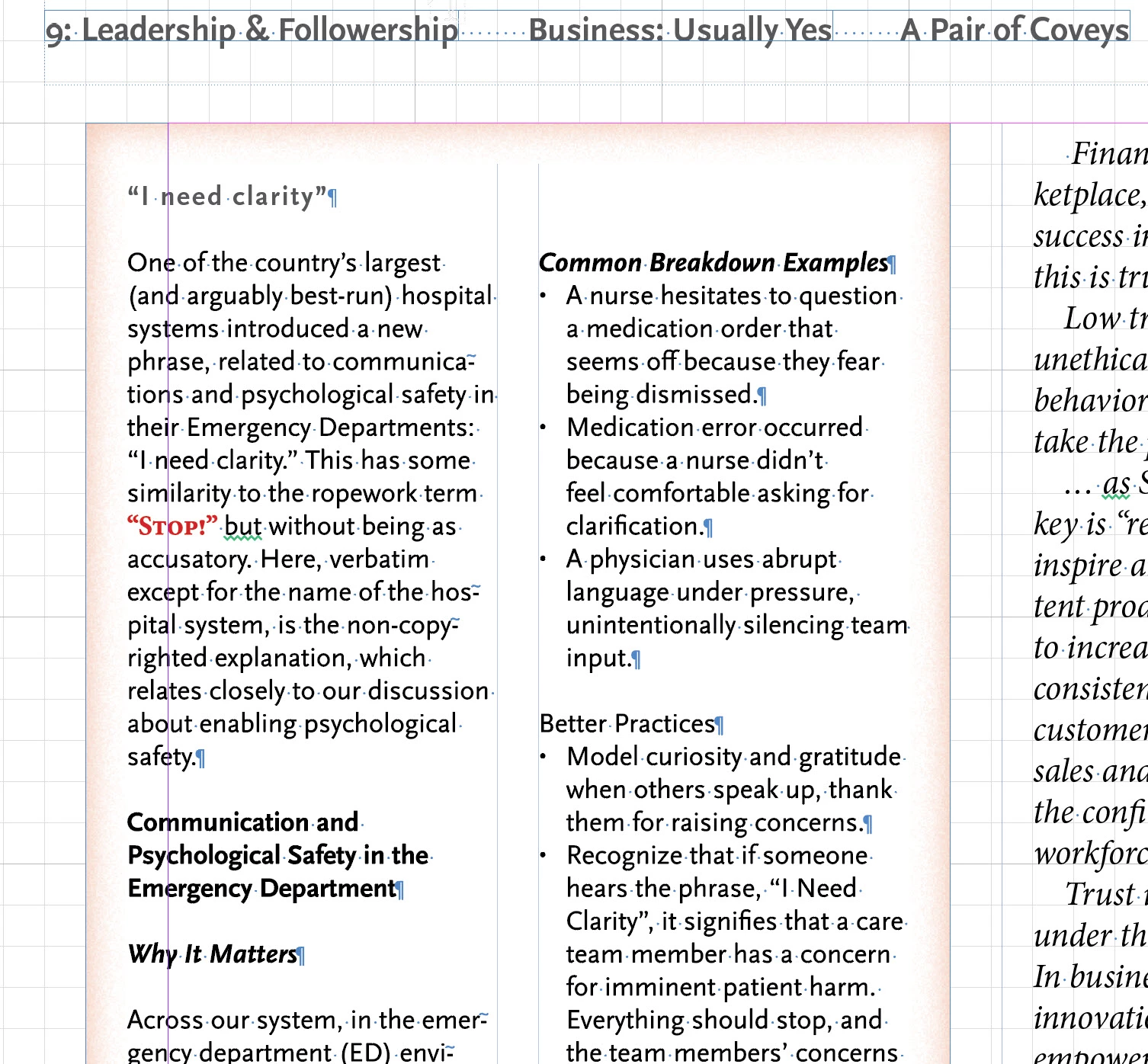
After I start typing I see:
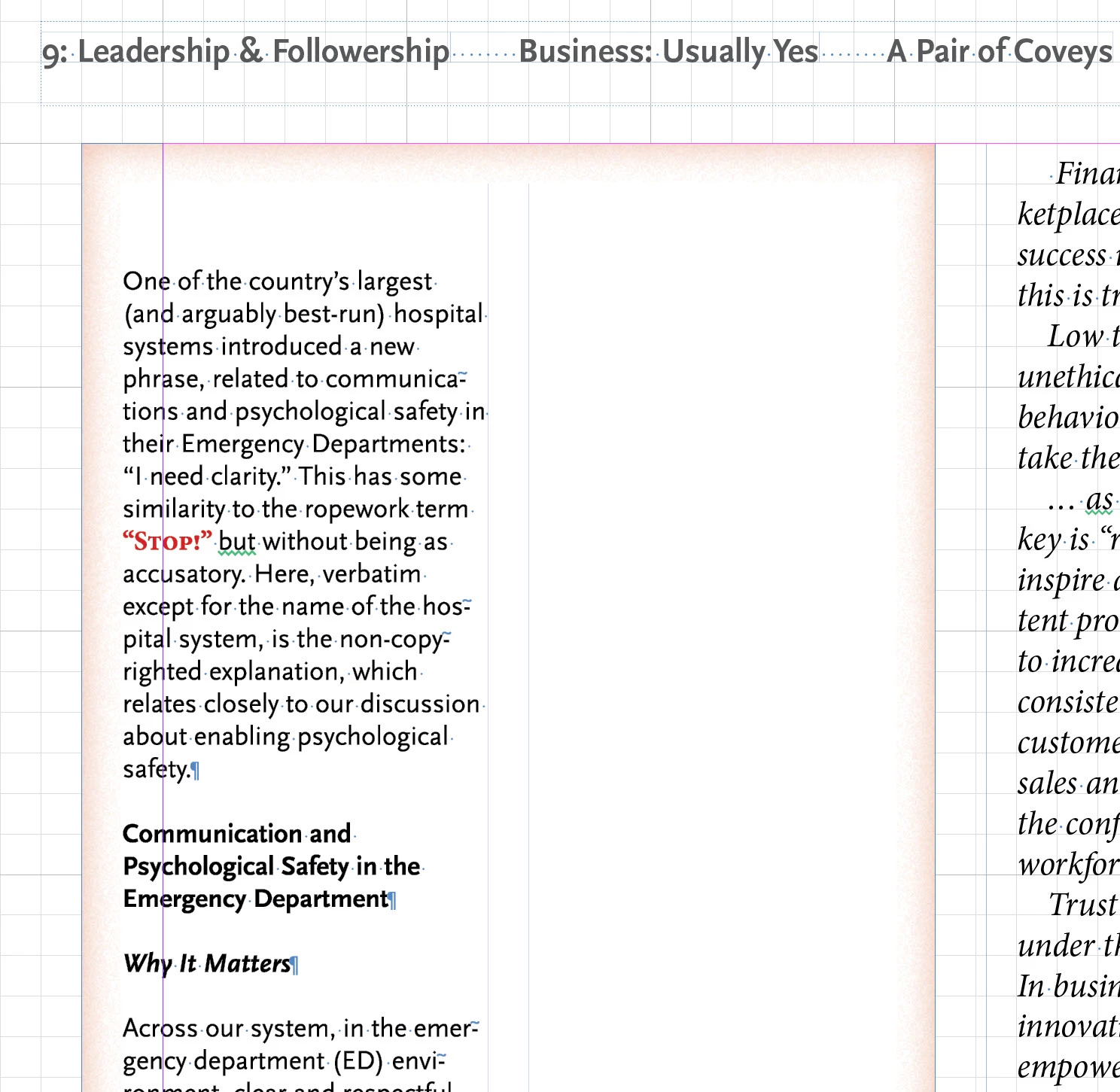
I have to go to InDesign > Edit > Preferences > GPU performance > [uncheck] to prevent it from happening. If I have GPU performance checked, and the problem occurs, I can exit InDesign and start InDesign again; this stops it temporarily, but after a while the problem comes back. To emphasize: this never occurs in the main text box on a page, only in one of the sidebar subsidiary text boxes on a page.
- Your InDesign version: 2026 (21.0 x64) but happened with a least the previous version, maybe one or two versions prior to that
- Operating system + version: Windows 11
- Hardware details (GPU, monitor setup, etc.):
- 12th Gen Intel(R) Core(TM) i9-12900 (2.40 GHz)
- 128 GB (128 GB usable)
- Windows 11 Pro 25H2 26200.7171
- NVIDIA GeForce RTX 3050. 8 GB
- Screenshots if possible: see above
Thanks for any help. This is really slowing down my work on this textbook.


 AdChoices