robinm26425979
Participant
Nov 13, 2026 3:05 PM UTC
Question

InDesign 2027 bug? section numbering

I updated InDesign to 2027 a few days ago, and I am having new problems with section numbering.

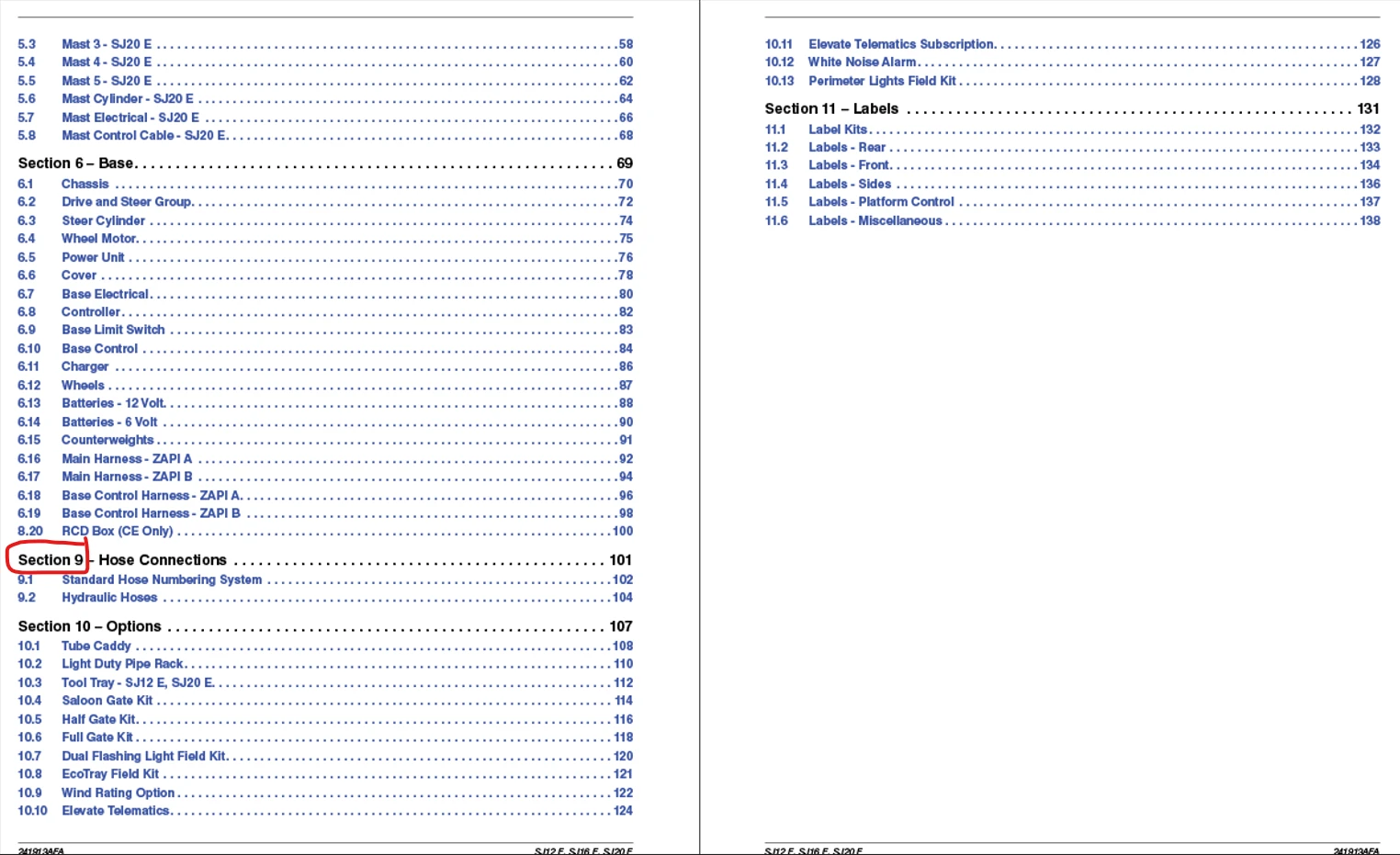
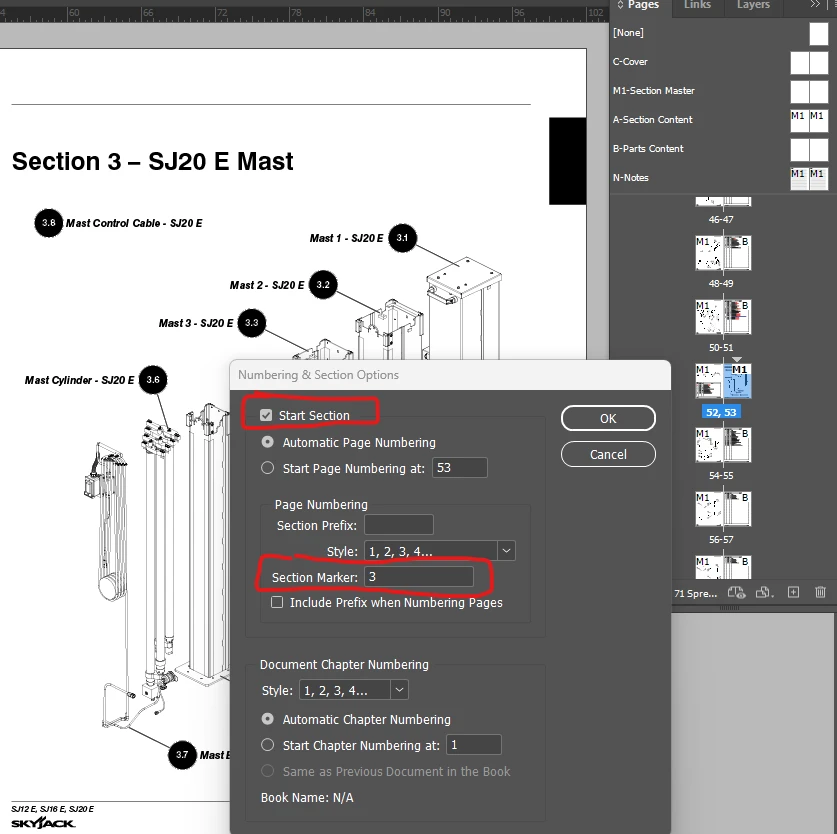
The table of contents in my manual is assigning the wrong number to sections, even though the correct number shows in the heading in the body of the manual, and in the “Numbering & Section” section under Pages  .It goes 1, 2, 5, 6, 9, 10, 11.  Section numbers in the body of text are done through auto-numbering, and sections are set up in “Numbering & Section.  They both match.

It was fine in 2026.  Any ideas what’s going on and how to fix it?
 

    7 replies

    Barb Binder
    Community Expert
    Community Expert
    Nov 13, 2026 5:48 PM UTC

    One more thing, ​@robinm26425979, it is not a best practice to move any critical work files to a brand new release. It’s fine to download a new release and play with it, but I highly recommend continuing to work in v21 until at least the first patch is released. Maybe longer.

    Translate
    ~Barb at Rocky Mountain Training
    Barb Binder
    Community Expert
    Community Expert
    Nov 13, 2026 5:43 PM UTC

    Hi ​@robinm26425979:

    This is odd.

    Is the TOC actually updating? Can you change the words S-J20 E Mast on page 53, update the TOC and see the change?

    ~Barb

    Translate
    ~Barb at Rocky Mountain Training
    robinm26425979
    Participant
    Nov 13, 2026 6:18 PM UTC

    Yes, the TOC text updates correctly.


    Translate
    Barb Binder
    Community Expert
    Community Expert
    Nov 13, 2026 7:13 PM UTC

    If these exact same files were working in version 21 and are now misbehaving in version 22 then I would definitely just table 22 and return to version 21 for now. If you uninstalled it, you can always reinstall it via the CC desktop app.


    We can continue to troubleshoot  file setup errors, but if the exact same files were working, and the only difference is the upgrade, then that will not be the best use of our time.

    Translate
    ~Barb at Rocky Mountain Training
    Anubhav M
    Community Manager
    Community Manager
    Nov 13, 2026 4:55 PM UTC

    Hello ​@robinm26425979 


    That does seem strange. Would you mind confirming whether this happens with new/other files as well, so we can better assist you?


    Looking forward to hearing from you.
    Anubhav

    Translate
    robinm26425979
    Participant
    Nov 13, 2026 5:11 PM UTC

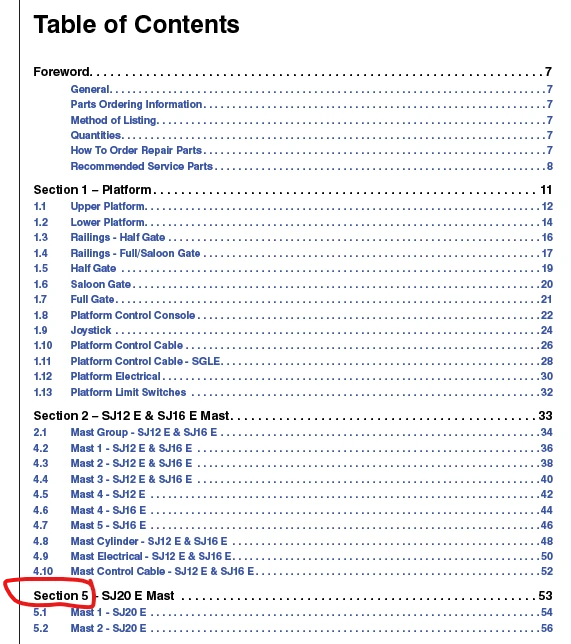
    Yes, it seems like all files.  I’ve opened several others to try, and when I choose Layout → Update Table of Contents, that’s when it happens.  From three other files:


    Translate