

Inspiring
February 20, 2026
Question

InDesign 21.2 Fonts Missing but Not Detected in Find Font or Preflight on Windows 11

  • February 20, 2026
  • 2 replies
  • 22 views

Hi there,

WIN11 computer.

InDesign 21.2 x64. Both are legit.

I have several projects worked in InDesign. They are from the same client, they are using the same template, the same fonts and styles. Yesterday, I implemented some changes requested by my client in one of the projects. Today, I opened another project from the same client in order to make some changes. For my surprise, InDesign cannot see the fonts. Fonts that were OK yesterday, two days ago, three days ago. Each package contains the same font since all projects use the same template.

So, I opened the project I was working yesterday. The fonts are fine. I restarted the computer. I opened the yesterday project. Everything is fine. I opened the project I am supposed to make corrections. Fonts are missing. I opened another project from the same client I worked three days ago. Well, this is even more weird. Fonts are missing, but they are not shown in Find/Replace fonts, and the Preflight panel shows zero errors and is green.
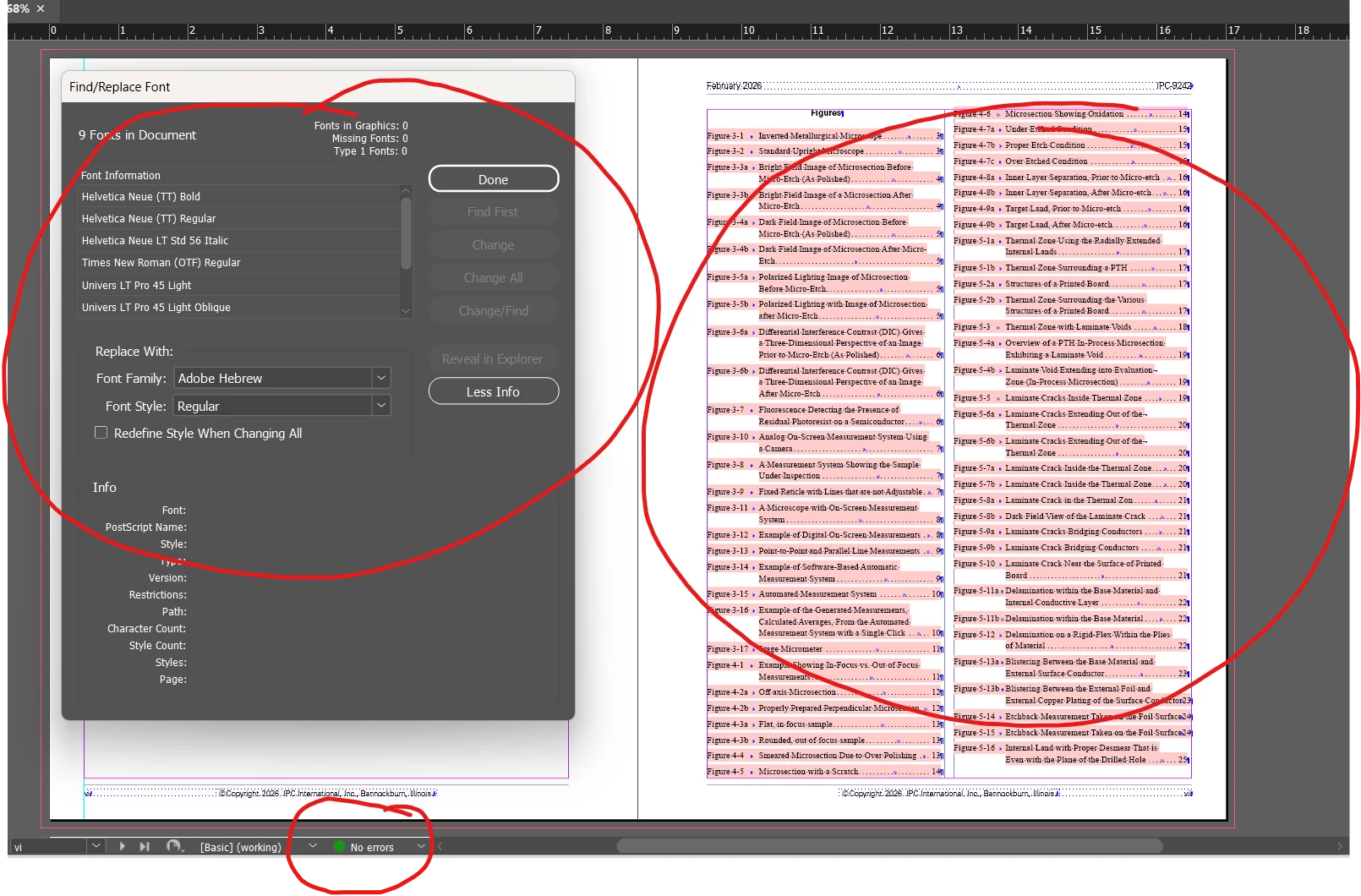
Fonts are missing or not

What is wrong?  I do not understand why is this happening.


Sebastian

    2 replies

    Legend
    February 20, 2026

    The two Helvetica Neue (TT) on top could be from macOS system font while the one below is Helvetica Neue LT - that’s the Linotype brand of Monotype following their different naming schemes, also with numbers within the font styles. Better rework this in a consistent way, by replacing the system fonts with their LT counterparts.

    Times New Roman - as indicated by the (OTF) suffix could be the ordeal caused by Microsoft changing their fonts in a Windows security update, look around in this community, multiple threads. Are you on Mac, maybe using the font via Adobe Fonts? Ah, see you mentioned Windows for yourself. If you change that to the new Microsoft font, Mac users will likely have their fun too. Extended problem here is as Windows machines are involved they are stuck at what Microsoft gives them at that day. Some people try to fight their font problems by rolling back the responsible security updates.

    Have a look at the document history via the extended About InDesign dialog, hold down all the modifier keys when you choose the menu. Should tell you whether the platforms and versions involved in this document, e.g. to explain the Helvetica Neue.

    On the other hand Monotype fonts via their cloud also have a long history of type changes (similar to the.Windows trouble) while they also occasionally introduced new slightly renamed families, which actually could be an attempt to steer away from collisions within the family. It does not help though if you have mixed families because of later purchases, or missing fonts in old docs because your font admin chose the latest.

    Question here is are you on MT font cloud consistently across all users or do you have the fonts purchased as file, frozen, entire family (as far it is used) at one time?

    The inconsistent pink could be a hickup where the font is actually found, used in composition and rendered one way while the pink indicator takes another way. We’ve once tracked it down for another font family that was partially present in special fonts folder (the one near the application app/exe) and partially in the document fonts folder (as also mentioned by Manan). That also came along with the usual font type mix within the family, also non-existent font styles via grep style or alike. Very complicated.

    Are there any missing fonts when you scroll down in the dialog? I don’t know how that list is sorted.

    Regarding preflight, I never looked how it checks fonts, maybe they have a third way. Or it is something trivial such as a disabled / missing preflight rule.

    Best you can do is weed out the mentioned collisions in your font installation, also push the result to the others involved. Make sure to use consistent families that show the same type in font info (lower section of above dialog).

    Again, special precautions with TNR, better get away from system fonts as you already do most of the time.

    Community Expert
    February 20, 2026

    This is strange. See if these fonts are being loaded from the Document Fonts folder or your system installed ones? If Document Fonts try replacing them from a document where they load properly.

    -Manan