

PeteHHH
Participant
March 17, 2026
Question

InDesign 21.2 UI Scaling Issue on Windows 11 Causes Unresizable Window When Opening Documents

  • March 17, 2026
  • 1 reply
  • 162 views

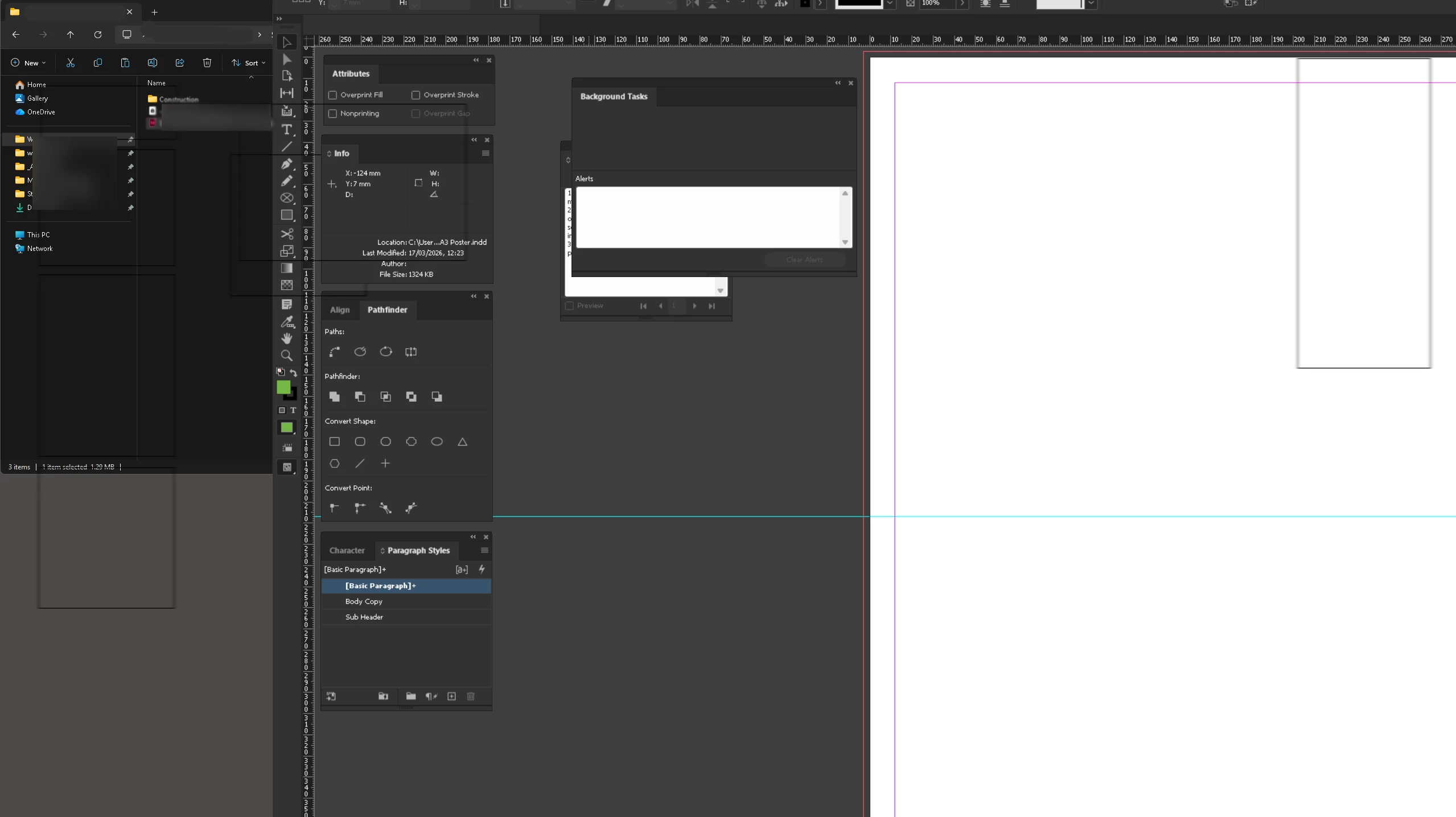
InDesign 2026 (21.2) x64 Changes resolution when opening a file from within the application. This resizes the window so that it is completely impossible to grab any of the corners or header bar. I have to quit the application and restart. Happens around 30% of the time when opening a document while InDesign is already open. Screenshot attached. Windows 11 laptop running multiple monitors.


I should add, this started happening a few updates ago.


    1 reply

    Abhishek Rao
    Community Manager
    Community Manager
    March 17, 2026

    Hi @PeteHHH,


    I'm sorry to hear this is happening, I understand how disruptive it can be when the UI becomes unusable and forces a restart.

    Could you please confirm if you're using an external monitor when this happens, or does it also occur when you're on a single display. Also, does this behavior occur with specific documents or randomly across different files.

    It would also help to know if you're using any desktop or window management software on your system. If yes, please try disabling it and test again. Alternatively, you can test this in Safe Mode to isolate if any background services are contributing to the issue. You can refer to this guide: https://adobe.ly/4sIxWSC

    In addition, please try renaming the CEP and UXP folders and then relaunch InDesign. You can rename the CEP folder to CEP.old from this location:
    C:\Program Files (x86)\Common Files\Adobe

    If the issue still persists, rename the UXP folder to UXP.old from the following locations:
    C:\Program Files\Common Files\Adobe
    C:\Program Files (x86)\Common Files\Adobe

    Once done, relaunch InDesign and check if the issue occurs again.


    Please let me know how it goes after trying these steps, I'll be happy to take it further based on your update.

    Abhishek

    PeteHHH
    PeteHHHAuthor
    Participant
    March 24, 2026

    Hi Abhishek, and thank you for your reply.


    I am indeed using an external 2k monitor when this happens, and it doesn’t happen when using just the laptop. The problem is random, with the same document sometimes triggering it, and sometimes not. I am not using any kind of desktop/window management software. Safe mode produces the same results.


    I have tried the other steps you’ve suggested (renaming the folders), but the issue persists.


    Thanks,

    Peter

    Harshika Verma
    Community Manager
    Community Manager
    March 27, 2026

    Hi ​@PeteHHH,


    Thank you for sharing the requested info. We are checking the issue with the product team for further investigation and will keep you posted on any updates. 

    Meanwhile, we suggest you update InDesign to the latest version (ID 21.3). Also, please try changing the resolution & scaling of the external monitor and let us know if that helps.

    We will try our best to investigate. 


    Thanks,

    Harshika