

maitevoe
Participant
June 25, 2026
Question

InDesign 21.4 no longer recognizes transparency in legacy TIFF files

  • June 25, 2026
  • 4 replies
  • 56 views

After updating to InDesign 21.4 (including the latest 21.4.x update), our existing TIFF files with transparency are no longer imported correctly.

These are production files from our publishing workflow that have been used successfully for months.

Expected behavior

When placing a legacy TIFF with transparency into InDesign, the transparent background should be preserved.

Actual behavior

The TIFF is imported with a white background instead of transparency.

Steps to reproduce

  1. Open the attached legacy TIFF in Photoshop.

  2. Photoshop correctly displays the transparent background.

  3. Place the TIFF in InDesign 21.4 using File > Place (with or without "Show Import Options").

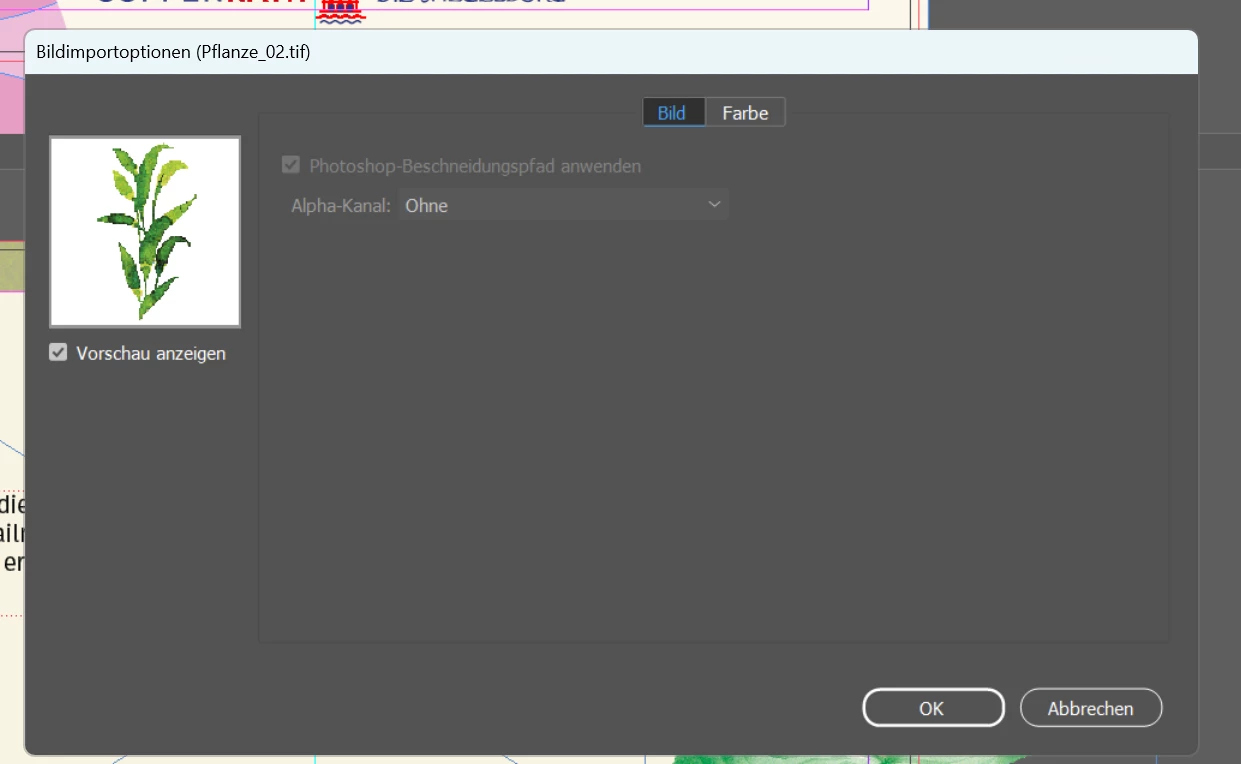
  4. The transparency is not recognized. The import dialog only offers:

    • Alpha Channel: None

  5. The image is placed with a white background.

Comparison with previous versions

The exact same TIFF file works correctly in the previous InDesign version.

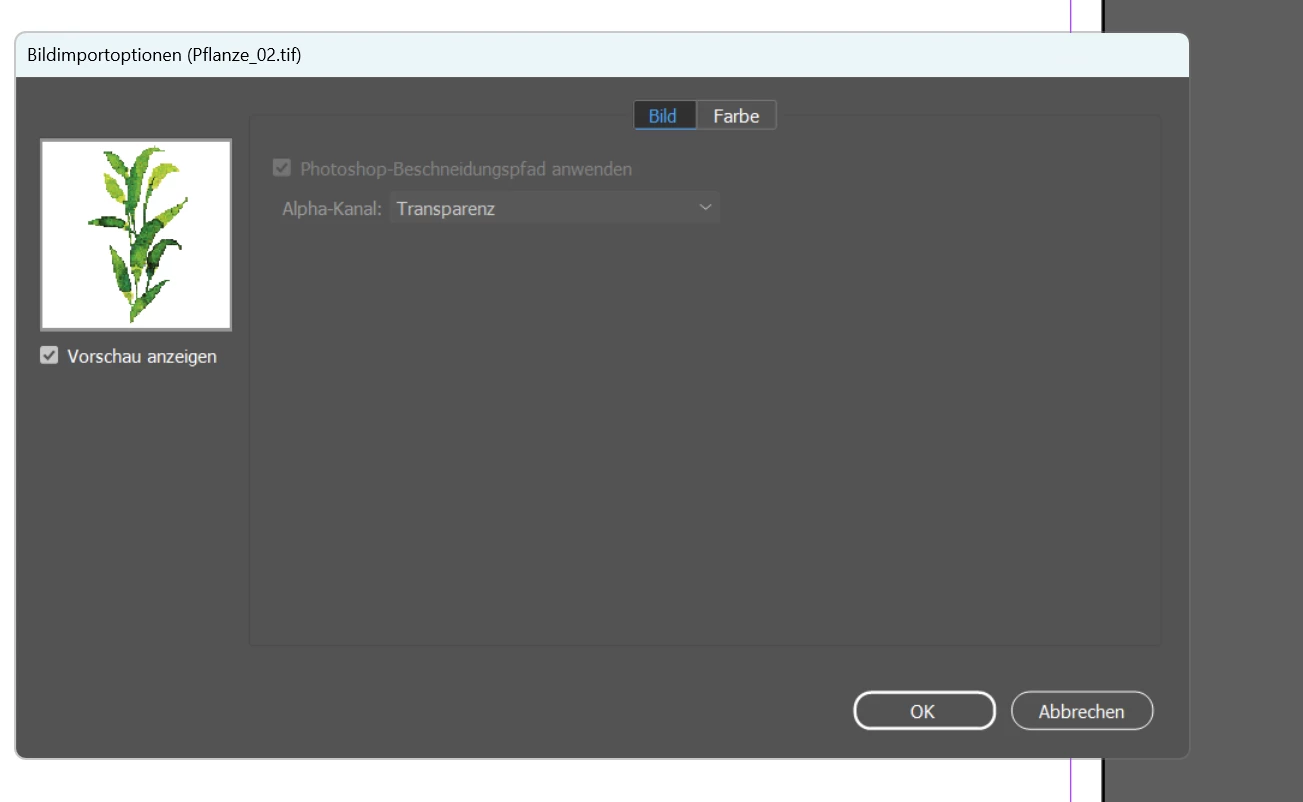
When using Show Import Options, the previous version offers:

  • Alpha Channel: Transparency

InDesign 21.4 no longer offers this option.

Additional testing

  • PSD files with the same transparent image work correctly in InDesign 21.4.

  • Creating a new TIFF with transparency in the current Photoshop version also works correctly.

  • If the legacy TIFF is opened in Photoshop and immediately saved again as a TIFF (without changing the image), InDesign 21.4 recognizes the transparency correctly.

This indicates that InDesign 21.4 is unable to correctly interpret transparency in certain legacy TIFF files, although previous InDesign versions handled these files correctly.

Impact

Our company maintains a large image database containing many legacy TIFF files with transparency. Since updating to InDesign 21.4, every downloaded TIFF must be opened and re-saved in Photoshop before it can be used. This significantly disrupts our production workflow.

Please investigate whether support for legacy TIFF transparency has changed or regressed in InDesign 21.4.
 

    4 replies

    Henry_Collins
    Participating Frequently
    June 29, 2026

    This definitely sounds like a regression rather than an issue with your files. The fact that the same legacy TIFFs work in earlier InDesign versions, and also work after a simple re-save in Photoshop, suggests that 21.4 changed how it reads older TIFF transparency metadata.

    Hopefully Adobe can compare the TIFF parser between the previous release and 21.4, because this breaks existing production workflows and shouldn't require re-saving thousands of otherwise valid assets.

    Mike Witherell
    Community Expert
    Community Expert
    June 29, 2026

    Try placing a TIFF image with “Show Import Options” switched on and make sure the transparency switch is on; not off; then click ok to place it in. After that, try placing without the Show Import Options and see if it changes the behavior. Oops, I re-read and see that you have already tested for that. BTW, I prefer PSD to TIFF. Is that possible for you?

    Mike Witherell
    Willi Adelberger
    Community Expert
    Community Expert
    June 29, 2026

    What happens, if you resave them as PSD and use that file?

    Abhishek Rao
    Community Manager
    Community Manager
    June 25, 2026

    Hi ​@maitevoe,


    Thank you for the detailed report and sorry for the experience. Could you please confirm your operating system and version? Also, if possible, please share one of the affected legacy TIFF files so we can try to reproduce the issue on our end.

    In the meantime, as a workaround, please try opening the legacy TIFF in Photoshop and immediately re-saving it as a TIFF without making any changes, then place it again in InDesign. If your workflow allows, you can also try using the PSD version instead, as PSD files consistently preserve transparency. 


    Looking forward to your update.

    Abhishek

    rayek.elfin
    Legend
    June 25, 2026

    @Abhishek Rao The OP already mentioned that they had used Photoshop to re-save the TIFF files that caused issues, AND they already explained that that is not a viable longer term workaround since they have many legacy TIFF files and it disrupts their workflow.

    Abhishek Rao
    Community Manager
    Community Manager
    June 25, 2026

    Hi ​@rayek.elfin,


    You're absolutely right, and I apologize for overlooking that detail in the original report. Thank you for pointing it out.

    I'd like to investigate this further. So far, I haven't been able to reproduce the issue in InDesign 21.4.1 using TIFF files created from Photoshop, which is why I'd like to compare them against one of the affected legacy files.

    If ​@maitevoe  is able to share a sample TIFF that exhibits the issue, I'll be happy to test it and work with the team to determine the root cause.


    Thanks again for your patience and for helping clarify the issue.

    Abhishek