Amanda.R.
Participant
March 6, 2026
Question

InDesign Accessibility separating tag containers by line

  • March 6, 2026
  • 1 reply
  • 24 views

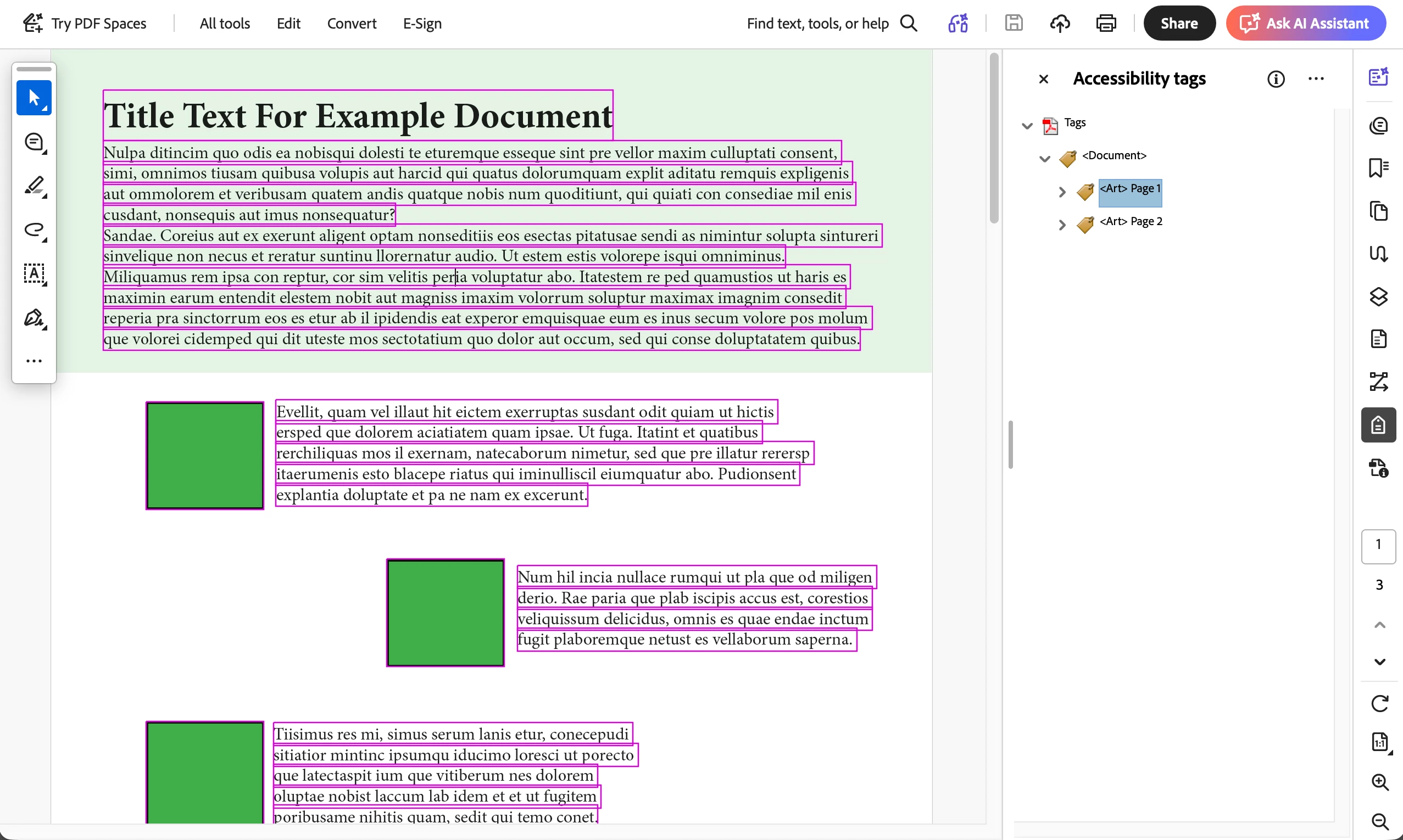
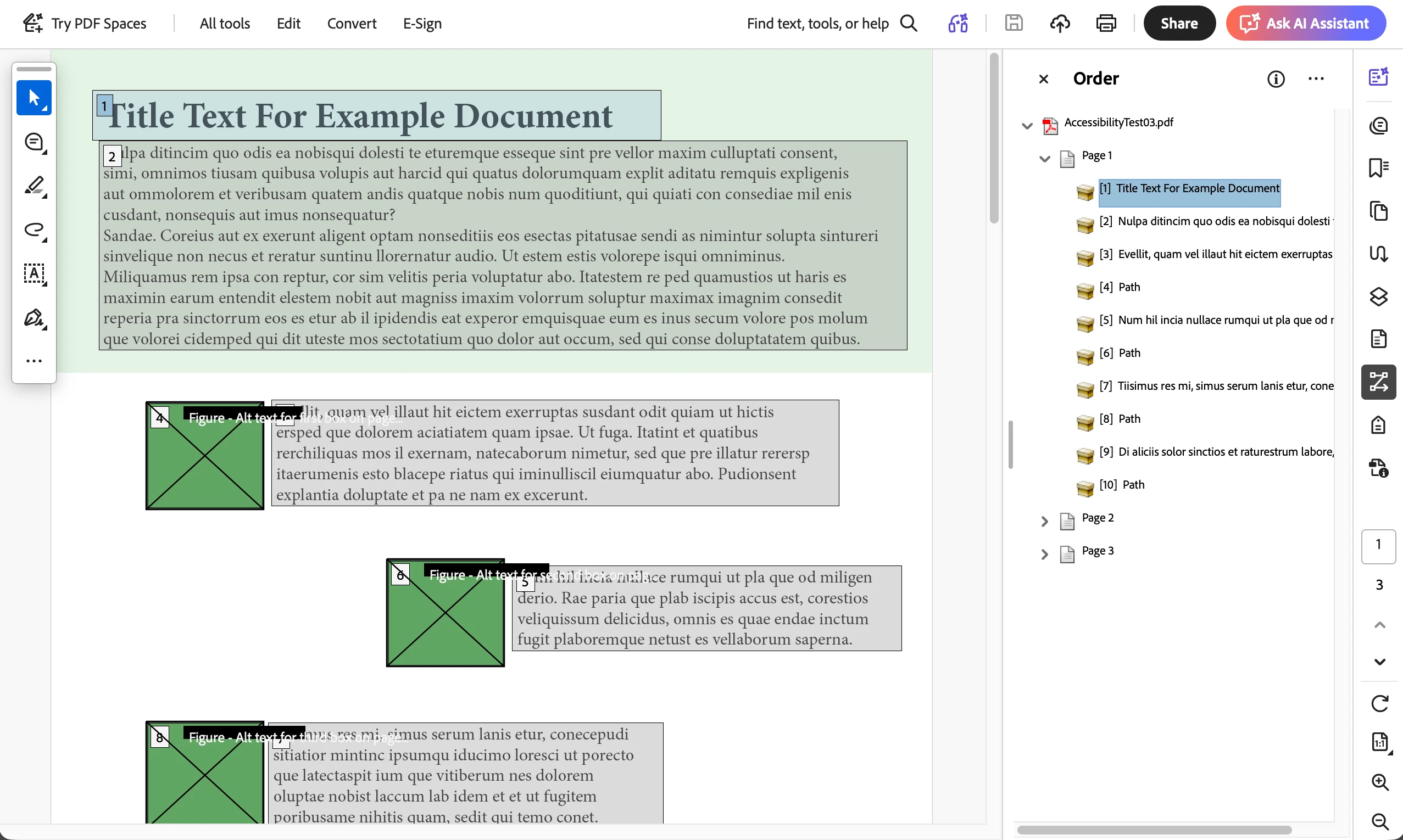
I have this same issue with every accessible document I export from InDesign and open in Adobe Acrobat. Under the Oder panel, everything is sectioned out correctly but under the Accessibility Tags, the sections are divided into individual lines (see the purple boxes). The only way I have found to fix this is to manually drag the containers together in the adobe Content panel. I have gone through every variation within the export settings and have combed through paragraph style settings (like turning off baseline gridding and optical margin alignment) to try and figure it out with no luck. I am working with a very simple test document with minimal formatting to try and solve it but am out of ideas. 
 

1 reply

Frans v.d. Geest
Community Expert
Community Expert
March 6, 2026

Yes, the Order is something different than the tags order. If you change the setting in the order pane to not group, you will also see separate lines by the way and a number on ever line (so hundreds of numbers!) The only thing that matters: is every paragraph in one tag (P, H1 or whatever). In the P you may also see different containers, or Spans, that does not matter either. So keep as rule: every paragraph (so everything between returns) had its own, one, tag. But please, stop with putting everything in one container in the Content pand, it is useless(!)

Amanda.R.
Amanda.R.Author
Participant
March 6, 2026

Thanks for this information! I also initially thought that this division did not matter but have been second guessing it ever since I had a client with very strict accessibility requirements return a pdf asking for this to be fixed. If it is true that this does not impact the functionality at all, is there some sort of documentation or reference I could use to inform this client of that?