
Participant
June 6, 2023
Question

Indesign Accessible PDF Paragraph tagging, separate lines in acrobat

  • June 6, 2023
  • 1 reply
  • 453 views

Hi, hoping someone can tell me if this is the correct result for a tagged Accessible PDF. We have everything set up correctly in InDesign but when a paragraph is tagged and exported the Acrobat parargraph tag contains multiple containers. See Below:
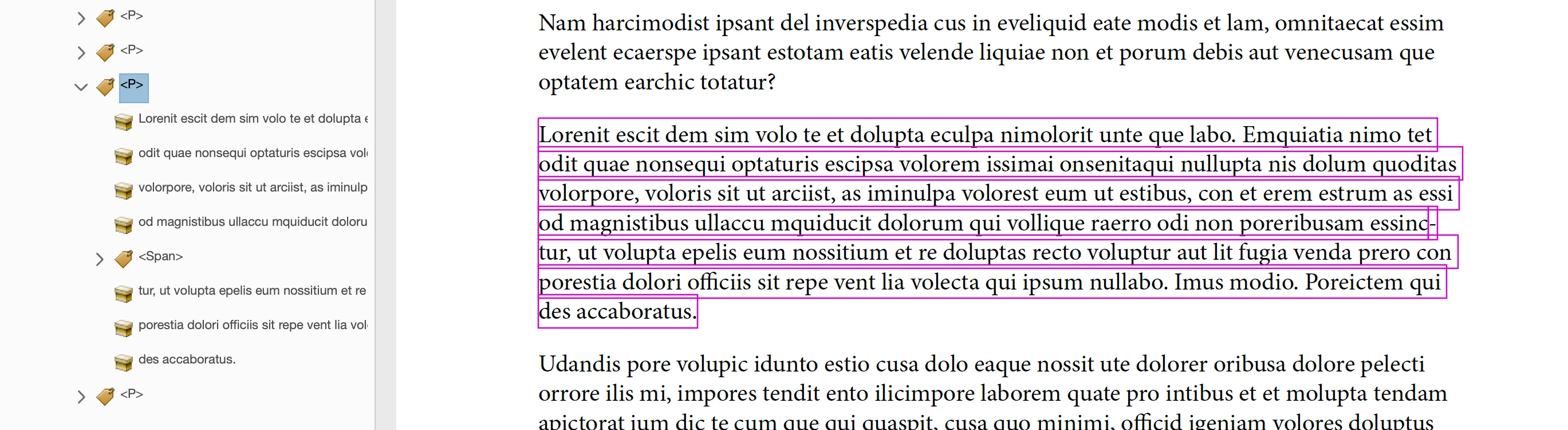


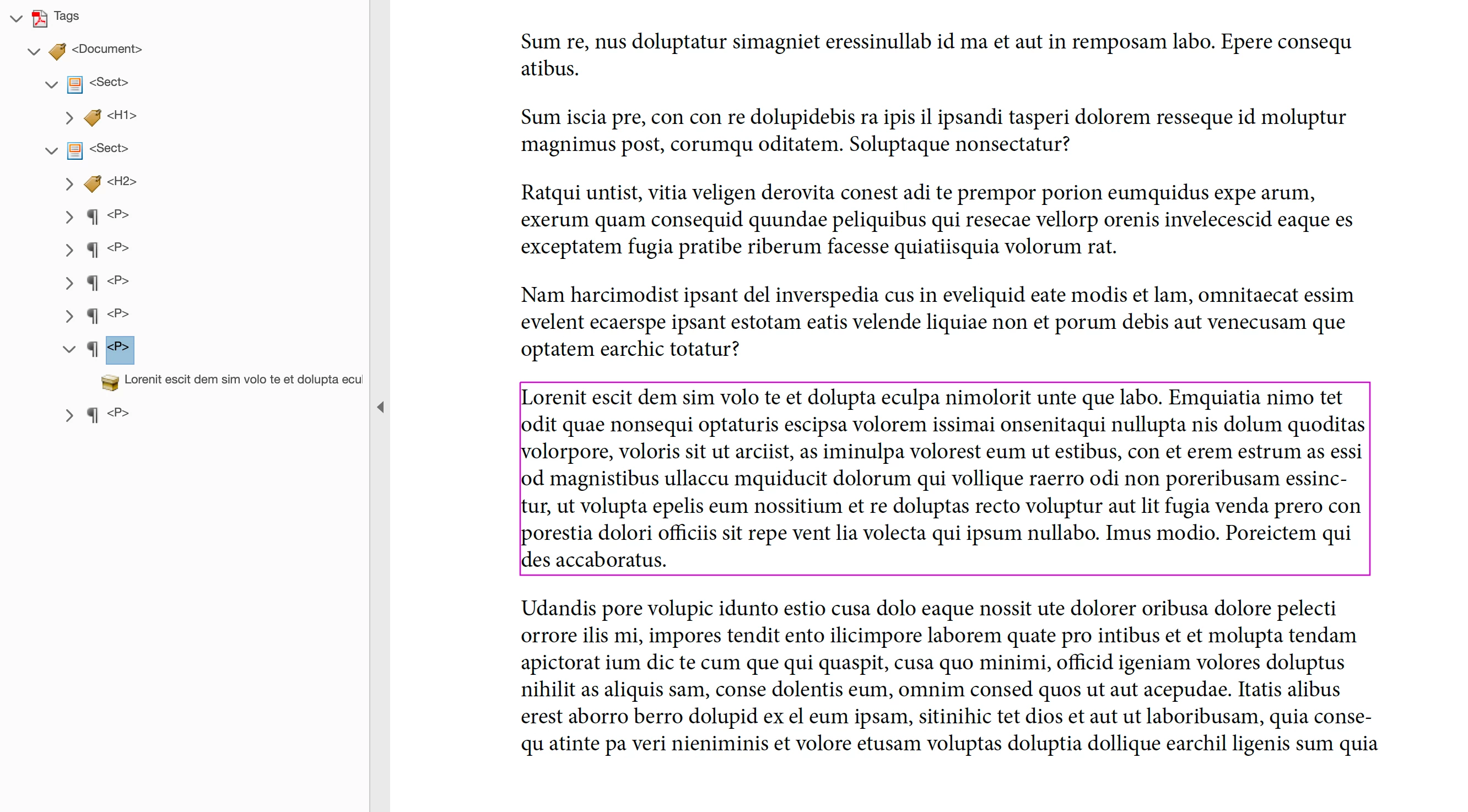
This seems to cause MacOS Voiceover to only read one line at a time. The document can be auto tagged to get around this, see below. The whole paragraph is highlighted and is read correctly within voiceover. Is there any way to get Indesign do create this tag structure autoamtically?
 

Thanks

Gareth


1 reply

Bevi Chagnon - PubCom.com
Legend
June 6, 2023

There are several parts to your question. Hope I can clarify some of the problems.


Yes, your document with multiple yellow content containers within a tag is correct.

And yes, most of the world would rather have just one like in your second example. But for certain types of content, that's not possible.

And no, I personally don't have any clue why InDesign creates this type of bass-awkwards tag structure. It messes up not just Apple's VoiceOver utility, but nearly every other low-budget text-to-speech reader out there, Mac or Windows. I'll post a note directly to the InDesign engineers and see if they have anything to comment.


Note: Apple's VoiceOver is not a PDF Standards compliant user agent (the tech term for any software/hardware that opens and uses a PDF file). It does not follow the main PDF standard (ISO 320000) which defines how a PDF is to be created and processed. (FYI, the same goes for Apple's Preview utility.)


And it's not compliant with the PDF/UA companion standard (ISO 14289), which defines how accessibility should be built into a PDF and how user agents should process it.


So VoiceOver doesn't have the ability to read tags, provide adequate user controls, or process any kind of interactivity such as forms and buttons, nor provide a shread of accessibility whatsoever for our end users with disabilities. Apple made the decision to ignore accessibility, so no one else should shoulder the blame for the blatent disregard of people's civil right to access digital information.


Question: Why are you testing in Apple's VoiceOver?

Nothing will ever be "compliant" with such a piece of antiquated code crapahola.


These are just my personal opinions and professional assessment. They have nothing to do with Adobe, Apple, the ISO, or any other entity I'm affiated with.


|    Bevi Chagnon   |  Designer, Trainer, & Technologist for Accessible Documents ||    PubCom |    Classes & Books for Accessible InDesign, PDFs & MS Office |