COMO-BRAM
Inspiring
March 10, 2020
Question

Indesign (actually it appears all Adobe applications) is not searching when trying to relink images

  • March 10, 2020
  • 1 reply
  • 387 views

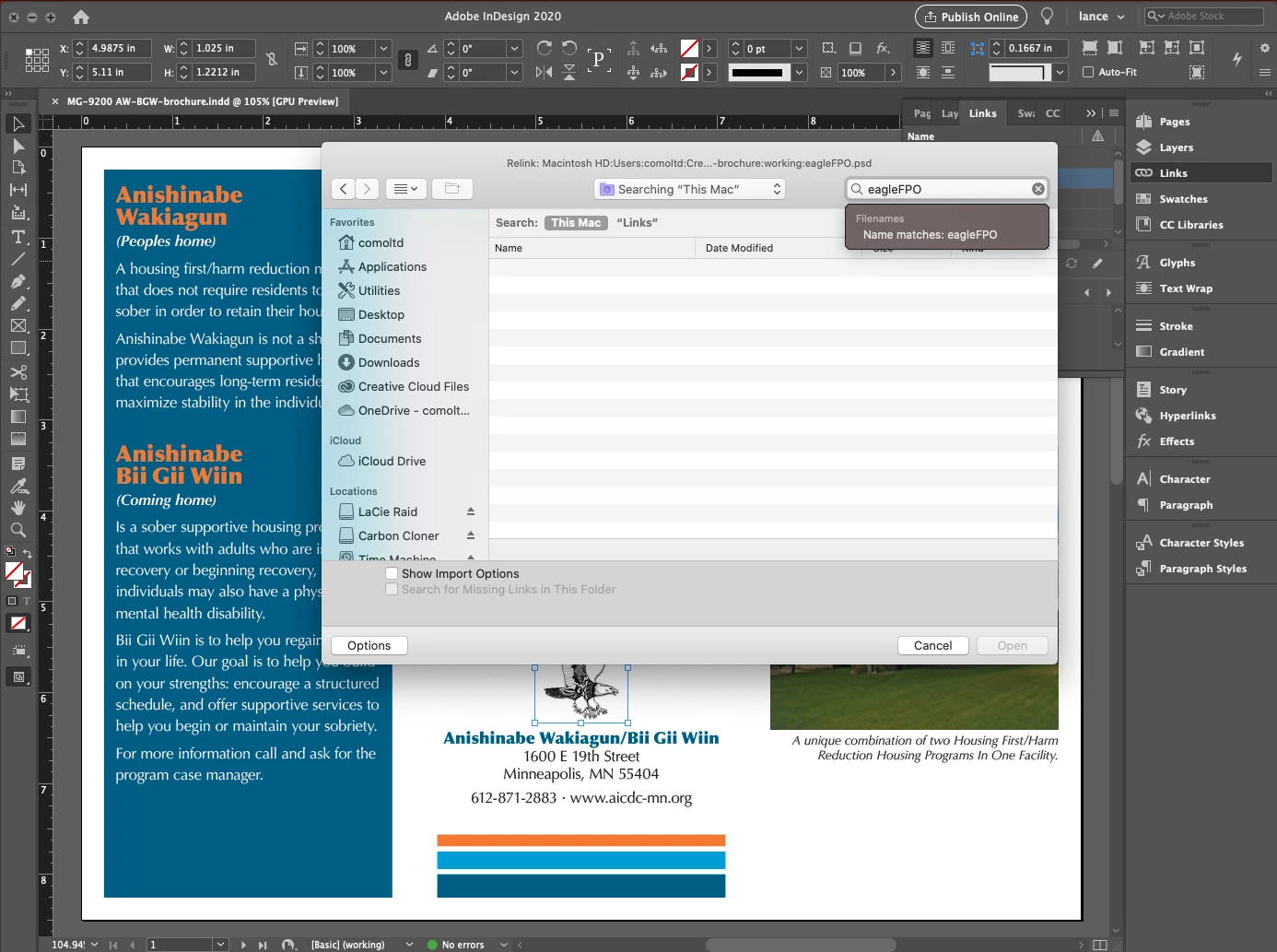
I am no longer able to relink images using "find" in the finder window. I know the image is on the drive yet Indesign does not locate it (or anything). The image attached shows a highlighted image in Indesign, I selected relink, searched for the same image and it does not find it. I can find it using the desktop finder window - but not when using an Adove application.

Any clue... did I miss something?
 

    This topic has been closed for replies.

    1 reply

    Legend
    March 10, 2020

    When I do a new document, I make a folder for the images that I need for that document only. If you do that too, you can click on a missing image frame in your document and go to Relink to Folder from the fly-out of the Links window. It will fix broken links to any images that have the same names in the document as you have in the folder.

    As to your original question, I think that's an OS problem, but if I want to search for an image that I'm missing I select it in the InDesign document, go to the fly-out of the Links window and select Copy Full Path. I paste that into the find window in the OS and delete all of the path info, leaving only the name of the image. See if that helps.

    COMO-BRAM
    COMO-BRAMAuthor
    Inspiring
    March 10, 2020

    Even if I search in the folder the image is in ID does not find it... the real problem comes when I am opening files which are a decade old and need to relink images. I have always been able to search for the image name and find the correct folder.

    The thing is I have clients who want to reuse really old files... not being able to search for them within the application is a major pain. Something has to be able to be reset...


    Thanks for you input - appreciated, will get this figured out one way or another.