

Document Geek
Community Expert
Community Expert
August 21, 2025
Question

InDesign adding blank pages at end of documents

  • August 21, 2025
  • 3 replies
  • 179 views

I work on long documents. They are comprsed of an InDesign book, about about 50 or so different InDesign documents. Most of the InDesign documents have (and are supposed to have) an even number of pages. But at the back of the book are engineering drawings. While some contain an even number of pages, some contain an odd number of pages. 


I've recently started experiencing an issue where InDesign automatically is adding an extra blank page to the documents containing an odd number of pages. This happens across dozens of InDesign documents, used in about 2 dozen InDesign books. I have tried manually removing the pages, but they just keep reappearing.


I have tried exporting all the documents as IDML, then reopening them as INDD. But the issue persists.


I've been working on various iteriations of these documents for over a decade, and this problem just started last month. My workflow has not changed. I am using InDesign 2024.


What might cause InDesign to start determing that an even number of pages is required? And how can I turn this off?
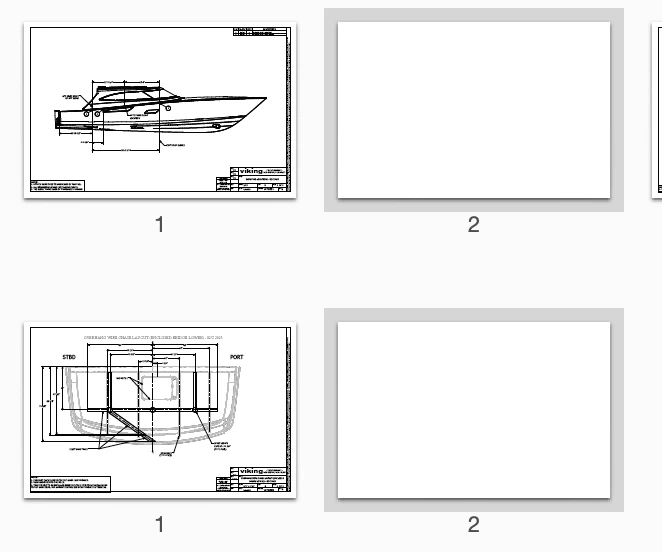
 

3 replies

Barb Binder
Community Expert
Community Expert
August 21, 2025

Hi @Document Geek:


What might cause InDesign to start determing that an even number of pages is required? And how can I turn this off?


Can you share your book panel menu > Book Page Numbering Options dialog box? That's where the page count is controlled at the book level.


~Barb

~Barb at Rocky Mountain Training
davecourtemanche
Inspiring
August 21, 2025

In your preferences, is Smart Text Reflow checked? Preferences/Type/Smart Text Reflow. Is there a text frame on the Parent pages?

Abhishek Rao
Community Manager
Community Manager
August 21, 2025

Hi @Document Geek,


Thanks for sharing the details and screenshot. Could you check if 'Allow Document Pages to Shuffle' or 'Allow Selected Spread to Shuffle' are enabled in your file? If they are, try toggling them off and let me know what changes you notice.

It would also help to know if this happens across all your books or only with certain files, and please confirm the OS and exact version of InDesign you are working on. If possible, I’d recommend updating to the latest 20.5 release as well.


Looking forward to hearing how it goes.

Abhishek