nathans92928531
Participant
July 29, 2023
Question

InDesign: Anchored Image flowing off page

  • July 29, 2023
  • 3 replies
  • 1052 views

I'm having trouble with anchored images in InDesign.


I want the anchored image to stay with a specific line of text. But if I do that, some images extend off the bottom of the page. 
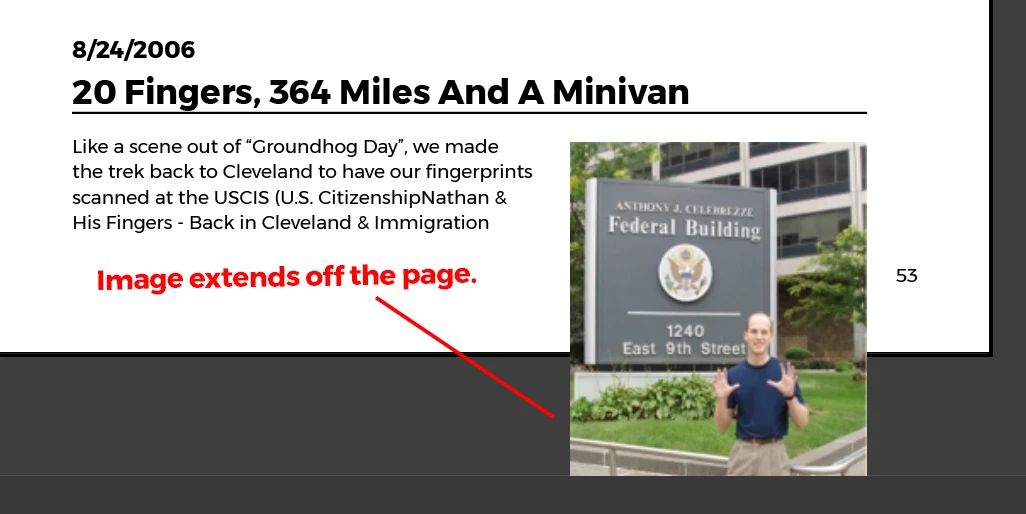
 

To fix that, I select "Keep within Top/Bottom Column Boundaries. This keeps the image on the page, but bumps it up so that it is no longer anchored with the line of text that I want it to be. 
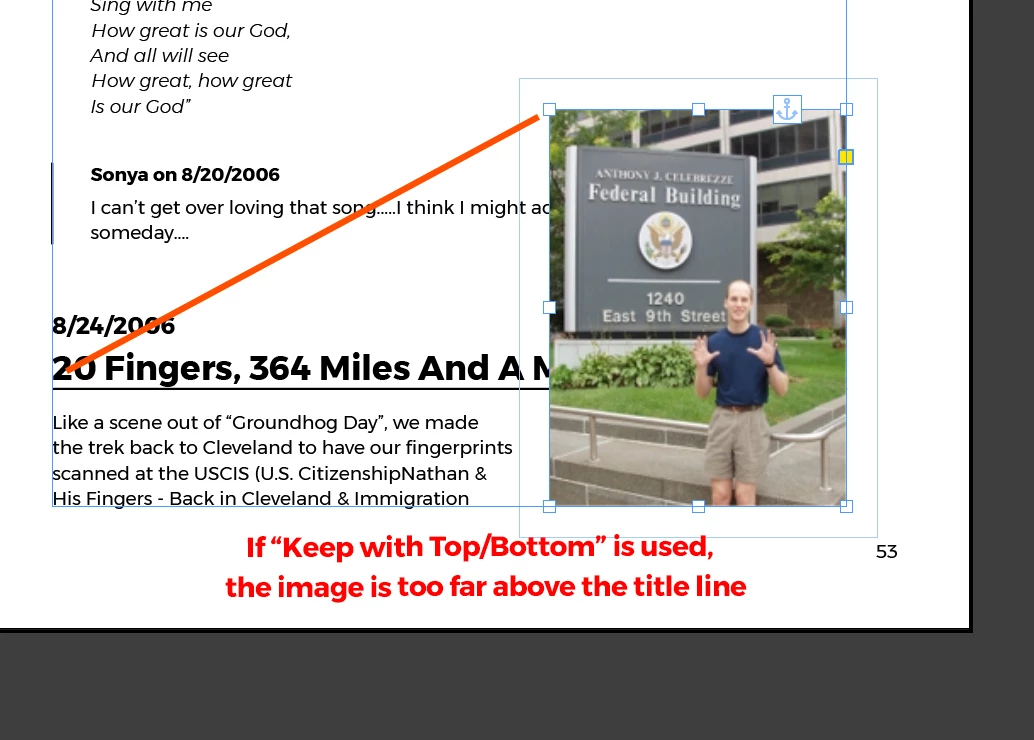
 

What I want InDesign to do is to keep the top of the image anchored and aligned to the title line, and then break that entire group to the next page if necessary in order to maintain the position.

This topic has been closed for replies.

3 replies

Community Expert
July 31, 2023

@nathans92928531 said: "What I want InDesign to do is to keep the top of the image anchored and aligned to the title line, and then break that entire group to the next page if necessary in order to maintain the position."


Hi @nathans92928531 ,

you can do this with a couple of paragraph styles and a table that contains the article main text and the image in a graphic cell. See my attached InDesign document. Play with it and change the height of the graphic frame in the table. Or add and remove text to the first cell of the table.


Regards,
Uwe Laubender
( Adobe Community Expert )

Barb Binder
Community Expert
Community Expert
July 29, 2023

How about adding a column break in front of the heading to force all of it to the next page?


~Barb

~Barb at Rocky Mountain Training
nathans92928531
Participant
July 29, 2023

I need the image to stay anchored to the text exactly as it is in screenshot #1 above -- but without the image extending off the page. I'm hoping that InDesign can just create an automatic page break to move that entire text and image section to the next page so that everything stays aligned as it is. 

(I find it puzzling that InDesign anchored images flow off the end of the page as a default. Why would users want that to happen?)

James Gifford—NitroPress
Legend
July 30, 2023

InDesign isn't really designed to maintain perfect page layout as content is extended. So as long as you are writing and building a long document — book — you just need to stay relaxed as downstream stuff moves out of perfect layout and alignment.


Put another way, you can spend endless time and aggravation keeping all your pages "print ready" even though you're nowhere near that point, or you can let some jumble exist as you keep building new material in. You only start fine-tuning image and text flow in the last steps, always working from a start point like a chapter break, downwards.

kglad
Community Expert
Community Expert
July 29, 2023

in the future, to find the best place to post your message, use the list here, https://community.adobe.com/

p.s. i don't think the adobe website, and forums in particular, are easy to navigate, so don't spend a lot of time searching that forum list. do your best and we'll move the post if it helps you get responses.


<"moved from using the community">