
Inspiring
October 9, 2019
Answered

InDesign anchored object text wrap on multiple columns issue

  • October 9, 2019
  • 1 reply
  • 1003 views

Hello All,

I need to apply wrap and position the anchored frame with in the double column layout. The anchored object which is anchored on the second column. The text wrap applied on around the anchored object. But, the wrapping occurs only on the right side column not in left side column.  
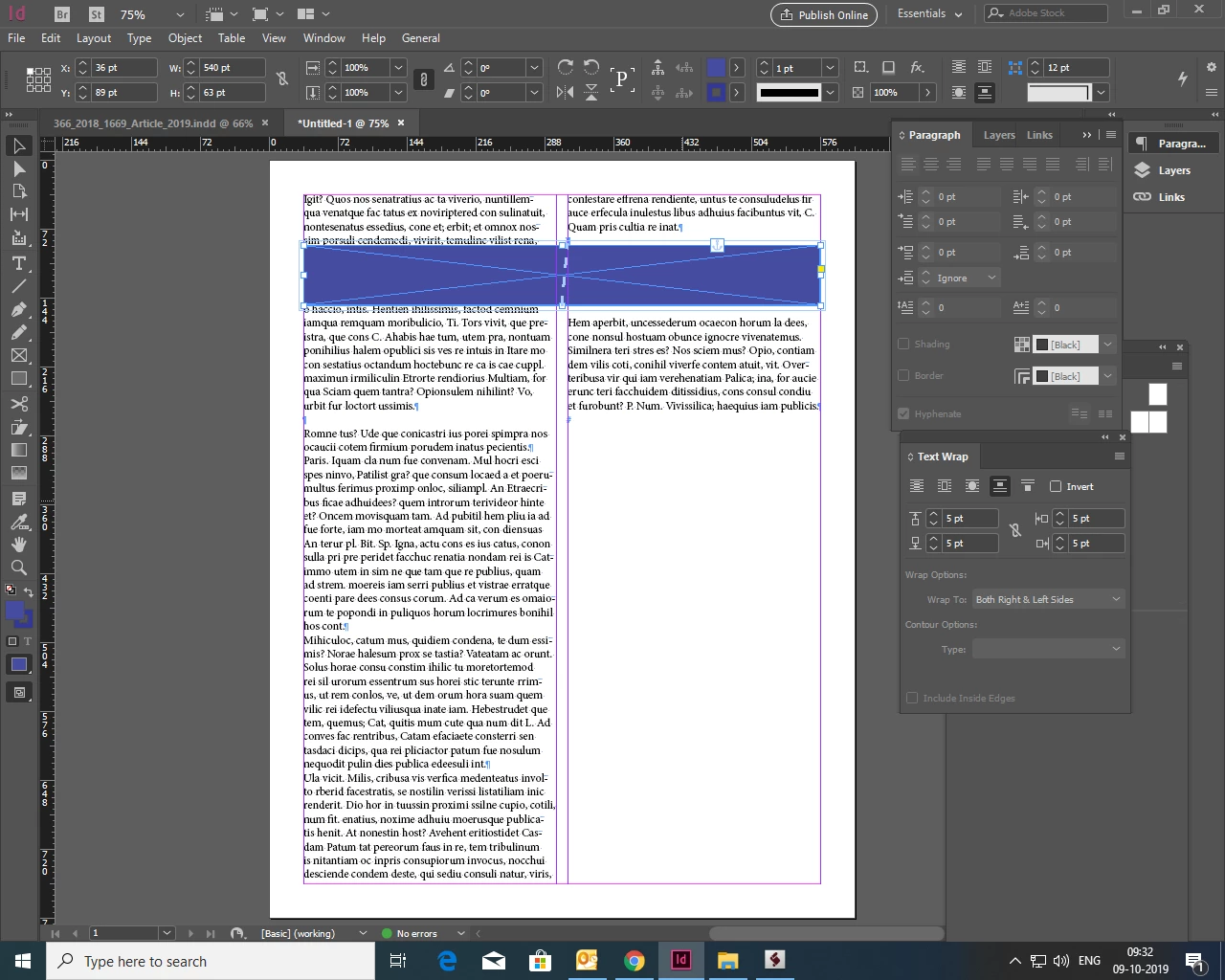


Could you anyone give solution/ suggestion  how to applying wraping on right side column.


Regards,

Prakash C

This topic has been closed for replies.
Correct answer Bevi Chagnon - PubCom.com

This is a long-time shortcoming of InDesign's text wrap when a frame is anchored.

The anchor must be located above and before the actual anchored frame. In your example, it must be anchored in the first (left) column and above the blue frame.


You can help Adobe address this problem by voting at www.InDesign.UserVoice.com https://indesign.uservoice.com/forums/601021-adobe-indesign-feature-requests/suggestions/32195635-anchor-objects-text-wrap

1 reply

Bevi Chagnon - PubCom.com
Legend
October 9, 2019

This is a long-time shortcoming of InDesign's text wrap when a frame is anchored.

The anchor must be located above and before the actual anchored frame. In your example, it must be anchored in the first (left) column and above the blue frame.


You can help Adobe address this problem by voting at www.InDesign.UserVoice.com https://indesign.uservoice.com/forums/601021-adobe-indesign-feature-requests/suggestions/32195635-anchor-objects-text-wrap

|    Bevi Chagnon   |  Designer, Trainer, & Technologist for Accessible Documents ||    PubCom |    Classes & Books for Accessible InDesign, PDFs & MS Office |