


Participating Frequently
June 23, 2023
Answered

Indesign "cannot find match", then asks to replace style

  • June 23, 2023
  • 2 replies
  • 372 views

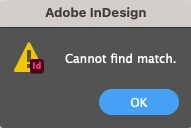
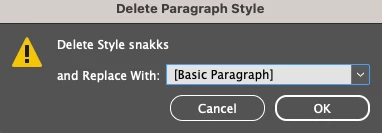
When searching a document for a specific paragraph style, I get the dialog box "cannot find match". Then, when deleting the style, the "delete style xx and replace with" dialog box pops up. Hoping that someone knows what this is about 🙂
This topic has been closed for replies.
Correct answer Laubender

Hi @reddhare ,

could be that other styles are based on the one you like to remove.


Regards,
Uwe Laubender
( Adobe Community Expert )

2 replies

Community Expert
June 23, 2023

Hi @reddhare ,

look into a script by Kasyan Servetsky, that is able to write nearly every property value of a paragraph style to a csv file that you can import to an Excel style sheet. The "based on" property column will show you an overview what paragraph style is based on another one for a given document.


Export paragraph style description settings
Script for InDesign CS3–CC 2014 [*] . Version 4.0
@Kasyan Servetsky 
http://kasyan.ho.ua/indesign/export/export_styles_description_settings_to_csv.html


[*] Note: Recently I used that script successfully with InDesign 2023 on Windows 10.


Regards,
Uwe Laubender
( Adobe Community Expert )


reddhareAuthor
Participating Frequently
June 23, 2023

Thank you, that script was very useful!

LaubenderCommunity ExpertCorrect answer
Community Expert
June 23, 2023

Hi @reddhare ,

could be that other styles are based on the one you like to remove.


Regards,
Uwe Laubender
( Adobe Community Expert )

reddhareAuthor
Participating Frequently
June 23, 2023

Right, that's the problem. Thanks!