
Participant
June 8, 2020
Answered

Indesign : cannot open th file because it was created using a newer version

  • June 8, 2020
  • 2 replies
  • 718 views

Hello

We work under windows server 2016.
We have many terminal servers
On each server, we installed the versions 14.0.3 and 15.0.3
Our collaborator works on a cloud sessoin accessible in RDP.
The cloud session can be opened on one server at each connection.
The problem is each time when he opens a file Indesign he has the message below
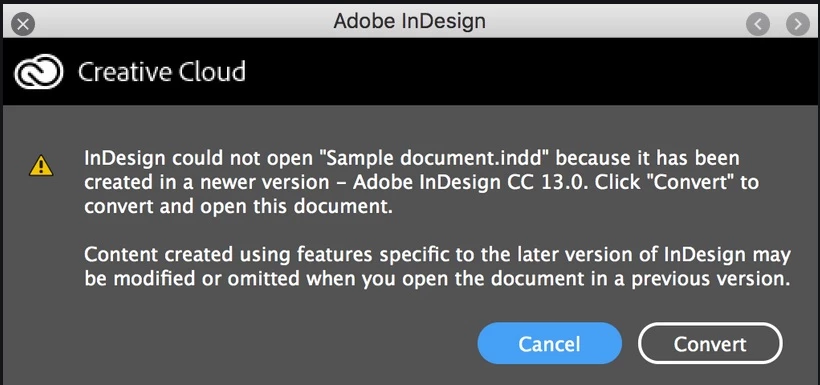
 

Have you had a similar case?
Do you have any idea about that?

This topic has been closed for replies.
Correct answer Manan Joshi

If you use different versions on your system you will have this problem. Either try to bring all the systems on the same version, or use IDML file for collaboration. Though IDML might come with its own issues if you use features that are not available in a lower version


-Manan

2 replies

Participant
August 3, 2021

HOW do I update to the V16.2?


J E L
Community Expert
Community Expert
August 3, 2021

@jimc4750594 Have you been able to get your update yet? When you are logged into your Creative Cloud account with your Adobe ID, in the dashboard under the "Apps" tab, you will see a screen like this. If there is an update available, it will be indicated. FYI, the latest version of InDesign is 16.3.


Manan JoshiCommunity ExpertCorrect answer
Community Expert
June 8, 2020

If you use different versions on your system you will have this problem. Either try to bring all the systems on the same version, or use IDML file for collaboration. Though IDML might come with its own issues if you use features that are not available in a lower version


-Manan

-Manan