Indesign CC 2014: Error in HTML extension size when using bigger screen, better resolution.
How can I restrict my HTML extension size to fixed dimensions. I have fixed the maxHeight and maxWidth in manifest.xml file
but still extension size in not getting fixed.
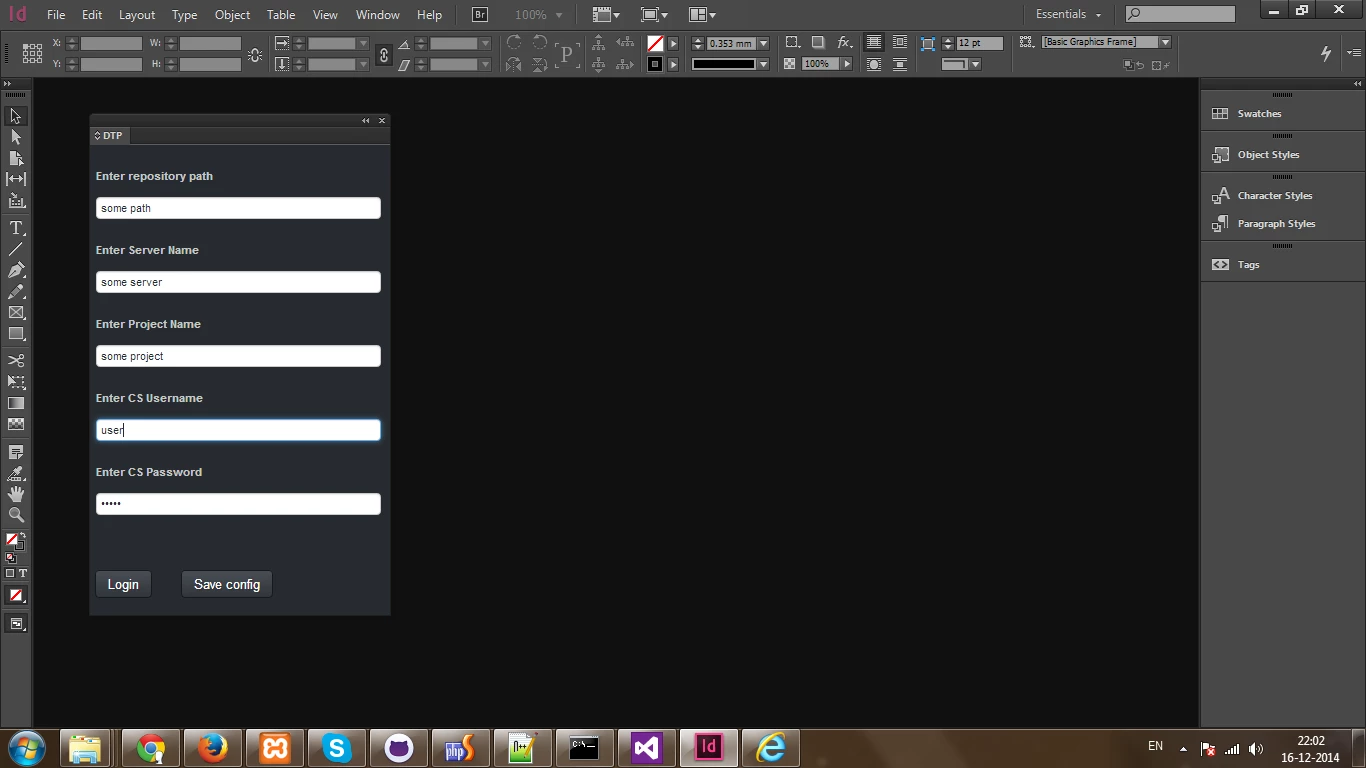
I have a HTML extension for which I have configured the size in manifest.xml, but when I am using a different screen resolution,
my extension size increases.
This is normal size:
This is how it looks when I use bigger screen with better resolution:
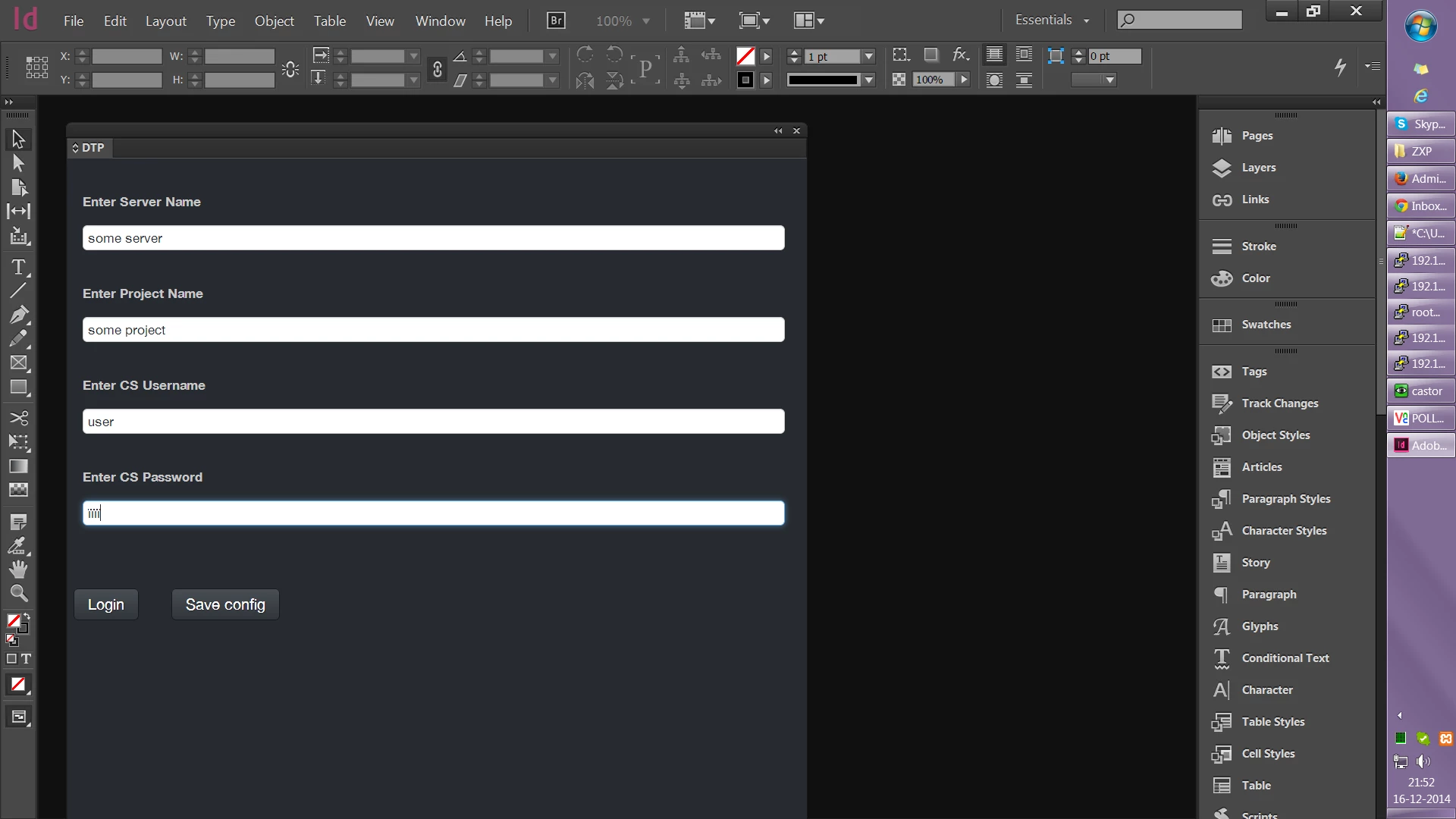
Although the relative distances of text boxes is perfect, but the extension dimensions seems to have grown considerably.
Below is my manifest.xml file, please have a look and see if you can help.
<?xml version="1.0" encoding="UTF-8"?>
<ExtensionManifest Version="5.0" ExtensionBundleId="someUniqueId Desktop Publisher" ExtensionBundleVersion="1.1"
  ExtensionBundleName="someUniqueId Desktop Publisher" xmlns:xsi="http://www.w3.org/2001/XMLSchema-instance">
  <ExtensionList>
  <Extension Id="DTP.extension1" Version="1.0" />
  </ExtensionList>
  <ExecutionEnvironment>
  <HostList>
  <Host Name="IDSN" Version="[10.0,10.9]" />
  </HostList>
  <LocaleList>
  <Locale Code="en_CA" />
  <Locale Code="en_GB" />
  <Locale Code="de_CH" />
  <Locale Code="en_US" />
  <Locale Code="de_DE" />
  <Locale Code="en_AU" />
  </LocaleList>
  <RequiredRuntimeList>
  <RequiredRuntime Name="CSXS" Version="5.0" />


  </RequiredRuntimeList>
  </ExecutionEnvironment>
  <DispatchInfoList>
  <Extension Id="DTP.extension1">
  <DispatchInfo >
  <Resources>
  <MainPath>./gui/graphics/screens/startInDesignApp/start2014.html</MainPath>
  <ScriptPath>./gui/graphics/core/repository/services/indesign/myScript.jsx</ScriptPath>
  </Resources>
  <Lifecycle>
  <AutoVisible>true</AutoVisible>
  </Lifecycle>
  <UI>
  <Type>Panel</Type>
  <Menu>DTP</Menu>
  <Geometry>
  <Size>
  <Height>470</Height>
  <Width>300</Width>
  </Size>
  <MaxSize>
  <Height>470</Height>
  <Width>300</Width>
  </MaxSize>
  <MinSize>
  <Height>470</Height>
  <Width>300</Width>
  </MinSize>
  </Geometry>
  </UI>
  </DispatchInfo>
  </Extension>
  </DispatchInfoList>
</ExtensionManifest>
 AdChoices