
muxammady39789774
Participant
March 4, 2017
Answered

InDesign CC 2017 application window not showing

  • March 4, 2017
  • 1 reply
  • 8534 views

Hi,

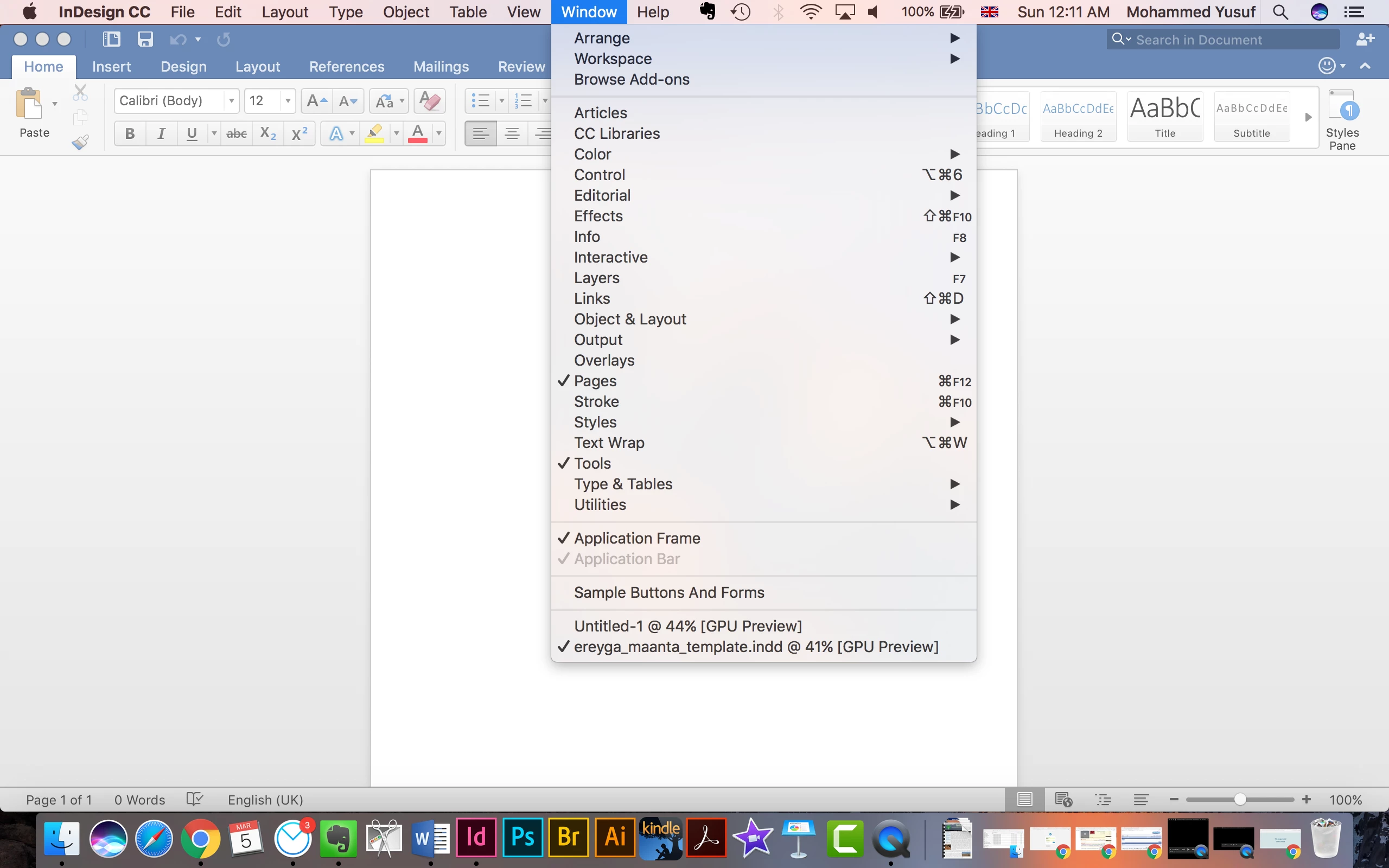
Has anybody come across this issue with InDesign CC 2017: the application opens and all the menus are working within Mac Menu Bar at the top, but the application window and the pages are not visible.

Greatly appreciate your help.

[Here is the list of all Adobe forums... https://forums.adobe.com/welcome]

[Moved from generic Cloud/Setup forum to specific Program forum... Mod]
    This topic has been closed for replies.
    Correct answer Barb Binder

    Turning both of them on makes the whole thing disappear again.


    Wow. That's bizarre. With both on, Word should be hidden by InDesign.

    Let's try trashing InDesign prefs:

    Troubleshooting 101: Replace, or "trash" your InDesign preferences

    1 reply

    Barb Binder
    Community Expert
    Community Expert
    March 4, 2017

    Window > Application Frame

    ~Barb at Rocky Mountain Training
    muxammady39789774
    Participant
    March 4, 2017

    Thank you so much. Now it shows but only when Application Bar is selected. It disappears when I click on Application Frame.

    Barb Binder
    Community Expert
    Community Expert
    March 4, 2017

    Hmmm. A screen shot may help to understand what you are looking for, but generally the controls are in the Window menu. Turning on the Application frame will turn on the Application bar automatically. Keep both selected.

    If it still doesn't look right:

    Window > Workspace > Essentials (or your favorite workspace)

    Window > Workspace > Reset Essentials  (or your favorite workspace)

    Still not OK? Pls share a screen shot:

    ~Barb at Rocky Mountain Training