MoniqueGiannikos
Participant
March 22, 2024
Answered

Indesign CC Library not saving/accepting IDMS files

  • March 22, 2024
  • 2 replies
  • 2457 views

OPPERATING SYSTEM - Mac OS 14.4 Sonoma 

INDESIGN VERSION - 17.4


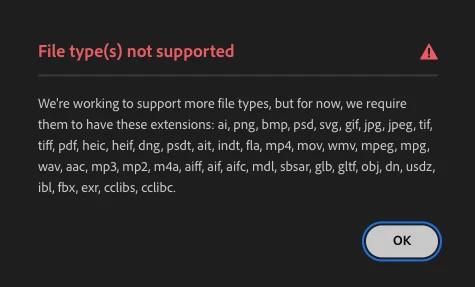
Hi there, as of early March 2024, CC Library has stopped allowing IDMS files to be added. It will also not allow existing IDMS files already in CC Library to be edited.


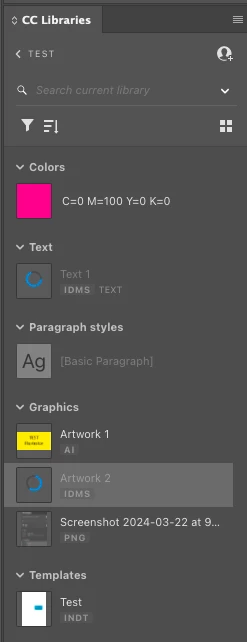
When saving into your library from CC desktop app or via Indesign, it will accept colour, paragraph styles, Illustrator files (.ai) all photoshop files (.jpg, .png...), Indesign templates (.indt). It will not accept text or graphics (.idms) even if it is embedded. 


Unfortunately, I am unable to update my Indesign version at present as we use management software that only works on this version, however, it was working fine in February 2024.


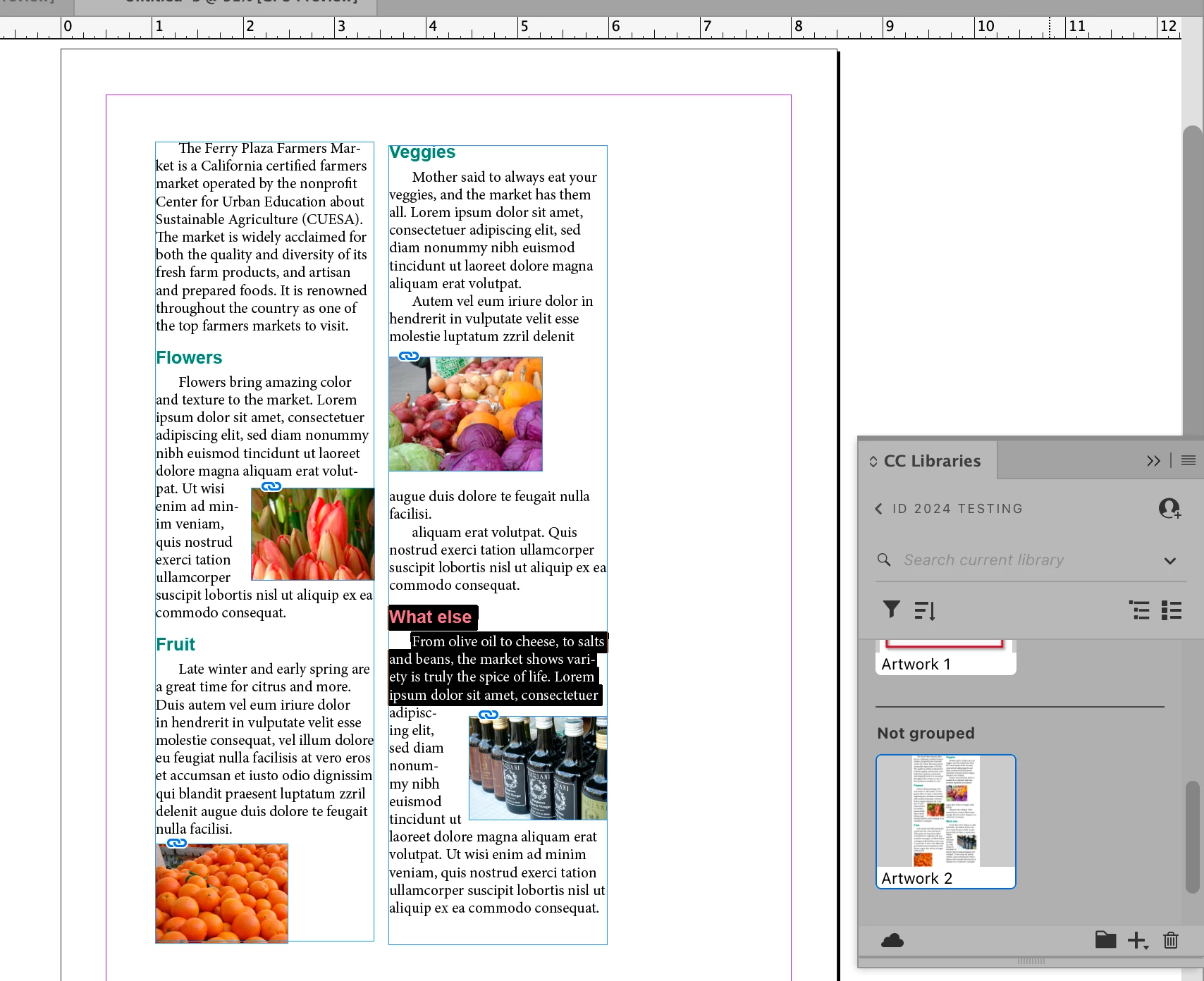
Please see attached images showing the library.
Below message from CC desktop app if trying to upload IDMS file. This is odd as it has been supporting IDMS for ages.
This topic has been closed for replies.
Correct answer MoniqueGiannikos

I don't think it's as simple as that. When you select artwork from InDesign as a graphic, it's not really an IDMS file because it an also be used in an application like Illustrator or Photoshop which doesn't understand what an IDMS file is. 


InDesign understands the portion of the file it can use as an IDMS file although it's no longer labeled as such (I think it used to be). Illustrator or Photoshop reads and treats it like a PDF file so it can be scaled and used in those applications.


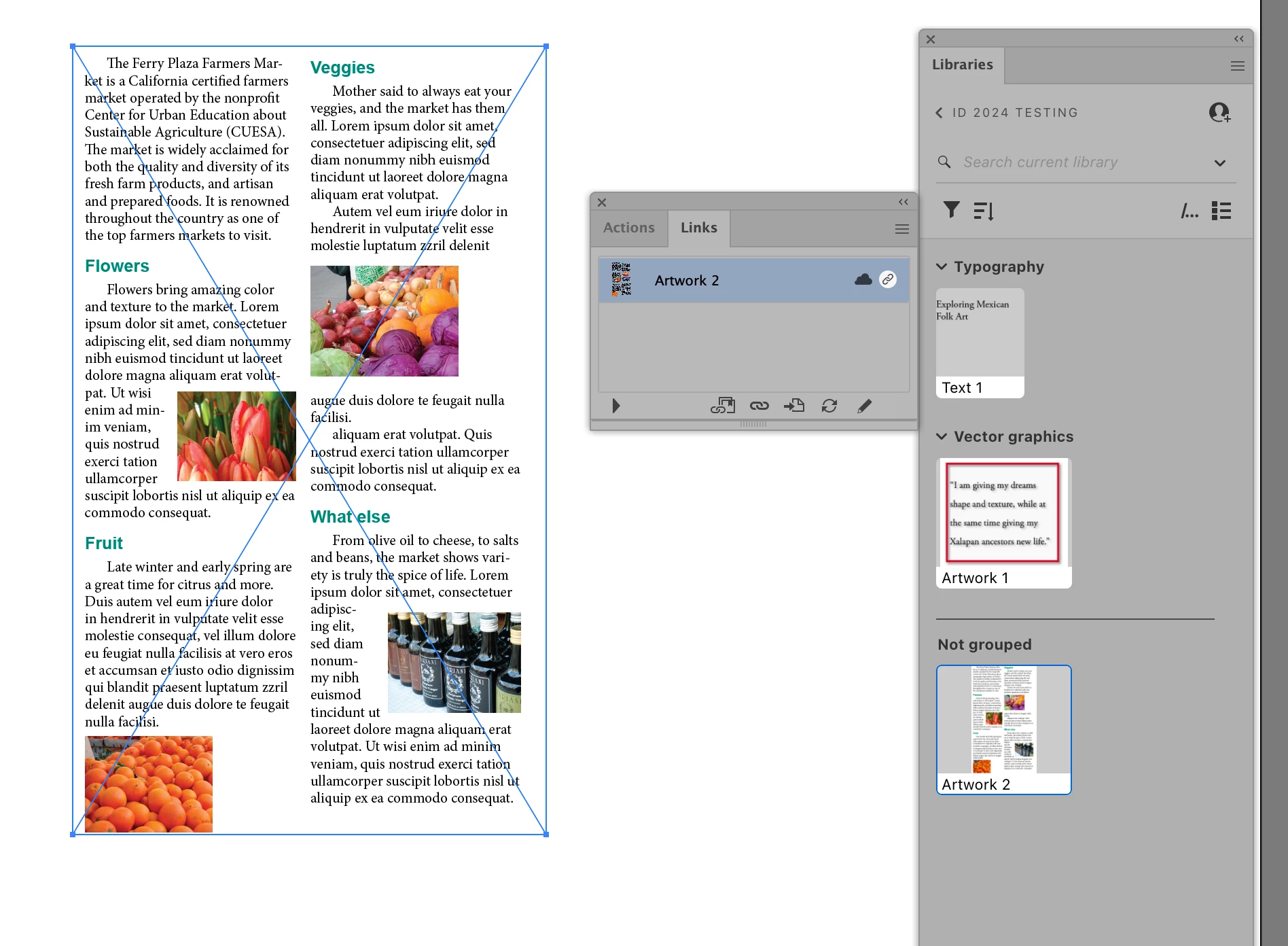
Here's how Illustrator sees the file. Like a PDF, it cannot be edited.


Here's the way InDesign sees the same file when placed into InDesign. It's handled the way an IDMS is and can be edited:


Hi Steve


Hi Steve, Thank you for your reply.


For clarification, I have called it an IDMS file because this is what it is called in the version of CC libraries that I am using. See attached.


Essentially I am trying to save graphic and/or graphic text elements from InDesign into my CC library using the add "Graphic", in the same way you have shown above. See attached. I also need them to be editable in Indesign. I used to be able to do this in February 2024, but I can not do so now. 


In my original post, I was demonstrating that other file types can be added and edited with no issue. This is only an issue with graphics and text being saved from InDesign.


At home, using a different account and the latest version of InDesign, I have tested this feature and it works as it should. This proves that it is an issue caused by an older version not being supported and I will consider the case closed.


2 replies

Steve Werner
Community Expert
Community Expert
March 22, 2024

You seem to have a very strange workflow. Please describe why you would need to drop an IDMS file (snippet) into a Creative Cloud library.


Why not just select the elements you need in the InDesign file, then just choose Graphic when choosing the type of import at the bottom of the CC Library menu:


MoniqueGiannikos
Participant
March 22, 2024

Hi Steve


Thank you for your reply. Appologies for the confusion, however, I am not dropping IDMS files into CC libraies, but rather that when you add a graphic from your document into your library, Indesign automatically saves those images or graphics as IDMS files. I hope that clarifies for you.

Steve Werner
Community Expert
Community Expert
March 22, 2024

I don't think it's as simple as that. When you select artwork from InDesign as a graphic, it's not really an IDMS file because it an also be used in an application like Illustrator or Photoshop which doesn't understand what an IDMS file is. 


InDesign understands the portion of the file it can use as an IDMS file although it's no longer labeled as such (I think it used to be). Illustrator or Photoshop reads and treats it like a PDF file so it can be scaled and used in those applications.


Here's how Illustrator sees the file. Like a PDF, it cannot be edited.


Here's the way InDesign sees the same file when placed into InDesign. It's handled the way an IDMS is and can be edited:


kglad
Community Expert
Community Expert
March 22, 2024

in the future, to find the best place to post your message, use the list here, https://community.adobe.com/

p.s. i don't think the adobe website, and forums in particular, are easy to navigate, so don't spend a lot of time searching that forum list. do your best and we'll move the post (like this one has already been moved) if it helps you get responses.


<"moved from cc desktop bugs">
MoniqueGiannikos
Participant
March 22, 2024

Thank you Kglad, I will keep this in mind 🙂

kglad
Community Expert
Community Expert
March 22, 2024

no problem.