

Question
InDesign cc18 Bounding Box Behavior
Hi there!
First: I'am aware that other users had the same unsolved problem with older versions of InDesign. Anything new?
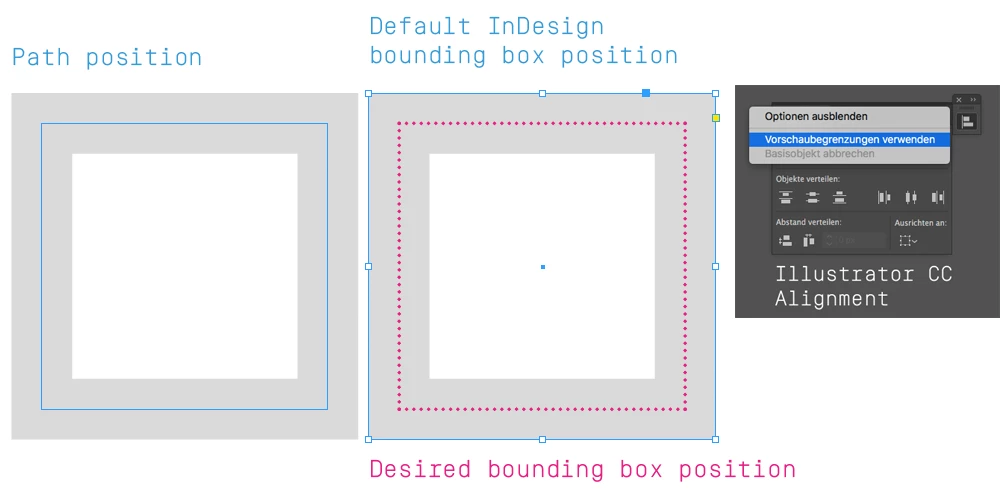
Is it possible that the bounding box of an object (a simple rectangle for example) becomes congruent with its path when the path position is set to the middle.
In other words: The path and the bounding box should be on the same position.
It's about alignment with guide lines or other objects. Because they use to snap to the bounding box not to the path.
There is the command "Use Preview Bounds" in the align section in Illustraor CC which controls the bounding box behavior to a certain extent. Is there anything similar in InDesign now which I didn't found yet?
Thanks in advance!
 AdChoices