

Tintart
Inspiring
January 23, 2018
Answered

InDesign collapsed panels

  • January 23, 2018
  • 1 reply
  • 2367 views

Hello everyone

Interface issue this time hits in InDesign. Every time I open the program, panels are collapsed, like here:
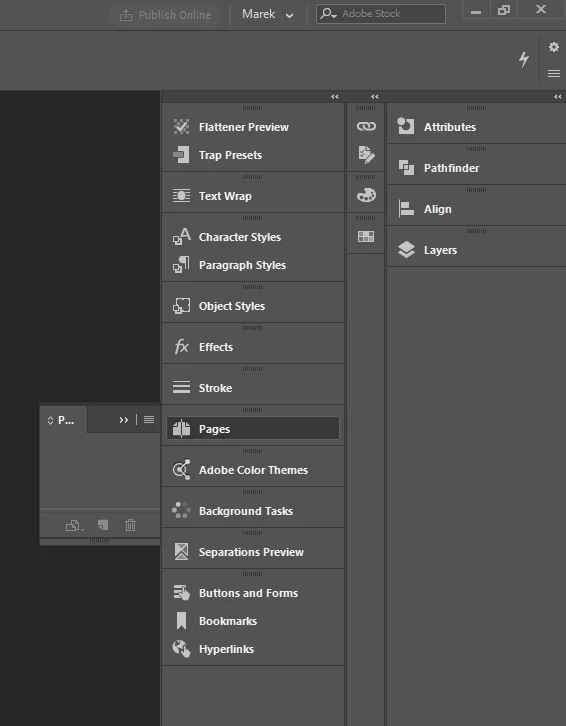
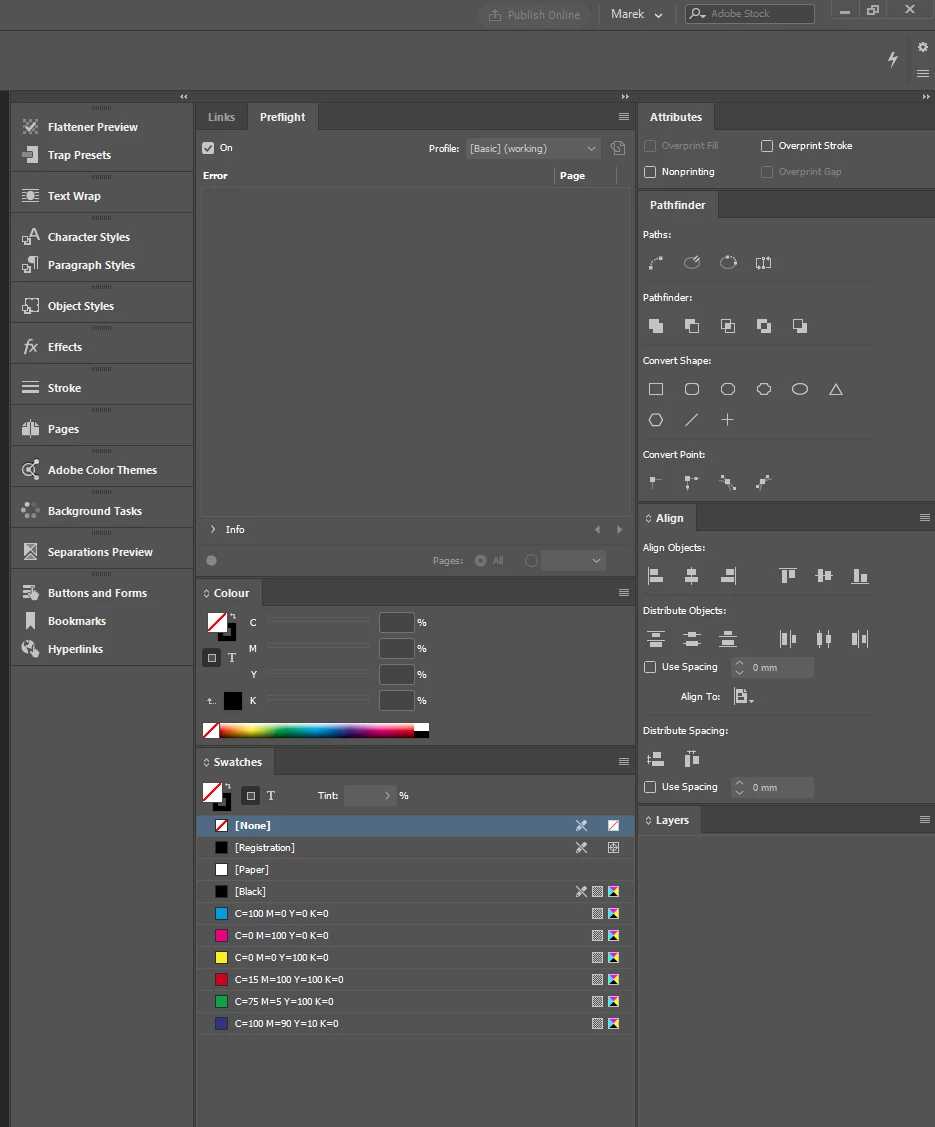
As you can see in the upper part, my profile is selected. So I need to go to the dropdownlist, and choose "reset", and then it is normal again. Even if I re-save it, reinstall program, remove preferences etc, this problem keeps returning every time I start an app, so my interface can be like this:
Any known work-arounds or real solutions?

I am on Win 10 x64 if that matters. Newest version of software.

This topic has been closed for replies.
Correct answer Bill Silbert

Problems within panels can be fixed by deleting InDesign cache files rather than preferences. For instructions on how to delete caches on both a Mac and PC please read the last sections of this thread: CC 2018 InDesign—Don't Import previous settings and preferences .

1 reply

Participant
January 23, 2018

I have the same/similar problem. My panels sometimes have disappeared or are collapsed and won't open when clicking them, even after resetting my own workspace when starting up Indesign. Sometimes restarting Indesign (and/or my iMac completely) does the trick... Often not...  I think I've deleted my two preferences-files for the third time already but problem keeps appearing.

Also when the Pages panel works, it doesn't display the miniatures of the masterpage(s) and I can't scroll to the last page in the miniatures when I have a document that's ± 70 pages.

High Sierra 10.13.2 on a 2015 iMac 27"

Anyone?

Bill Silbert
Community Expert
Bill SilbertCommunity ExpertCorrect answer
Community Expert
January 23, 2018

Problems within panels can be fixed by deleting InDesign cache files rather than preferences. For instructions on how to delete caches on both a Mac and PC please read the last sections of this thread: CC 2018 InDesign—Don't Import previous settings and preferences .

Dave Creamer of IDEAS
Community Expert
Community Expert
January 23, 2018

I've been able to solve it by deleting my preferences, but I would also follow Bill's advice.

David Creamer: Community Expert (ACI and ACE 1995-2023)