Participant
Sep 20, 2019 7:08 PM UTC
Answered

Indesign Color Theme Tool bar won't go away.

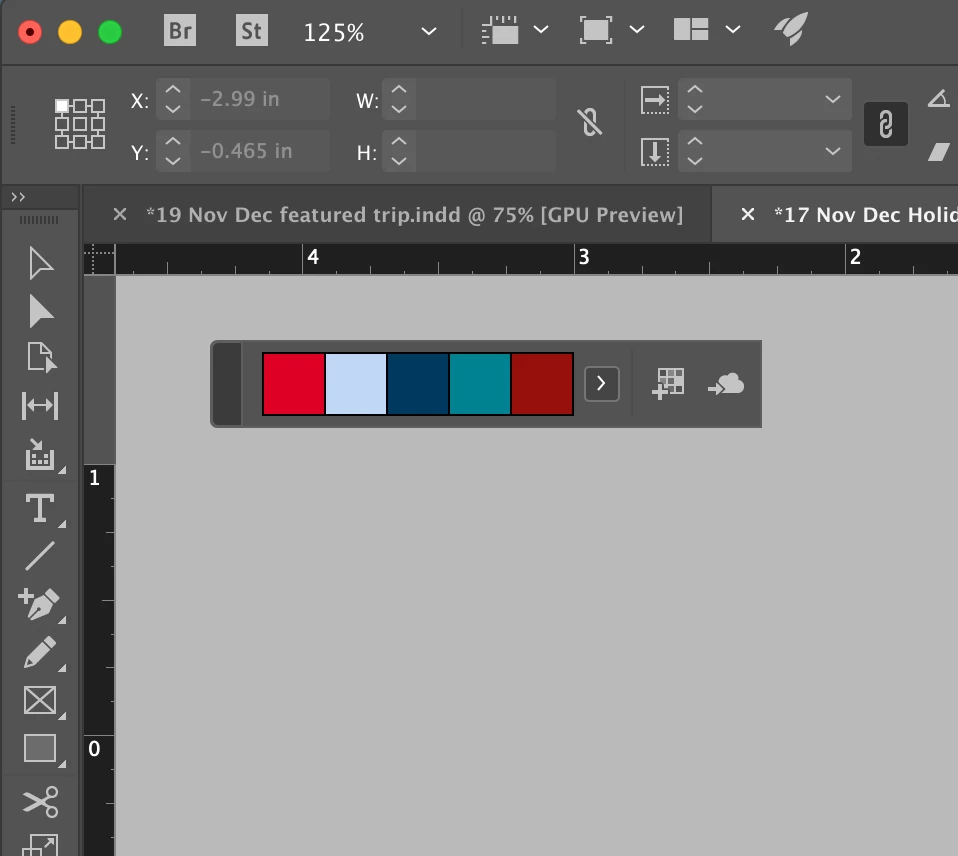
I have a quick question about the Color Theme Tool bar. I accidently clicked it and now it is on my screen forever and I can't get it off. Is there any way to get it off my screen?

    Steve Werner
    Steve WernerCorrect answer
    Community Expert
    Sep 20, 2019 10:21 PM UTC

    The two standard ways to dismiss the floating tool bar for the Color Theme tool: (1) Press the Escape tool closes it so you could choose another sample. (2) Choosing another tool (like the Selection tool) temporarily hides it but will reappear if you choose the Color Theme tool again.


    If that doesn't work, I'd quit out of InDesign.

    8 replies

    Participant
    Apr 26, 2025 7:11 AM UTC

    You can just close the indesign completly and then restart indesign.  Now you can not see the color theme tool again.

    Translate
    Participant
    Jul 21, 2022 11:56 PM UTC

    If you bring another window on top of the indesign window and then get back to indesign, the color theme bar goes away. It might be a refresh issue. Esc does not work. 

    Translate
    Steve Werner
    Community Expert
    Steve WernerCommunity ExpertCorrect answer
    Community Expert
    Sep 20, 2019 10:21 PM UTC

    The two standard ways to dismiss the floating tool bar for the Color Theme tool: (1) Press the Escape tool closes it so you could choose another sample. (2) Choosing another tool (like the Selection tool) temporarily hides it but will reappear if you choose the Color Theme tool again.


    If that doesn't work, I'd quit out of InDesign.

    Translate
    Gab122301Author
    Participant
    Sep 23, 2019 12:16 PM UTC
    Thanks so much! Just pressing the escape tool got it off the screen!
    Translate