Participant
August 6, 2026
Question

Indesign colour picker

  • August 6, 2026
  • 6 replies
  • 43 views

We have all quietly noticed that the colour picker in Indesgn used to pick up whatever color you hovered over within the document. We feel it stopped working like that a few updates ago - it now picks up whatever is in the top layer, and that is not interesting to us, as its often part of a text box above the image we are trying to pick the colour from. This issue leaves us going back and forth between photoshop and Indesign just to single out colours, which works against us in our workflow.

    6 replies

    rob day
    Community Expert
    Community Expert
    August 6, 2026

    This issue leaves us going back and forth between photoshop


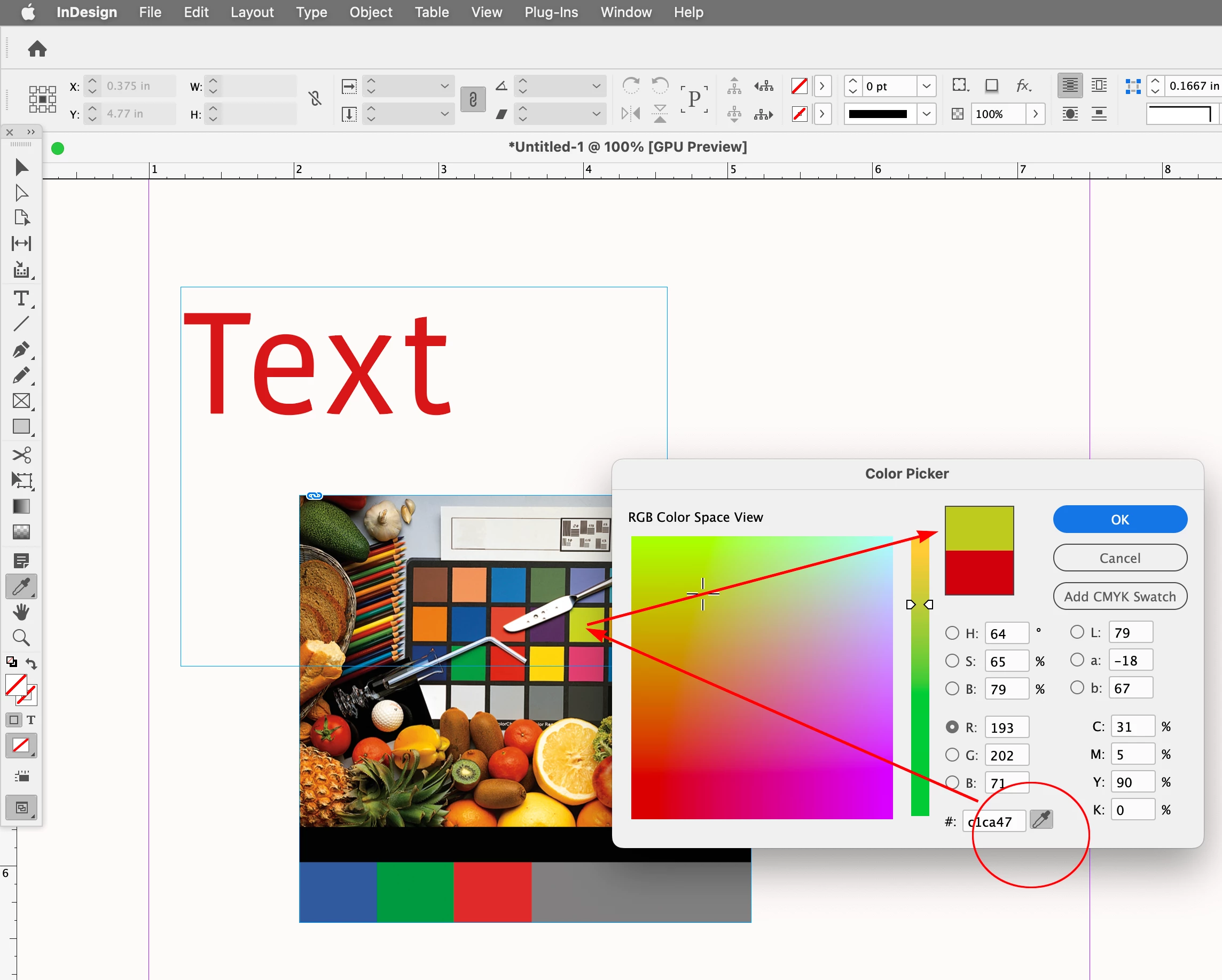
    Also, the Color Picker’s color sampler samples the colors in your  Monitor RGB profile, while the Eyedropper tool is color managed with the document profiles. If you need that color accuracy, you can get at the object you want to sample by option-clicking its visibility eye icon in the Layers panel and then sample the color:


    graphics_4075
    Inspiring
    August 6, 2026

    Thank you for clarifying this, I was aware of the monitor picker but forgot that they are separate tools! 


    I do think it is a worthwhile request for the dedicated eyedropper tool to share the same function as the color picker. The color picker has the more advanced capabilities but

    a) requires more clicks to navigate to and

    b) requires you to hold down while using 


    I think it would be best if the dedicated eyedropper was not affected by text box layers AND had a live dropped update if you choose to hold down. 

    Cheers
    Abhishek Rao
    Community Manager
    Community Manager
    August 6, 2026

    Hi @Zoe Zone,


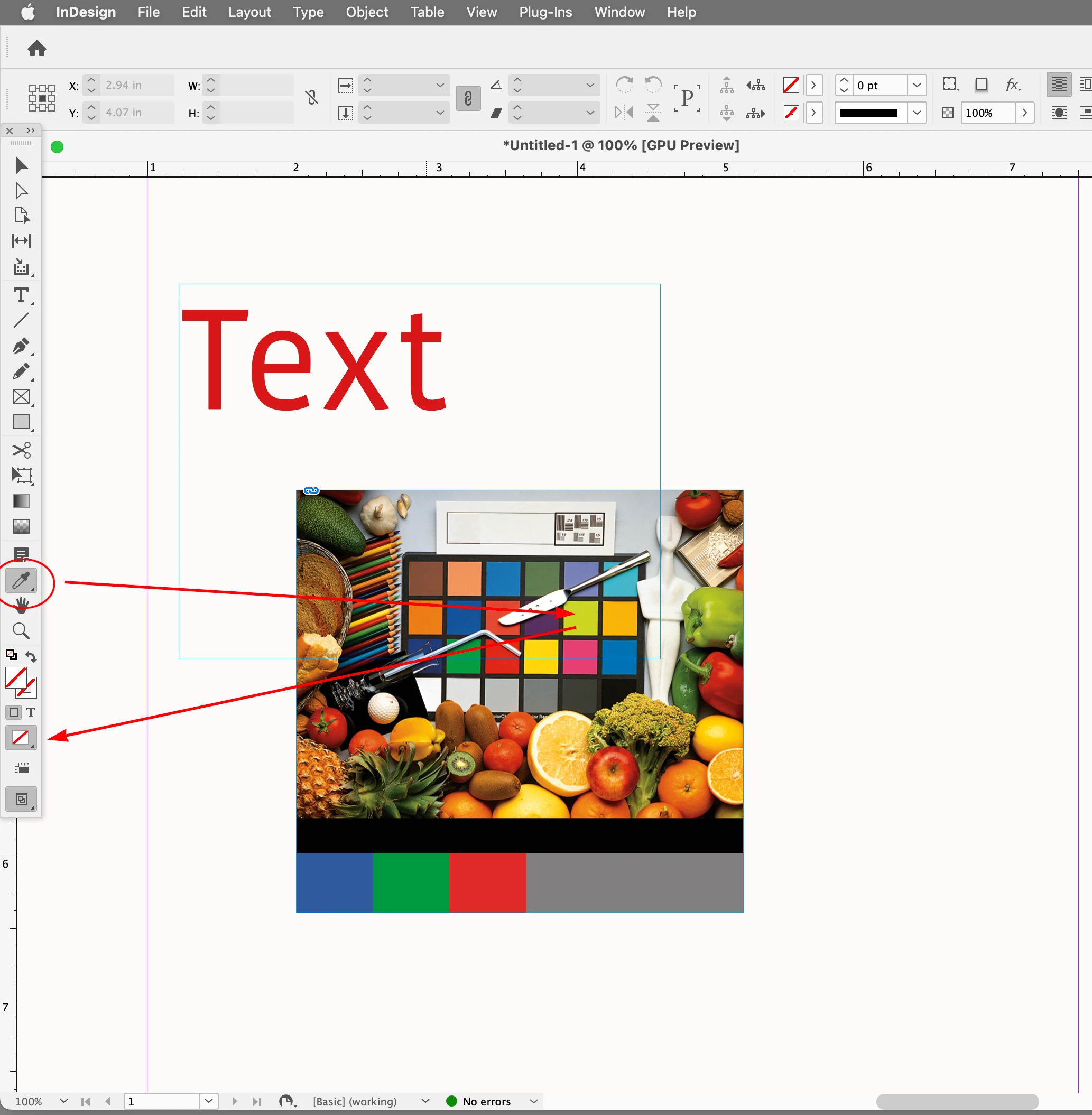
    Thanks for bringing this up and for explaining your workflow. I tested this behavior on both InDesign 21.4.1 and 19.5.5, and I observed the same result: when a text frame is positioned above an image, the Eyedropper is unable to sample colors from the portion of the image covered by that text frame. Once the text frame is moved away, the Eyedropper samples the image as expected.

    I've reached out to the product team to confirm whether this behavior is by design or if it's something they consider an issue. I'll update this thread as soon as I hear back from them.


    Thanks for your patience!

    Abhishek

    rob day
    Community Expert
    Community Expert
    August 6, 2026

    I tested this behavior on both InDesign 21.4.1 and 19.5.5, and I observed the same result


    Hi ​@Abhishek Rao  & ​@graphics_4075 , I asked ​@Zoe Zone  to clarify which color picker was being used—there is the Tools panel’s Eyedropper Tool, and the Color Picker’s color sample eyedropper. They are different tools and act differently:


    The Eyedropper Too gets the front most object:


    The Color Picker’s color sampler,  samples color anywhere on the monitor screen, including color outside of InDesign . With the color sampler tool you have to click and hold the mouse button down in order to sample the screen:


    graphics_4075
    Inspiring
    August 6, 2026

    I could be wrong but I am not sure you’ve ever been able to use the color picker on a shape that is below a text box - the simple workaround has always been to briefly move/shrink the bounding box. As Rob said below it is working as “intended.”, while quite inept. 


    Anyways, I literally got annoyed by that issue no less than 5 minutes ago. If there is no fill in the text box it shouldn’t be obstructing layers below it. 

    Cheers
    rob day
    Community Expert
    Community Expert
    August 6, 2026

    We feel it stopped working like that a few updates ago


    Hi ​@Zoe Zone , Just clarify you are referring to the eye dropper tool inside the Color Picker right?


    It’s working for me in CC 2025. I have to click and hold the eye dropper, and then drag with my mouse button pressed in order to pick up monitor color—not the most intuitive feature.