
Inspiring
May 22, 2024
Answered

InDesign Converts RGB EPS Placed Files to CMYK

  • May 22, 2024
  • 1 reply
  • 540 views

Hello All,


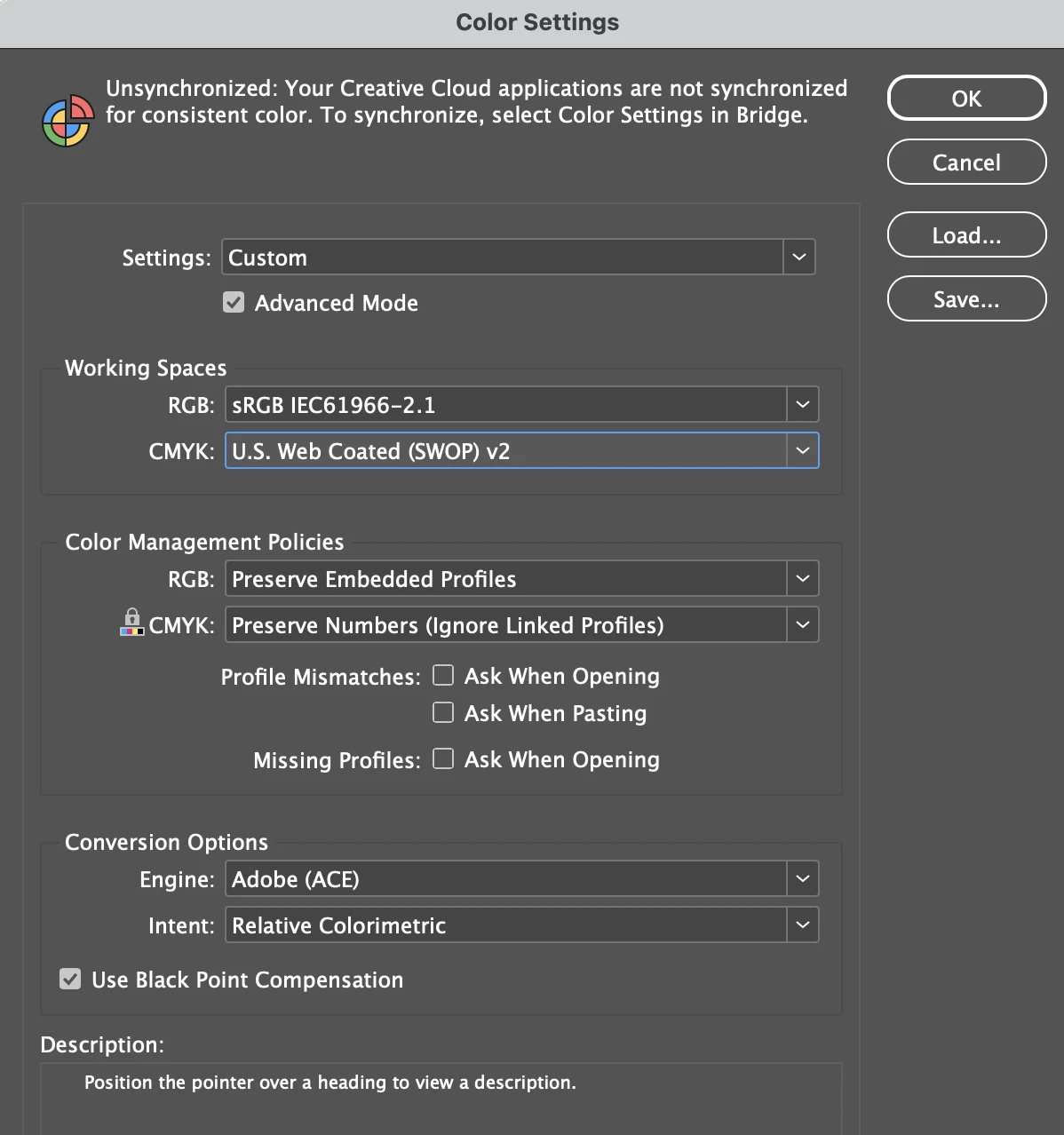
Admittedly I find the Color Settings in InDesign to be more than a little overwhelming.  Attached are my color settings below.


Here is the problem:  I work in RGB color and output to the same.  All the logos I bring in are RGB EPS files made in Illustrator.  When I place them in a rectangular frame box, the RGB file gets converted to CMYK values.  What am I doing wrong?


TIA hank stamper
This topic has been closed for replies.
Correct answer jane-e


 All the logos I bring in are RGB EPS files made in Illustrator.

By @hank_stamper


Try using the Illustrator file (.ai) instead of the obsolete .eps format. Does that solve your issue?


I've moved your post from CC Desktop to the InDesign forum.


Jane


1 reply

jane-e
Community Expert
jane-eCommunity ExpertCorrect answer
Community Expert
May 22, 2024


 All the logos I bring in are RGB EPS files made in Illustrator.

By @hank_stamper


Try using the Illustrator file (.ai) instead of the obsolete .eps format. Does that solve your issue?


I've moved your post from CC Desktop to the InDesign forum.


Jane


Inspiring
May 22, 2024

Jane,


Yes, thank you.  That did solve the problem.  Thanks for taking the time to answer.


Hank Stamper

PS; I would've posted this to the InDesign forum if I had seen where to do that.  This GUI is preplexing

jane-e
Community Expert
Community Expert
May 23, 2024

You're welcome, @hank_stamper , I'm glad this worked for you!


We are more than happy to move posts to the forum where they can get help and we don't expect users to be able to navigate.


The EPS (Encapsulated PostScript) format is an older vector file format, although it can contain raster.

https://www.adobe.com/creativecloud/design/discover/vector-file.html


Jane