Participant
October 25, 2018
Question

Indesign crashes upon saving

  • October 25, 2018
  • 3 replies
  • 899 views

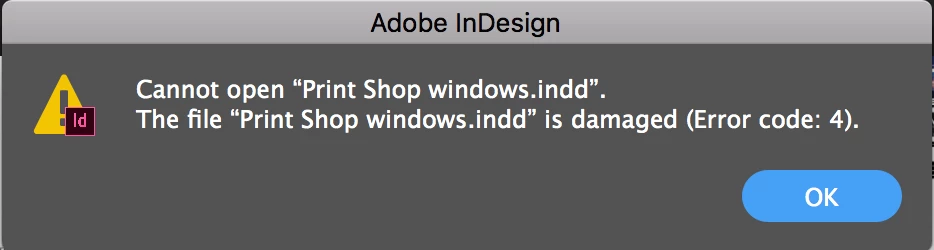
I am having problems with Indesign crashing when I go to save a document. It tells me the file is damaged and cannot be saved. The program then crashes and when I try to open the recovered file upon relaunch, it again tells me the file is damaged. This is a reoccurring problem that happens to multiple files, has happened on multiple operating systems, and multiple iterations of Indesign on fresh installs. I am not able to do a project in Indesign anymore as it is a huge waste of time and resources to work on a project and have nothing to show for it. Please help.

Inserted image is of a file created yesterday that crashed upon saving and now I cannot open. Everything is gone.
    This topic has been closed for replies.

    3 replies

    Community Expert
    October 26, 2018

    Hello

    Hope I can help with a few suggestions.

    Are you able to use File>Export and choose IDML and this creates a new file.

    When you open this it will open as a new file. Are you able to save that?

    If so, it seems like there was some corruption added to the files at some point.

    Another theory:

    Do you run any third party plugins with InDesign?
    There maybe some plugin that is obsolete or not compatible with certain itterations of Mac OS or even InDesign.

    If it's a plugin issue, the IDML route will remove the plugin, if the the plugin is no longer available in InDesign.

    To check if your files are using plugins ensure that you re-enable warnings - in case someone switched off the warning for incompatible plugins.

    You can use the "Reset All Warning Dialog" in the Preferences as shown in the screenshot below.

    Participating Frequently
    October 26, 2018

    Good day, If Adobe can't help, we can try:

    https://markzware.com/products/file-recovery-service

    We have about a 70% success rate in fixing Error code 4 problems within InDesign files.

    Friendly Regards,

    David Dilling

    Markzware

    Steve Werner
    Community Expert
    Community Expert
    October 25, 2018

    What version of InDesign (exactly)? What operating system (exactly)?

    Participant
    October 25, 2018

    Indesign cs6, cc 2017 and cc2018,

    Mac OS Yosemite, Sierra and High Sierra.

    Steve Werner
    Community Expert
    Community Expert
    October 25, 2018

    If it's that bad, it honestly sounds like a computer problem, not an InDesign problem. Have you ever taken it in too see if it might have a hard drive problem? Crashing like that can happen with a disk drive about to fail. What's the age of the computer, what model?