Participant
February 20, 2023
Question

Indesign Crashes when using swatch options

  • February 20, 2023
  • 1 reply
  • 483 views

Hi all, 

Any one have any solutions to this error. i'm trying to adjust colour but the panel seems frozen and I can't toggle between options. Have done all the usual restart etc..
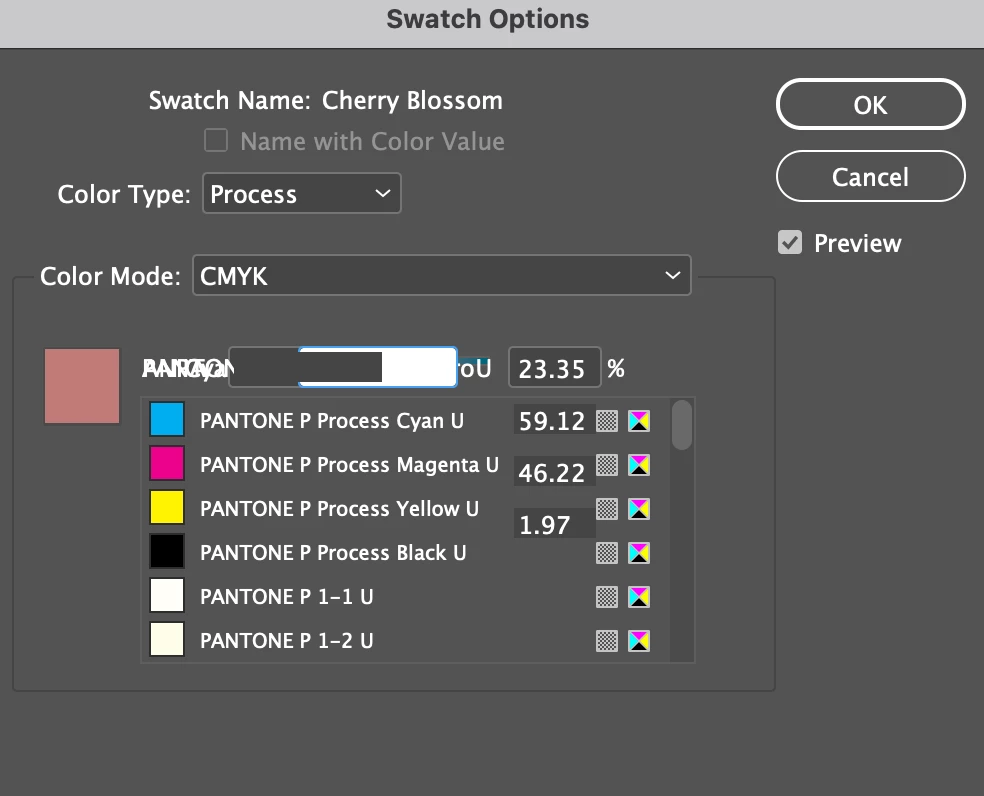

This topic has been closed for replies.

1 reply

Community Expert
February 20, 2023

If it's just one document behaving like this then try IDML

If a document is not behaving well then try 

File>Export 

Choose IDML

Open the IDML in InDesign
Save the file as a new InDesign file with a new name
See if the issue persists.


-----

If it's all documents or the IDML does not fix then try

Try resetting your preferences:

Windows: Start InDesign, and then press Shift+Ctrl+Alt. Click Yes when asked if you want to delete preference files.
macOS: While pressing Shift+Option+Command+Control, start InDesign. Click Yes when asked if you want to delete preference files.
A dialog will appear asking to delete the InDesign Preferences, select 'Yes' on this dialog.
Further info and instructions here if needed:
https://helpx.adobe.com/in/indesign/kb/indesign-preferences-support-file-locations.html


---

After this and still having issues: 


Reinstalling rarely fixes everything - you can do a complete reinstall using the
Creative Cloud Cleaner Tool https://helpx.adobe.com/creative-cloud/kb/cc-cleaner-tool-installation-problems.html