Known Participant
April 11, 2017
Answered

InDesign crashing

  • April 11, 2017
  • 1 reply
  • 1883 views

Yesterday, after putting it off for awhile, I did a basic system update on my late 2015 Mac. Not sure if it's related, but ever since the update InDesign crashes regularly, pretty much any time I am trying to work on a document. It doesn't matter which document--it does it no matter what I am working on. No spinning wheel, just a frozen mouse--I can't do anything except hold down the power button and restart. I've tried uninstalling and then reinstalling InDesign. Can't seem to find answers elsewhere--at a loss right now. Thank you in advance for any suggestions!!
    This topic has been closed for replies.
    Correct answer rohit_ID

    Is your Mac version 10.12.4 , we have a known issue for this version with Indesign . Please have a look at this thread if this is similar:

    InDesign 2017CC Freezes MacOS Sierra 10.12.4  .

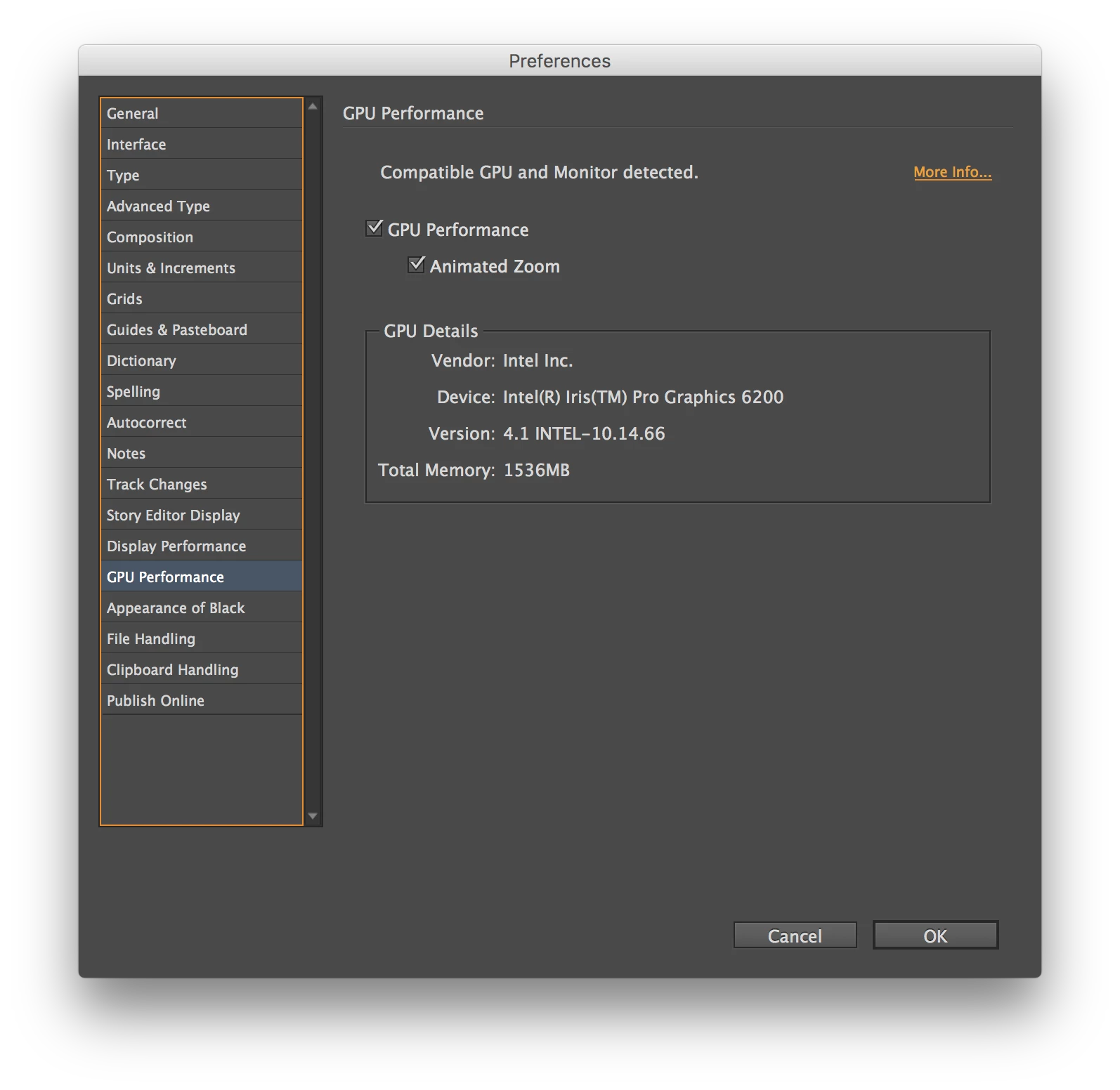
    You can try disabling your GPU Performance and let us know if this resolves your problem.

    You can disable it in Preferences dialog as:

    1 reply

    rohit_ID
    Adobe Employee
    rohit_IDCorrect answer
    Adobe Employee
    April 11, 2017

    Is your Mac version 10.12.4 , we have a known issue for this version with Indesign . Please have a look at this thread if this is similar:

    InDesign 2017CC Freezes MacOS Sierra 10.12.4  .

    You can try disabling your GPU Performance and let us know if this resolves your problem.

    You can disable it in Preferences dialog as:

    Known Participant
    April 13, 2017

    That seems to have worked. Thank you so much!!