
Participant
October 26, 2024
Answered

InDesign Crashing Due to Damaged File: How to Recover a 200-Page Book Document

  • October 26, 2024
  • 3 replies
  • 588 views

I have a damaged file that continues to crash in Indesign - cant figure out why. Typically I'd just redo the work but this a book with almost 200 pages - Anyone have suggestions


<Title renamed by MOD>
Correct answer Robert at ID-Tasker

@rachaels75630257 


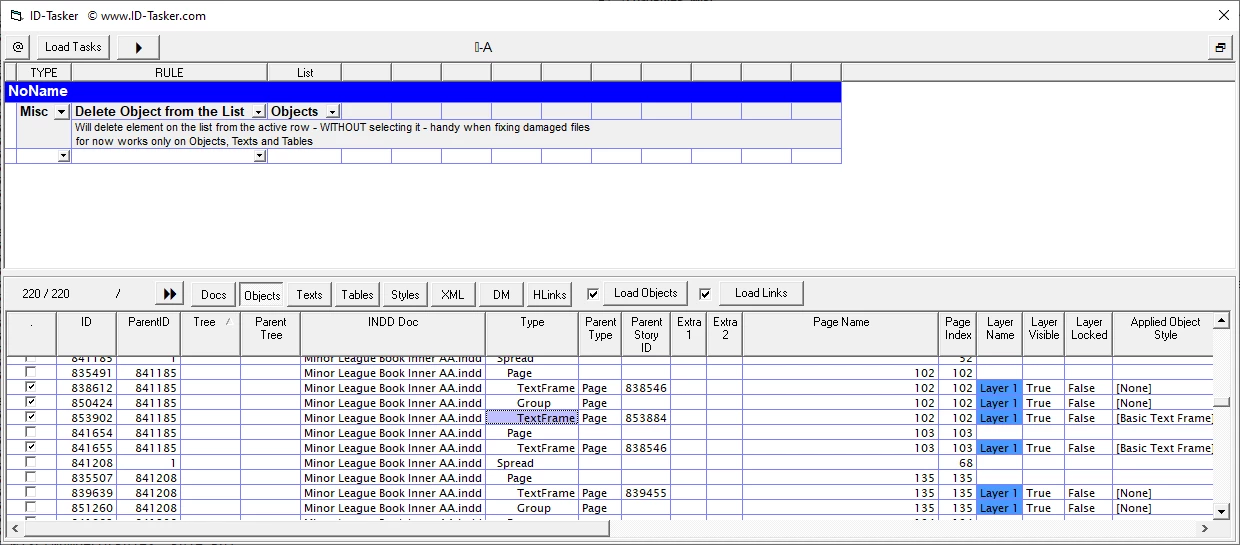
OK. I was able to fix your file - unfortunately, removing objects on this spread one-by-one didn't work - so I had to remove them all - so I don't know which object exactly was the problem. 


Fixed file sent on priv.


And it looks like you were working on this file for FOUR years??

You should do SAVE AS with a new name at the end of the day - preferably.

Or at least every few days - once a week.

And next day work on this file. You can of course rename old copy of your file then rename the new file.


3 replies

Robert at ID-Tasker
Legend
October 27, 2024

@rachaels75630257 


Thanks for the file.


Looks like it is corrupted on spread 102-103. 


Beginning of the document - up to page 101 - is OK - I'll try to save the rest.


Robert at ID-Tasker
Robert at ID-TaskerCorrect answer
Legend
October 27, 2024

@rachaels75630257 


OK. I was able to fix your file - unfortunately, removing objects on this spread one-by-one didn't work - so I had to remove them all - so I don't know which object exactly was the problem. 


Fixed file sent on priv.


And it looks like you were working on this file for FOUR years??

You should do SAVE AS with a new name at the end of the day - preferably.

Or at least every few days - once a week.

And next day work on this file. You can of course rename old copy of your file then rename the new file.


Participant
April 16, 2025

Hi Robert, I am having a similar prop to the OP. Are you able to try and help me as well pretty please?  I had a file that was open on my hard drive (450Mb - lots of images) and it crashed when my computer when down quickly due to low battery. Then it would not let me open it. thankfully I had a back up ... but after a week of working on it, the same thing happend to it. I'm on a PC, not Mac. I have tried opening on others computers, blind script, etc. At a loss here and sad. Thank you! Lisa 

Willi Adelberger
Community Expert
Community Expert
October 27, 2024

Some important information needed:

  1. From which version came the file?
  2. Size of the file?
  3. When you used images, did you link them or did you embed them?
  4. When you look in the  log file of the INDD file, do you see any problems? (CMD/Strg holding and go to the About InDesign ∞ command.
Willi Adelberger
Community Expert
Community Expert
October 26, 2024

Export the file as idml, open that, save as new INDD and work with that file. 
If you cannot even open that file, use the script blind open to export the file as IDML. 

Participant
October 26, 2024
Thank you! I tried that but when I opened the IDML file, it gets hung up when importing links...


Rachael Sullivan
Senior Brand & Creative Manager
330 Lynnway Lynn, MA 01901
Email: rsullivan@kettlecuisine.com
Office: (617) 409-1126
| Mobile: (617) 872-6912
Robert at ID-Tasker
Legend
October 26, 2024

@rachaels75630257


Can you share your file - on priv? Please ZIP your original INDD file, upload somewhere - WeTransfer or something - and send me a link on priv - click on my nickname.