
InDesign Cross Reference Format language
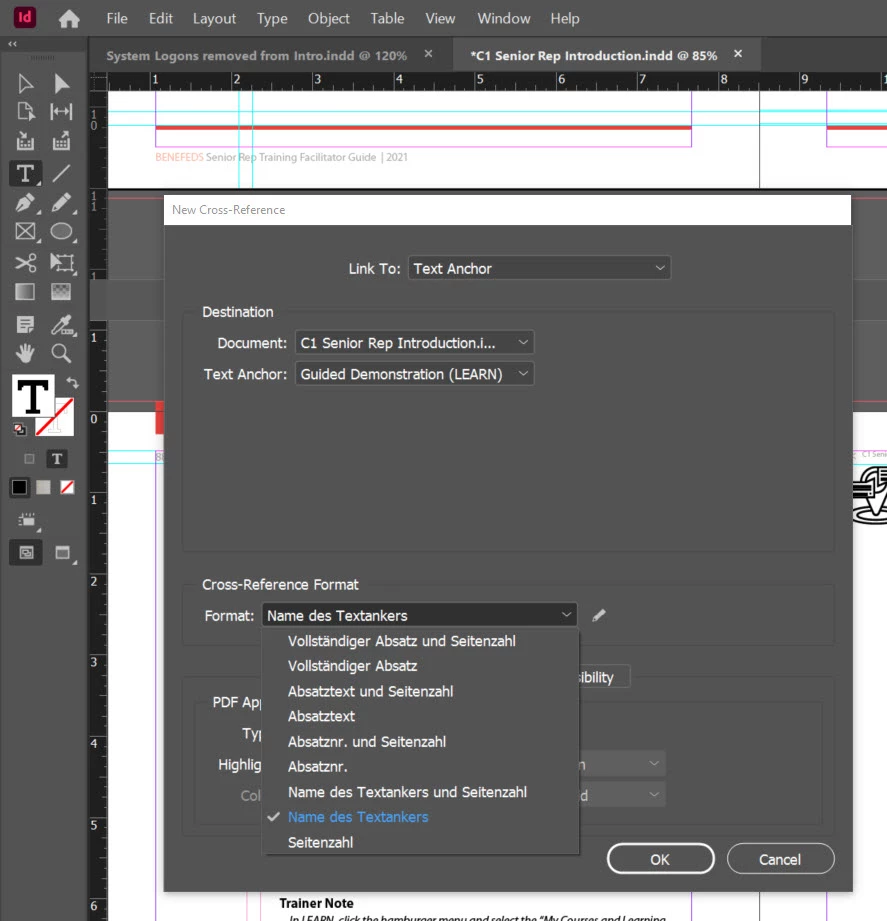
I have a really unusual issue, and I was wondering if anyone here had run into this before. I am using Adobe InDesign 2021, and trying to use the Cross Reference function. The process itself works fine. My issue occurs with the Cross Reference Format. The format selections are all in a foreign language. I was able to set up the reference, and the text itself is in English, as that is the language my InDesign is set too. However, the reference is formatted following the punctuation rules of the foreign language- so the quotes do not follow English formatting. I cannot find how to change the options for this dropdown, and every language option I can find are all set to English. I have even uninstalled and reinstalled InDesign, with no change. A co-worker does not have this issue. Image capture below.
Any assistance is appreciated, and thanks in advance!


 AdChoices